
FWIW, mixer works as exprected when using strait phone + "real" vinyl - it's the DVS / control records I'm trying to get to work, thanks again.
Aktionen für Kommentare
Rekordbox 4.5.0
OSX 10.12.6
DJM-250MK2
Rekordbox opens for me, even my iTunes library opens up, however, I can't even play tracks in internal mode - I really wanted to play with my control records (RB-VS1-k) - but it's also not recognizing my DVS. This has worked in the past, have no clue what's up now and have gotten fairly frustrated.
All inputs/outputs are my DJM-250MK2 - and I have the switch up top on the DJM set to the laptop icon.
Any idea what wrong here? Can provide screenshots etc. if that helps.
Cheers.
Post ist für Kommentare geschlossen.
FWIW, mixer works as exprected when using strait phone + "real" vinyl - it's the DVS / control records I'm trying to get to work, thanks again.

@MintPillow > Do you have the DVS functionality enabled in the preferences, and have the inputs configured properly for the DJM-250MK2 to transmit the TIMECODE - PHONO to the appropriate decks?
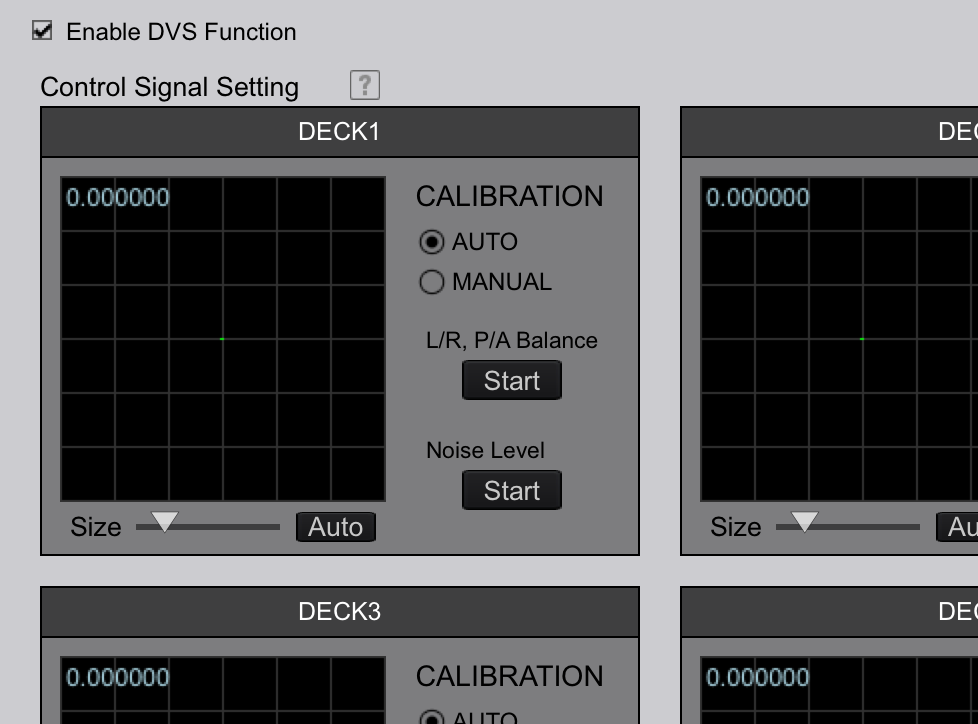
Thanks a ton for the (super) fast reply. DVS is enabled:
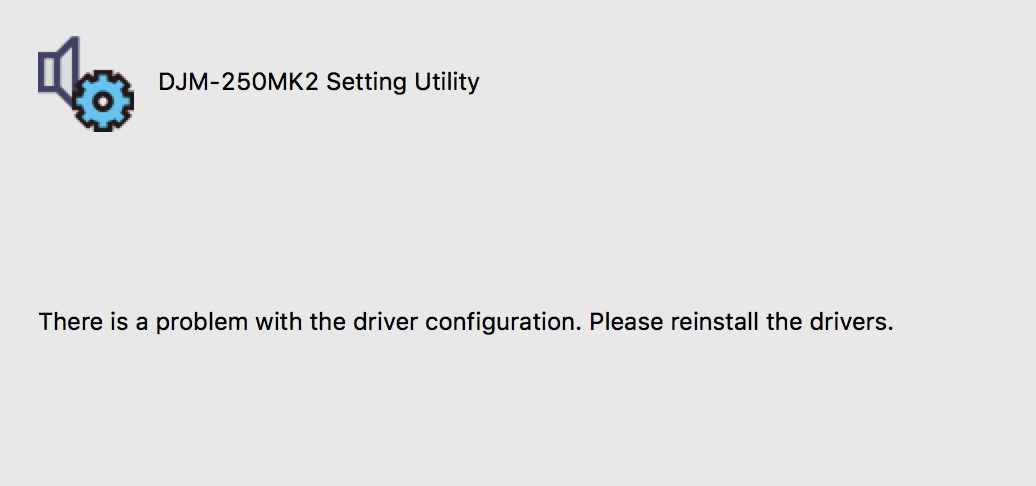
When I go to "Audio" > "Setting Utility" I get this screen:
So I updated my drivers as shown below:
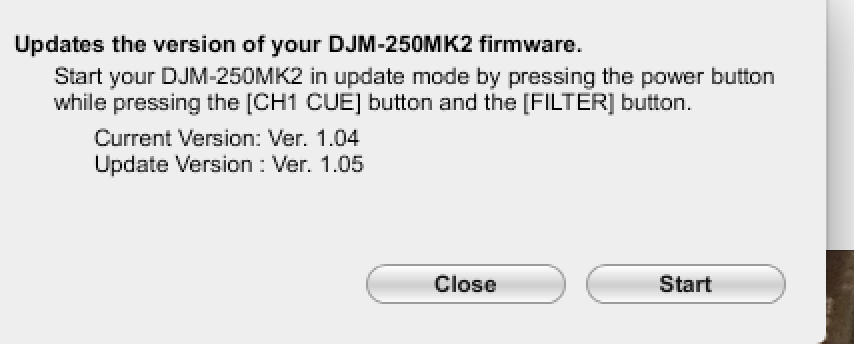 But, unfortunately, the same message still appears under "Setting Utility" - any further help on getting my inputs configured properly would be fantastic, again many thx for any assistance you're able to give. Cheers.
I'd like to say "Well THERE'S your problem!" but it just points to a second problem.
Did you manage to update the firmware of the mixer BEFORE installing the driver?
So while that didn't fix it, I then re-installed the driver for the DJM-450 and that did the trick, everything's working as expected now (pasting screenshot below in case this happens to someone else up as well) - if I had to guess what tripped things up is I recently updated my OS - either way, thanks a ton for the help here - and have a great labor day! When in doubt, make sure your drivers are up-to-date :)
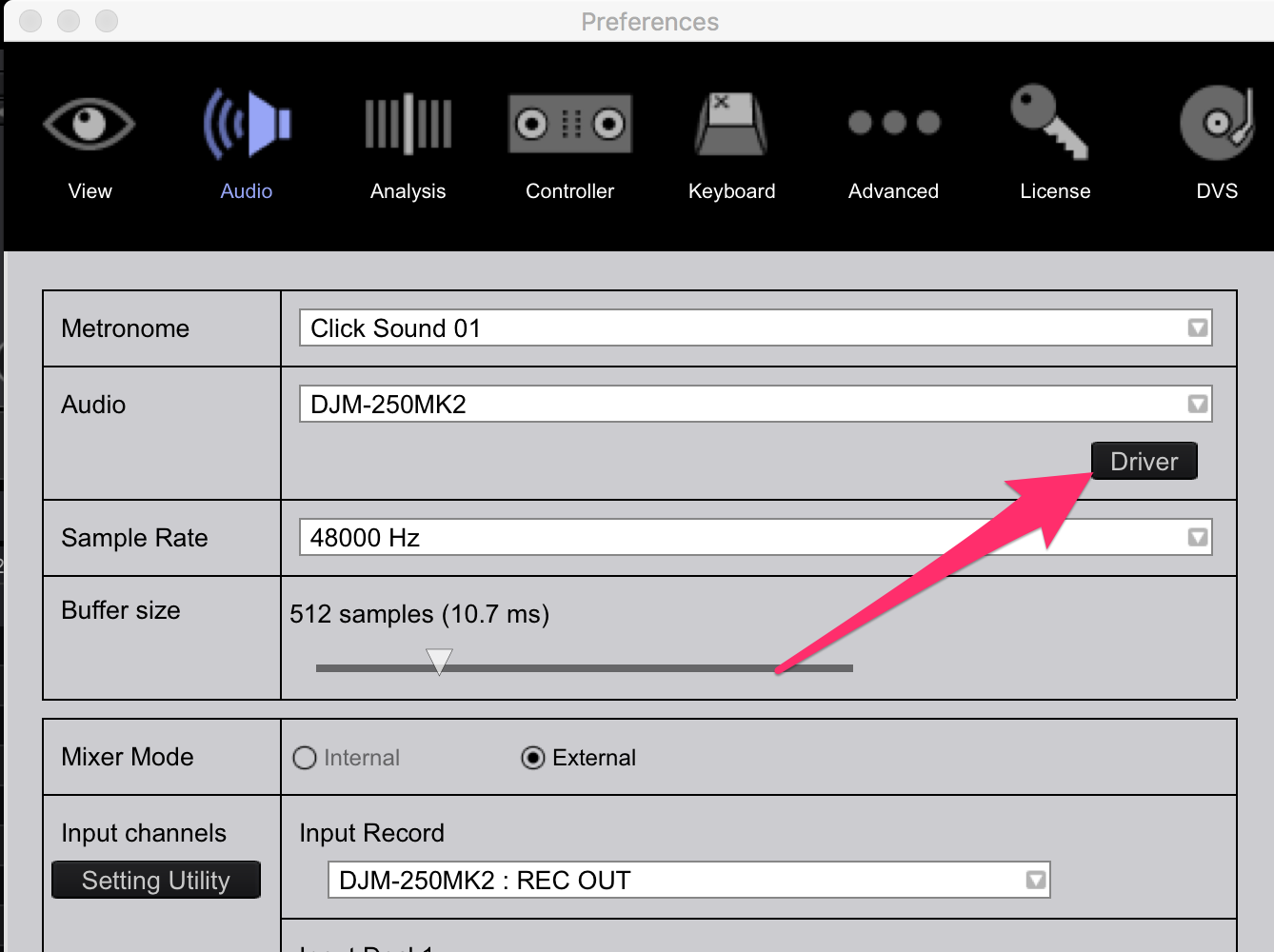

Yes, the driver needs to be reinstalled after certain OS version updates. Thanks for posting back.

I have an issue also with rekordbox. I have the djm 250 mk2 and plx500 turntables. Dvs is enabled. Setting utility is working. I want to use the control vinyl RB-VS1 however its not letting me. I'm new to all this so i don't have a clue.
Thanks
I have an issue also with rekordbox. I have the djm 250 mk2 and plx500 turntables. Dvs is enabled. Setting utility is working. I want to use the control vinyl RB-VS1 however its not letting me. I'm new to all this so i don't have a clue.
Thanks
Oops. Sorry for the double post.
I've updated firmware now. Still not got dvs working.
I'm sure I'm missing something simple.
The deck buttons are greyed out even with dvs enabled and set to turntables.
Should also add, laptop is running windows 10. Could laptop be the issue?
Everything works apart from dvs. I've had the set up for 3 days
I'm so confused by it.
I've resolved this issue. No idea how. 😁
Reboot? lol


