Have a feature request or suggestion? Post your idea here!

Post

2 Follower Folgen
0
Avatar

Wav form visualisation problems and requests + time countdown

Hi, I’m wondering if something is broken with the wav form speed settings. They don’t seem to work anymore in 4.0.5. 

Besides this I have a few requests:  

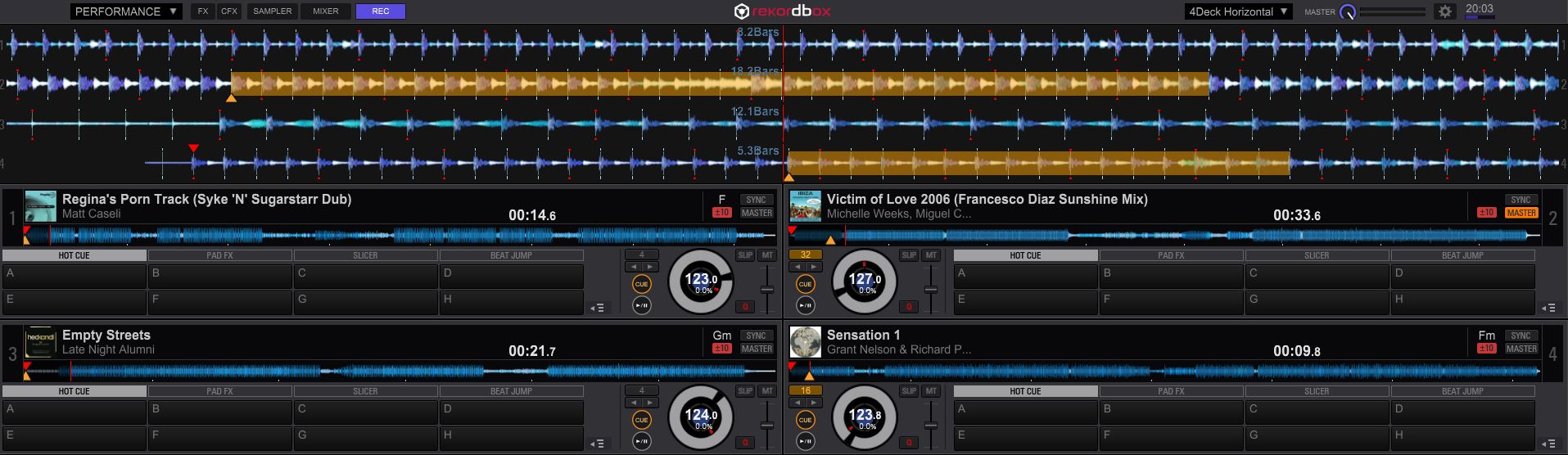
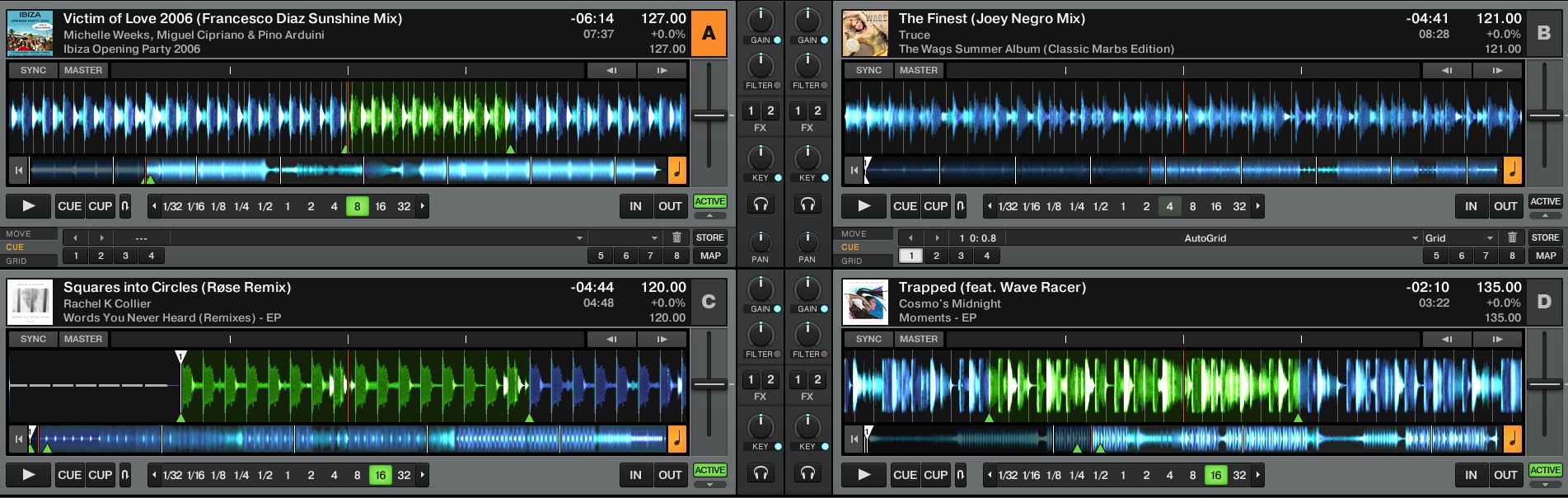
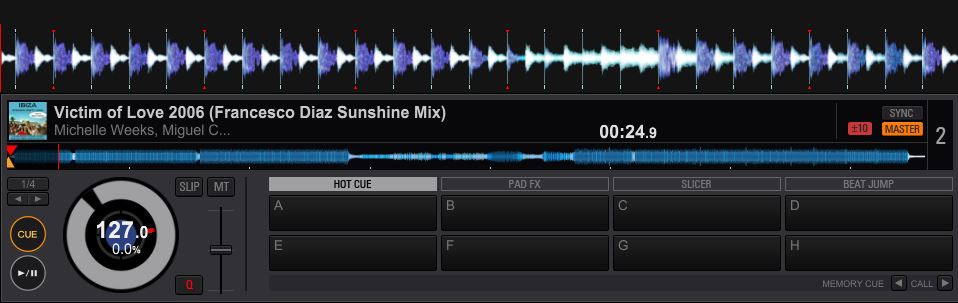
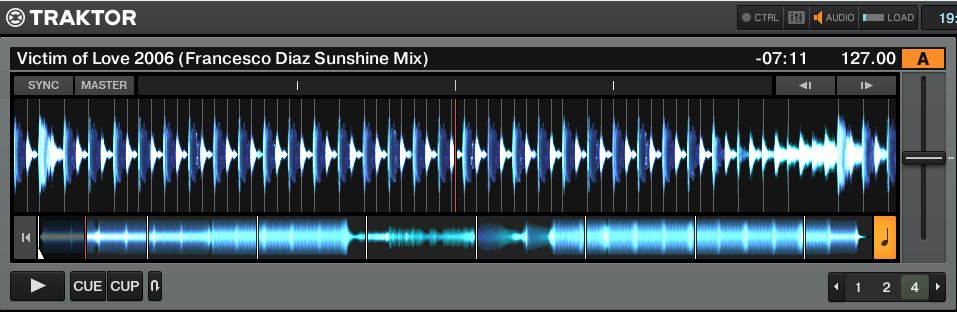
Somehow both wav forms (Total track view and and ‘running’wav form are much more pleasant to follow in Traktor compared to Rekordbox. The window where you can see the complete song is simply a bit larger. In my opinion a very imported window that could easily made bigger instead of the big cue pads.

Perhaps even more important: In Traktor on both wav forms the tracks seem to use more of the vertical axe (stretched), which helps a lot to visualize the tracks! See attachments.


Monitor is 1920 x 1080.

Recap: Is it possible to optimize the graphic wav forms by stretching the vertically, making the total track window larger and making them smoother?

Another thing I miss is the countdown time untill the end of the track? Seems such basic info for a DJ deck.. Or am I’m missing a button?

Theo

Offizieller Kommentar

Avatar

@Theo > Thanks for your feedback, we'll pass along your comments to the rekordbox team. To answer a couple of your comments...

A larger waveform display wouldn't make it less or more graphics intensive.

You can change the time-elapsed to show time remaining, just click the time. Users have asked for the ability to show both elapsed and remaining simultaneously and we hope the engineers will include this in a future update.

The reason rekordbox uses stacked waveforms is to allow for easier viewing of track synchronization; a common complaint of Traktor users.

Pulse
Aktionen für Kommentare Permalink

Post ist für Kommentare geschlossen.

3 Kommentare

0
Avatar

Oh, and one additional thing: I always use 4 decks, and putting both wav forms that belong to a deck directly in the deck window is also much easier to work with instead of in the current separate window. Lot's of times I have multiple decks running and get confused and have to check the number. It's less intuitive.

I hope this sort of user info helps to improve the layout of Traktor. Everything should be as simple as possible when you're DJ-ing!

Theo 0 Stimmen
Aktionen für Kommentare Permalink
0
Avatar

To illustrate my point: Rekordbox on top, Traktor below.


Theo 0 Stimmen
Aktionen für Kommentare Permalink