Dear Pulse, I hope you can help me with this issue.
I have Rekodbox DJ Performance ( Trial version) and I have it installed on two computers. One on my desktop and one Rekodbox DJ Performance on my laptop . Both computer are running windows 7 and running version 4.0.6. USB also has been format FAT32
- I exported playlists with tracks that has been load with cue points and memory to USB and plug in to my laptop and run Rekordbox DJ performance mode however, I can't find the folder that has my music files like I mentioned above. Playlist are empty, collection are also empty and I also cant find Devices menu on left. Only music file on Explorer - E: - (please see bellow picture)

1)Is this normal? I thought its simply plug and play in any Rekordbox controller and software.
- Next step, switched to Rekordbox Export Mode and this time I saw this devices drop down. Then I click on File - Import - Import folder. As you can see bellow picture, the Hot cue and memory are still there.

After importing, the cue points and memory in my devise is missing.

although it was importing music to collection, the memory and cue points is still not showing.

since I lost my cue points and memory, I went back to my desktop and re-export that same playlist to my USB with the same cue points and reload it back to my laptop and this message pop up.
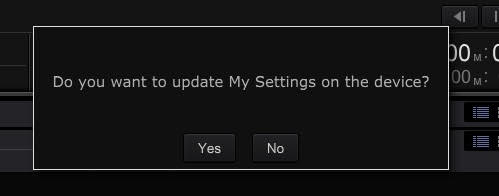
I click No

I Choose "Do not Sync with My Tag"
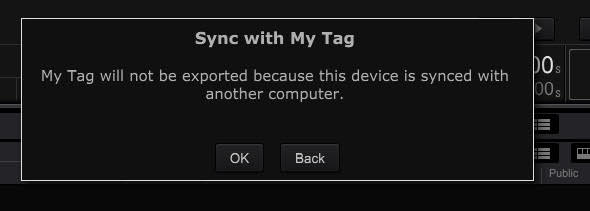
so now my cue points and memory are load back to my USB device playlist

Now try to use SYNC MANAGER.

I click on CUE GRIND INFO and above message popup then I click okay.
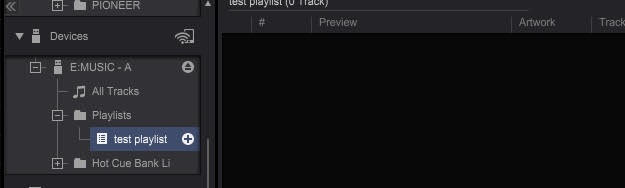
How the whole playlist is gone.
2.) Did I do anything wrong? Is it possible to export music that has cue points and memory from desktop to USB and then import that music with cue points into different computer with out loosing the cue points and all the tags that first made from desktop?


