Offizieller Kommentar
@Armand > Some songs are slightly harder for rekordbox to analyze correctly. When this happens, you can always manually adjust the beat grid. Watch this video for instructions.
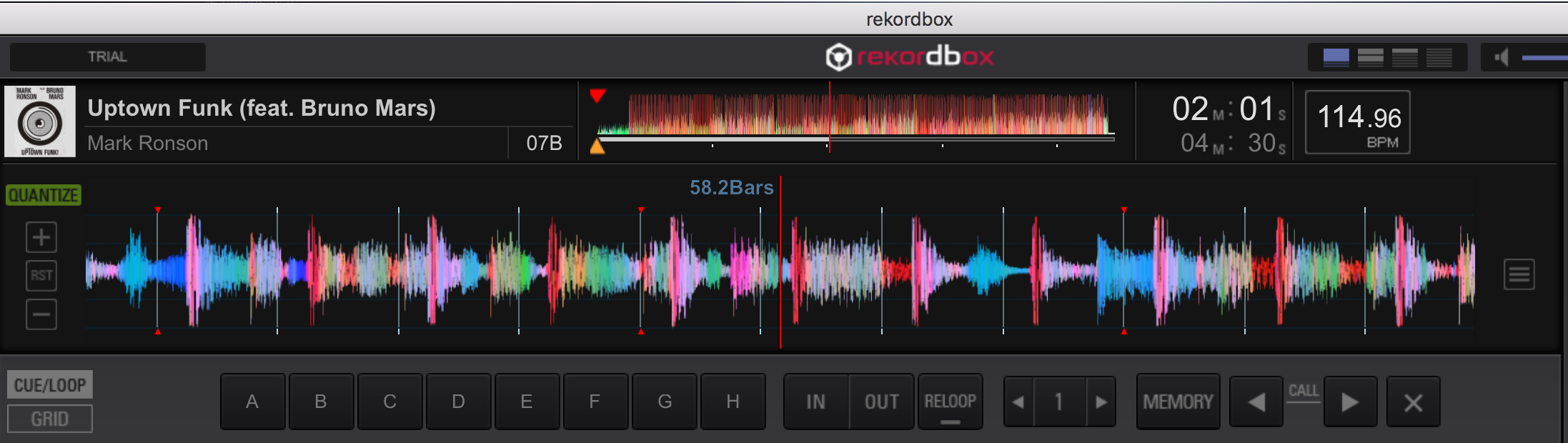
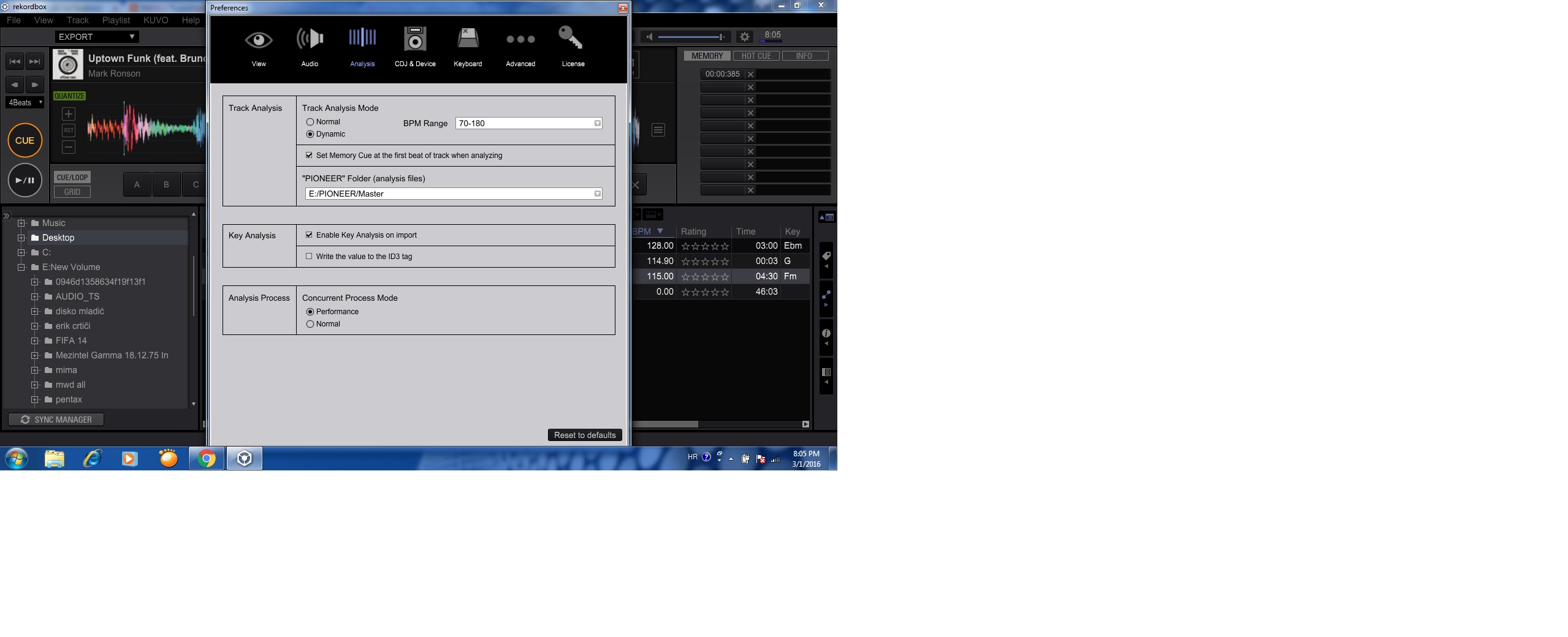
Hey guys, I have noticed this track does not want to analyse accurately in whatever setting I use > Performance vs. Normal, Normal vs. Dynamic
Anyone else noticed this?
Not such a big issue, just strange.
Here is a link to the file but I am sure it is the exact one you all have, those that have it (I use it a lot at weddings and corporate functions)
https://www.dropbox.com/sh/q6b0voycuknbv6q/AABrnXxjO2-zzfQmTJ3wXrmMa?dl=0
@Armand > Some songs are slightly harder for rekordbox to analyze correctly. When this happens, you can always manually adjust the beat grid. Watch this video for instructions.
Post ist für Kommentare geschlossen.
hmm i dont know why you have problems
the BPM of the track is 115 and the grid is perfect without any modifications.
Hi Marvin, Thanks I also get 115bpm but the grid is just a little off. I was just interested as whatever settings I used it does not seem to make a difference after analysing the track... 
Will delete it completely and try again quick
the bpm on ur screen is 114,96 try to enter 115 bpm in the bottom field and then set the grid on the first beat, get teamviewer and i can assist you :)


all good here
I think it was because the track was analysed in Dynamic mode and thus the bpm changes depending where in the track you are.
I now just deleted the track completely from my iTunes and Rekordbox and re-added it now and now the beatgrid seems to be correct thanks. Just weird that no matter what setting I had it on before it did not want to get the correct beatgrid when re-analysed. But all is sorted now :)
Thanks for the advice and help Marvin
no Problem mate, happy djing
👍 same to you :)
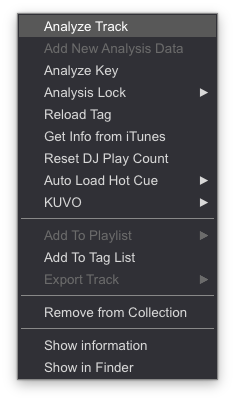
@Armand > For future reference, there is no need to delete and re-import tracks. You can just reanalyze the track. First, adjust your Analysis preferences accordingly, select the track, right click it, select [ANALYZE TRACK] and the track will be re-analyzed.

@ Mark, thanks I did exactly that, a few times. All with different combinations of settings in the Analysis settings section, but each time the beatgrid kept on drifting off towards the end of the track. It could be something funny on my side but all is good now :)
Must say this is like the first track since switching to Rekordbox a year ago that did not analyse correctly so I am not complaining in any way :)
I appreciate all the replies from you guys!