Have a feature request or suggestion? Post your idea here!

Post

3 Follower Folgen
1
Avatar

Djm S9 Auto bpm woes

  1. So it seems to me that the auto bpm feature on this mixer is just about rubbish.  It takes FOREVER to calculate a bpm on anything lower than 120bpm (especially like 80-112) and often NEVER gets close.  I keep seeing bpms like 156 for songs that are clearly 102, for example.  This is maddening to have to keep manually entering bpms just so the effects will be on beat.  Is there a setting somewhere hidden from me, that changes the sensitivity of the auto bpm counter, or do I have to live with this crap permanently?
  • Any and all help/ insight in this matter would be greatly appreciated.
Joseph Ozan

Offizieller Kommentar

Avatar

The most efficient BPM range for the input signal is 90-180. It actually doesn't even register when I'm playing anything over 180 in tests, and anything less gets doubled, so an 80BPM track is picked up as 160. You can manually tap in BPMs outside that range and it will work, but the auto sensor is best at 90-180.

When playing through Serato, the BPM is picked up automatically from the software.

Pulse
Aktionen für Kommentare Permalink

Post ist für Kommentare geschlossen.

9 Kommentare

0
Avatar

Same issue. It's fine for let's say house and techno at 120 to 140 bpm, and fails for most of my hiphop tunes, even tough some of them have a straight rhythym. When I first got the mixer I thought the auto BPM is broken.

Flowshi 0 Stimmen
Aktionen für Kommentare Permalink
0
Avatar

So wait a minute, you're telling me the S9's BPM engine runs "most efficient" from 90-180?  That's odd that Pioneer would opt to ditch the BPM engine that's worked amazingly well since the DJM-500 for some sort of new, garbage engine.  So far, considering this mixer is VERY effects-driven, it's a total waste considering you have to remember to tap out what should be simple BPMs.  More and more reason that I'm starting to dislike this mixer.

And yes, I've used it with Serato (mainly) and new RekordBox in computer and thumb-drive forms.  Serato works very well with it, but if I choose to use the flashy Pioneer mixer with the Pioneer software & hardware platform, it doesn't work as advertised.  And I found a "toip" somewhere (in the manual I think) mentioning that the BPM engine works best at +-0db on the mains. Well, that only works about 50% of the time to fix the problem.

And, for reference, I'm currently working with some 128 electro songs with very hard 4/4's, so nothing even complicated.  I'll bet my DJM-900NXS would have no problem with it.

Craig DJC Chladny 0 Stimmen
Aktionen für Kommentare Permalink
0
Avatar

Would say BPM detection is worse than the one on my old DJM600 which I had serveral years ago. If I remeber correctly the 600 also had a switch for different tempi, not sure though.

Funny thing bout the S9, it feels more like a clubmixer and an attempt to get into the turntablism/hiphop market, which got its good and bad sides. It godlike to mix with it, got some old house and techno records from, well back in the days, it just super fun to mix these.

Other than that ... kinda disappointed by the mixer.

Yadda, yadda still no 64 bit drivers ... mentioned already, other flaws like input always on the left side, not talking bout it's not supported by RB.


Flowshi 0 Stimmen
Aktionen für Kommentare Permalink
0
Avatar

First thank you for answering to my post. I’m sorry that I am kind of a annoying forumuser/customer. I'm just disappointed that it's not running like expected. Are we talking bout the same drivers? I mean the "ASIO" drivers. Sure it runs fine as normal windows drivers, but we need low latency "ASIO" drivers.

Let's talk bout the mixer:

Good:  

  • awesome for mixing
  • fine for scratching,
  • works well with serato,
  • fixed some of  my problems with the lastest firmware update

Bad:       

  • input selection (I can live with it)
  • Paint issue (I can live with it)
  • crossfader issues (just check the forum, some people mention broken or not working CFs - I don’t have that problem, but seems to be an issue)
  • 64bit issue


Let’s talk about those drivers … some weird happened! I checked the driver site regularly. Few week ago, there was this sentence.

If I check the site now, there is this sentence. So either someone uploaded new drivers and didn’t changed the date, or you just inserted the new sentence.
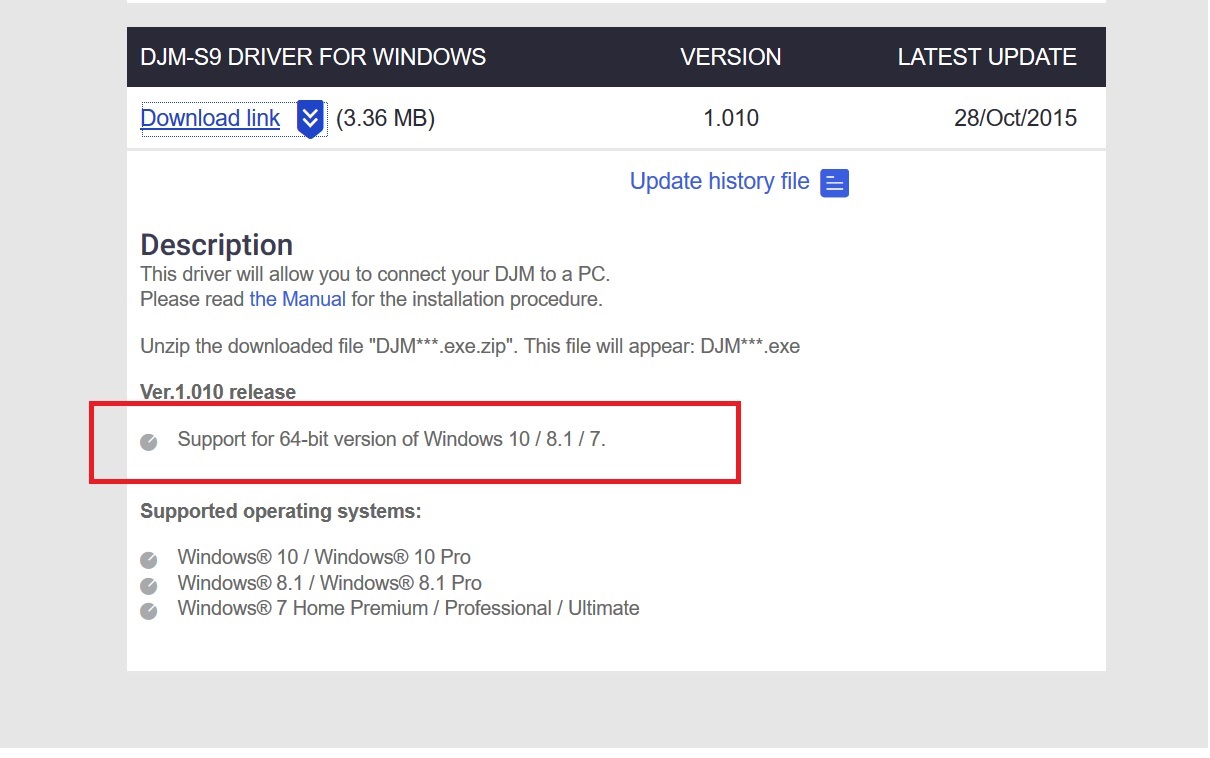
Downloaded those “new drivers” … they have the same number and same date like my old one.
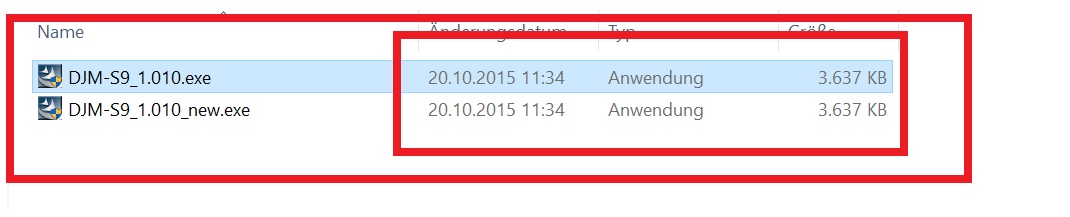
(renamed the new one, so it would not overwrite the old one)
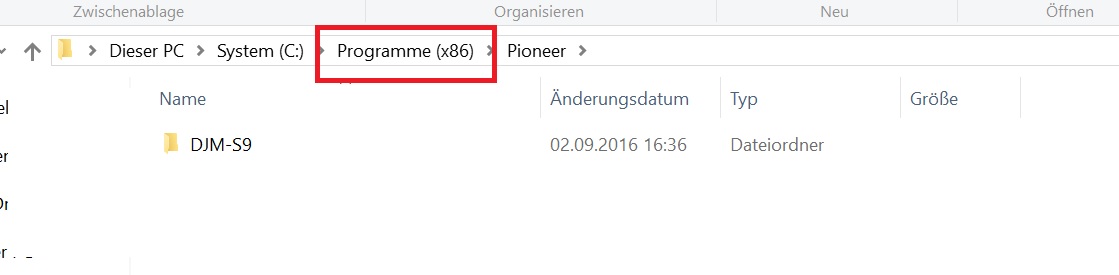
After installing I get this folder in Windows, and it’s the 32bit folder. There’s no pioneer folder under /programs (64bit folder).Doesn’t matter what’s wonky here: my issues ... the drivers are not working with Cubase 64bit and Wavelab 64bit. Both products from Steinberg the inventor of the ASIO driver.
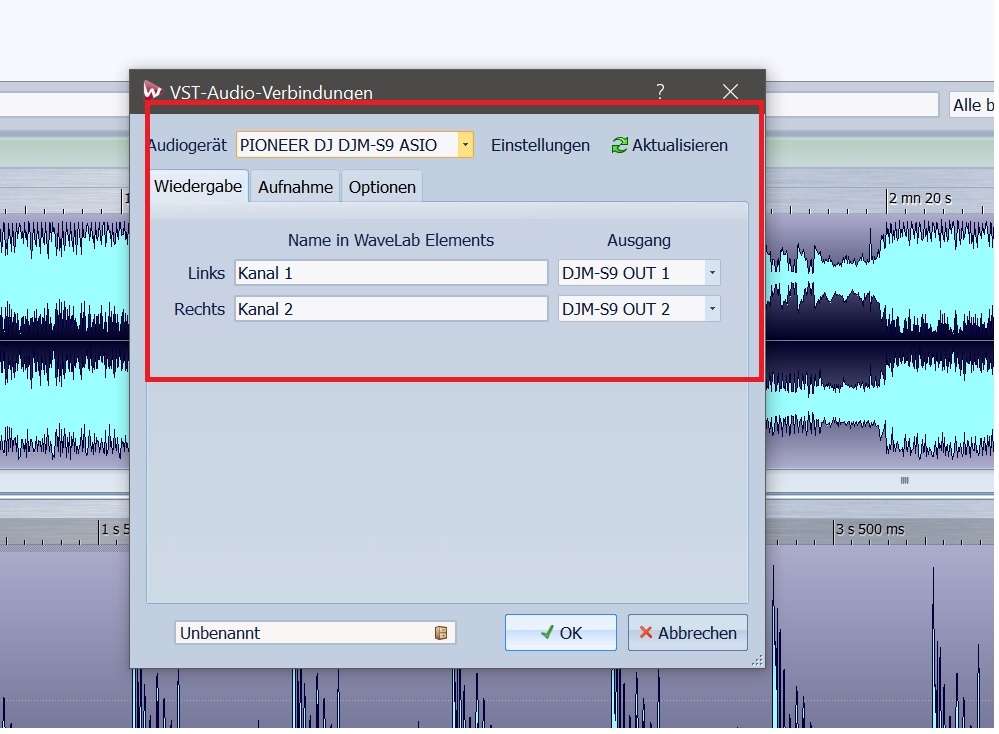
If I choose the driver in Cubase and press play nothing happens.

If used in Wavelab I get a program crash. It’s fine with the 32 bit versions of both programs.

Gonna install Ableton to see whats happen there, will post my results.


Problem is, I can’t use the mixer with those programs, so no inputs from the mixer. No recording of old house/funk/soul records for sampling, no recordings of external synthesizer or other sources which are connected to the mixer. So I have to use the onboard soundcard with high latency for my Cubaseprojects.


Could you please investigate the issue? It's either a problem with the driver itself, or the drivers doesn't work with Steinberg 64 versions (which would be kinda weird if an ASIO wont work with Steinbergs).


Update:

Works fine with Ableton!

So my issue seems to only affect Steinberg products. Could you please pass that to the developers?

I am using the latest versions of Cubase Pro 8 (8.0.40.) and Wavelab Elements 8 (8.0.4). Thanks in advance and sorry for the inconvenience.        


Flowshi 0 Stimmen
Aktionen für Kommentare Permalink
0
Avatar

@Flowshi > Let me look into that with the product team, it could be some confusion in the messaging.

Pulse 0 Stimmen
Aktionen für Kommentare Permalink
0
Avatar

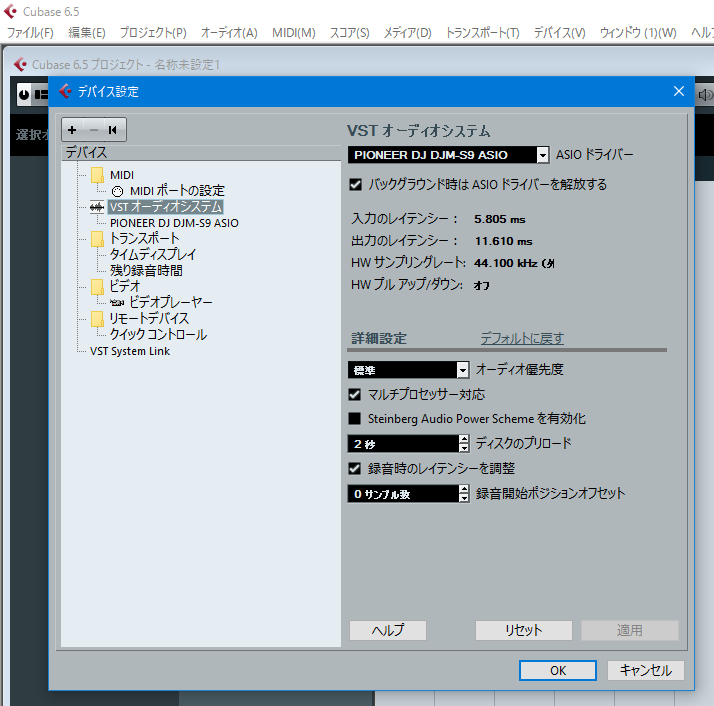
Our engineers tested it with Cubase 6.5 (I guess the only version they have?) and it worked with the 64bit version of that program, showing the 64bit drivers are working:

Pulse 0 Stimmen
Aktionen für Kommentare Permalink
1
Avatar

Why can't those same "engineers" look at the original topic of the garbage beat detection. The 64-bit drivers are for another conversation.

Craig DJC Chladny 1 Stimme
Aktionen für Kommentare Permalink
