Have a feature request or suggestion? Post your idea here!

Post

3 Follower Folgen
1
Avatar

Changed Windows username all tracks and playlists gone

Hi,

I had to change my Windows username and I did it completely in the correct way (everything else on my pc is working as before). But for some reason all of my tracks and playlists are gone in rekordbox 5. I have my library also on my usb, but if I import that I will have all music twice on my pc right? and they'll be in different folders? Is there any way I can retrieve my old library back syncing the songs to the file location they are in my pc. I can still access the library of my old username if that might help.

Thanks in advance for any help!

Andreas Van Parys

Bitte melden Sie sich an, um einen Kommentar zu hinterlassen.

16 Kommentare

0
Avatar

When saying 'all is gone' do you mean the database in rekordbox is empty / blank or the database is there and you got missing tracks?

If you have missing tracks and your music files stored in the Windows Music folder, you must relocate them by using the missing file agent in rekordbox. When changing the username in Windows and the files are in a folder within your user folder, the file path may have changed. You can enable the column 'Location' in your library to review where rekordbox expects the tracks.

Frank Richter 0 Stimmen
Aktionen für Kommentare Permalink
0
Avatar

Thanks, for your answer!
No, with all is gone I literally mean database is blank. I know about the relocate function, but missing tracks are not the issue at the moment.

Andreas Van Parys 0 Stimmen
Aktionen für Kommentare Permalink
0
Avatar

Did you had your Master DB on a different drive or were you using the default location? How does your user folder looks like? With the renaming did you created a new user folder for your new name? Is the old name still there? It probably doesn't 'see' your Master DB and therefore opens a blank one.
Search your PC for a file called 'master.db' and see if you got multiple. You probaby have a new one pretty small as it is empty and maybe a bigger older one which probably is the one you are looking for. Don't do anything with it. We need to find out first where it is.

You may check your rekordbox settings to see if you got multiple selections under Advanced -> Database -> Database Management -> Select a drive. If you got multiple entries in the drop down you may select a different one to see if it is your old DB

Frank Richter 0 Stimmen
Aktionen für Kommentare Permalink
0
Avatar

If you got a backup of your old DB you certainly can restore that one as well if it is not too old.

Frank Richter 0 Stimmen
Aktionen für Kommentare Permalink
0
Avatar

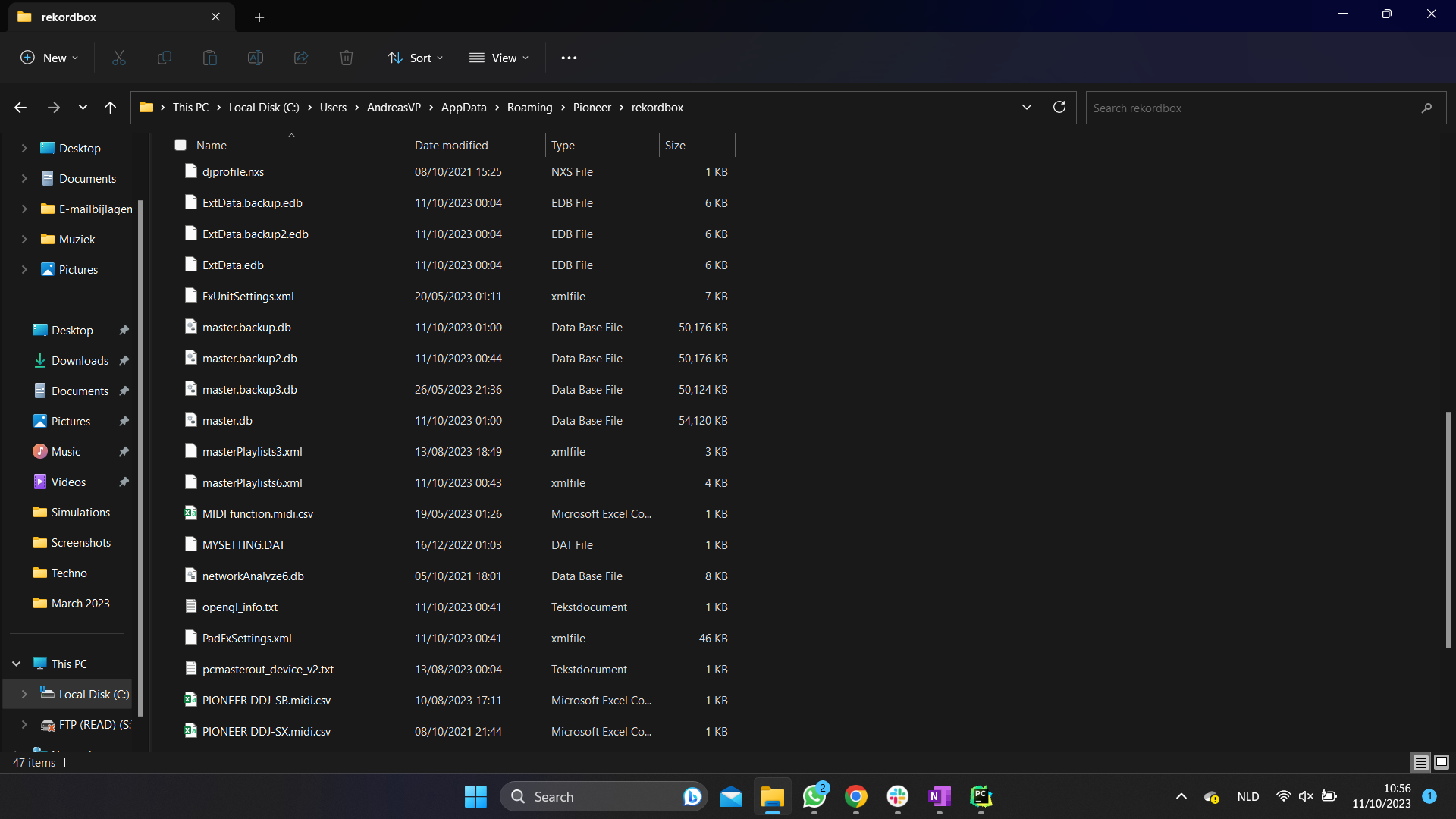
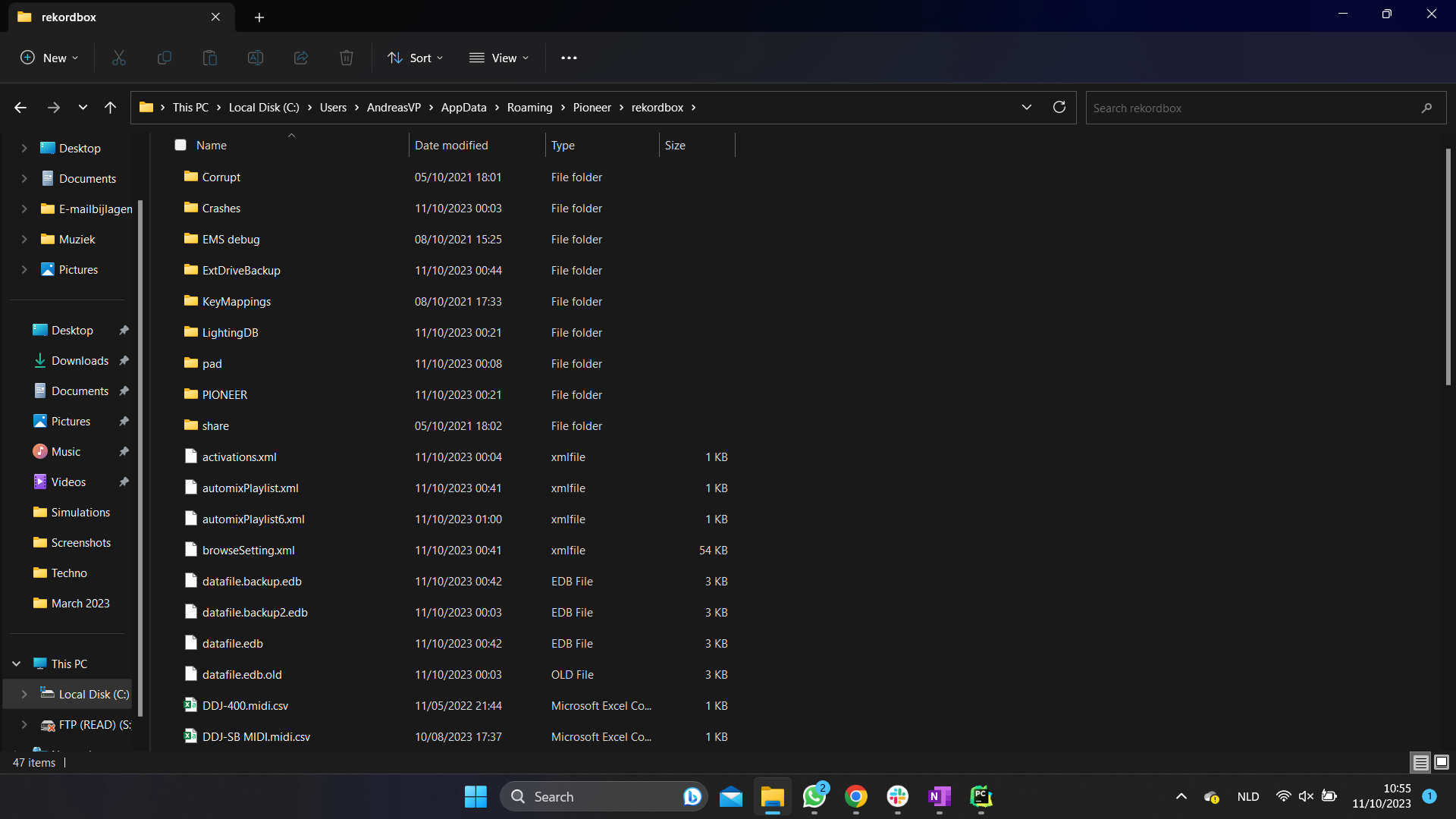
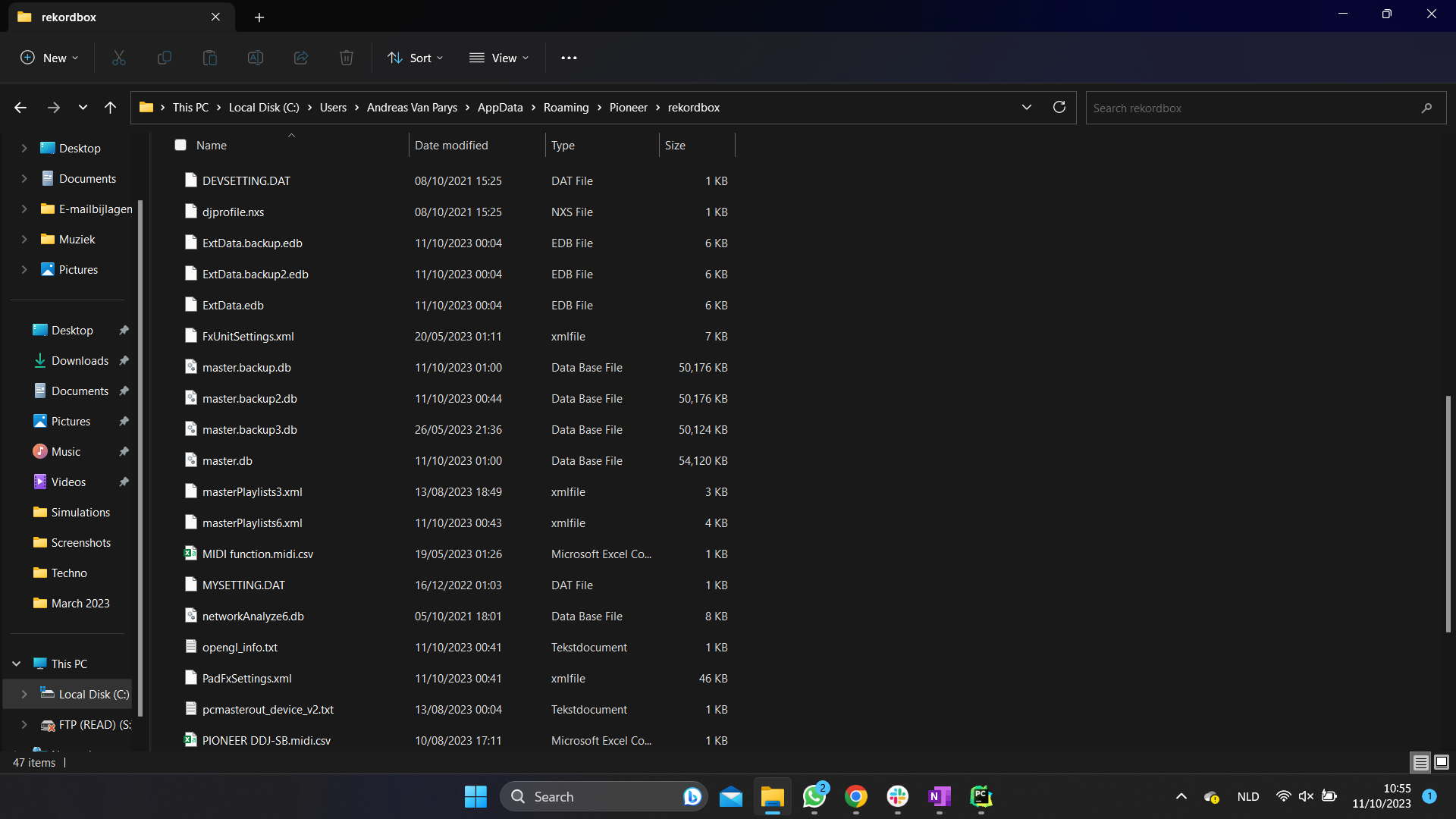
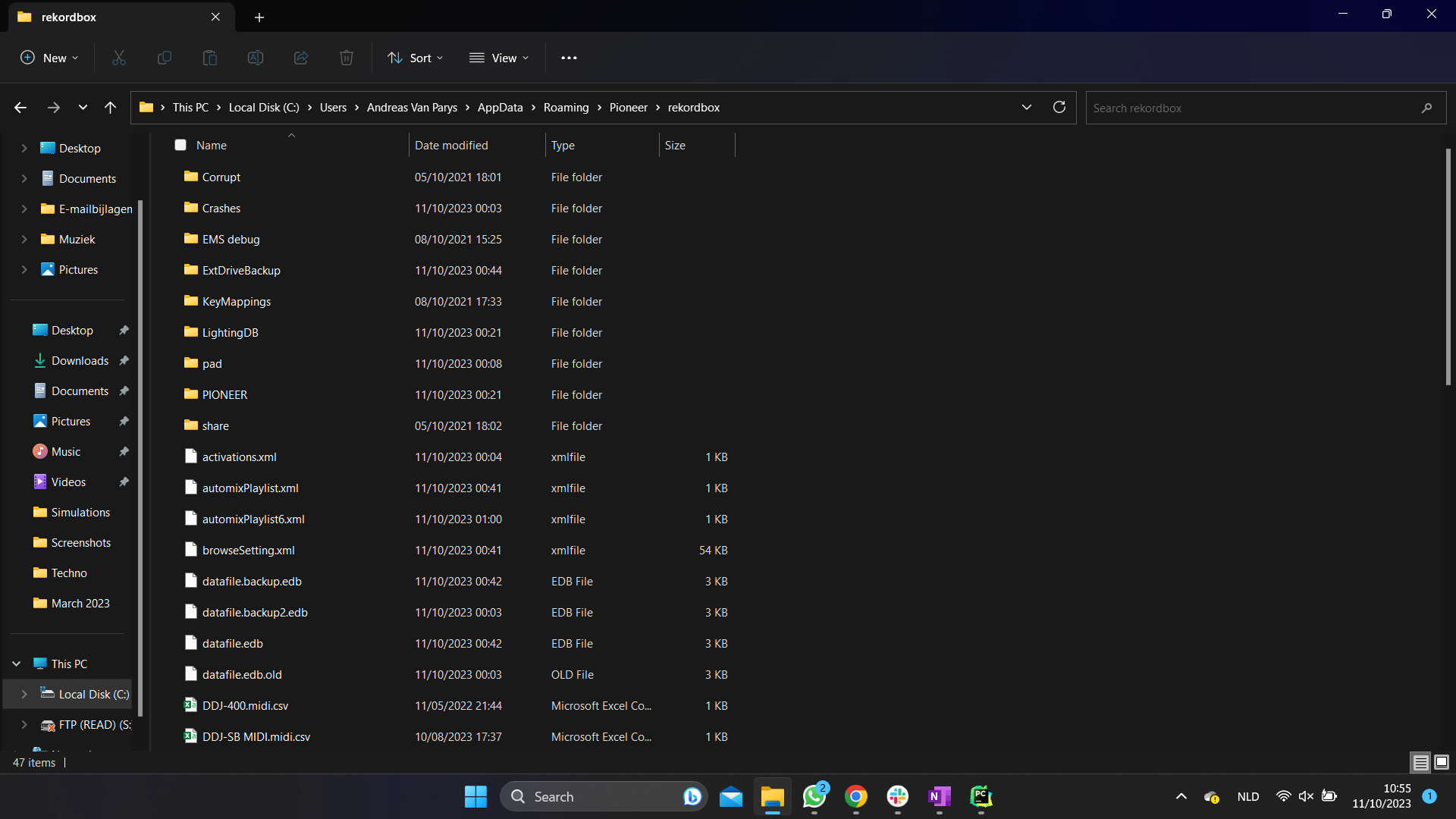
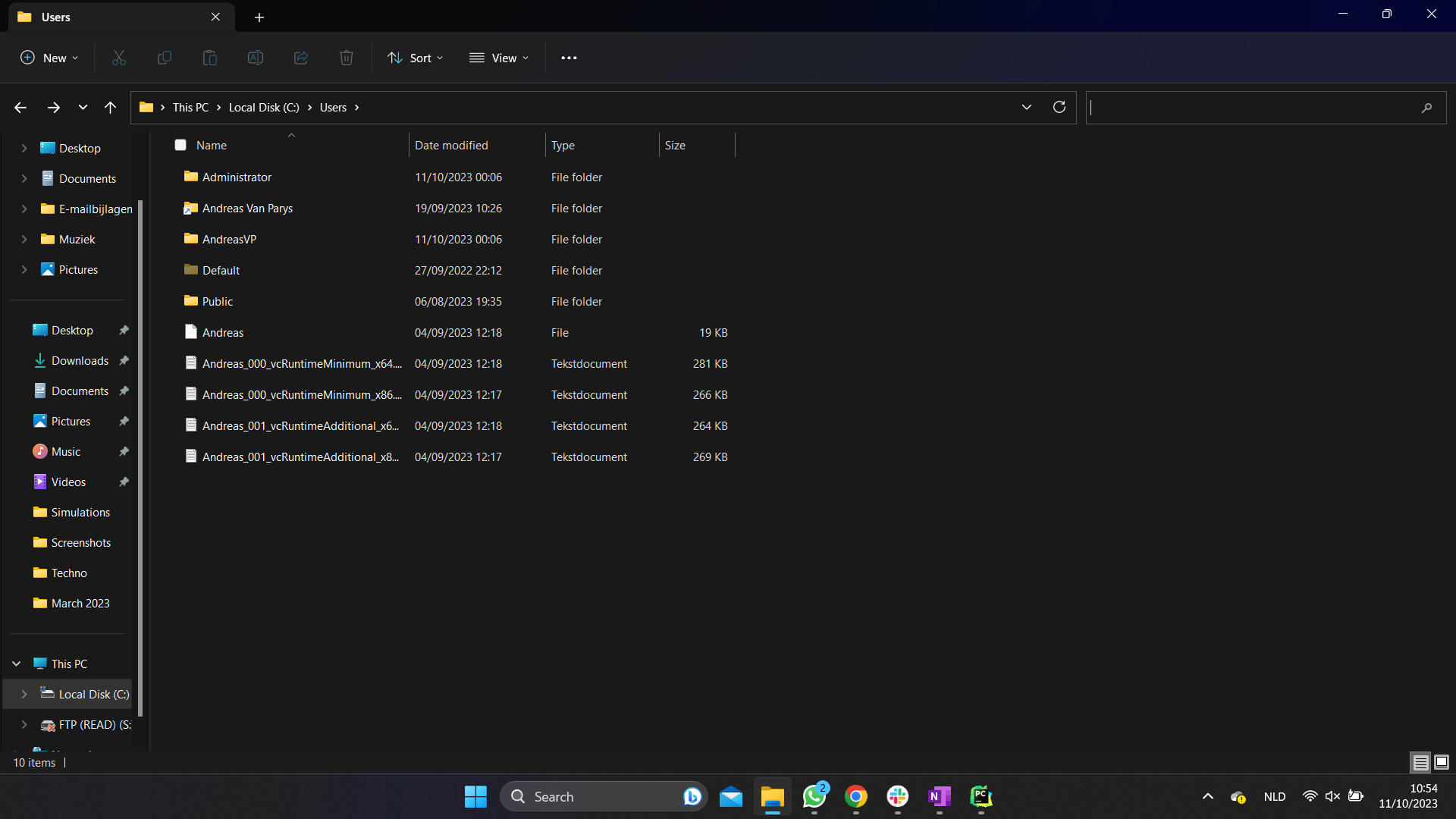
No, it's still the same drive, just changed the Windows username and as far as I know it was all in the default location. On the pictures you can see how I switched from user: Andreas Van Parys to user: AndreasVP. I also added pictures of where my rekordbox folder was stored in both cases. Where should I look for the master.db, because right now I only found the one in the pictures, which I think is the same for both cases. I also see only a single drive in the drop down at database management and unfortunately I don't have a backup of my old DB, the only 'backup' I have is my usb which I use for cdj's.

Andreas Van Parys 0 Stimmen
Aktionen für Kommentare Permalink
0
Avatar

Ok - what I can see from your screen shots...

1. Your old user folder 'Andreas Van Parys' is a link, not a real folder. Would be interesting where this points to. Probably the new 'AndreasVP' folder. If this is true those are not 2 folders but 1 which would be the 'AndreasVP'. This probably happens to prevent issues you got - but I am not an expert on such things, just guessing.

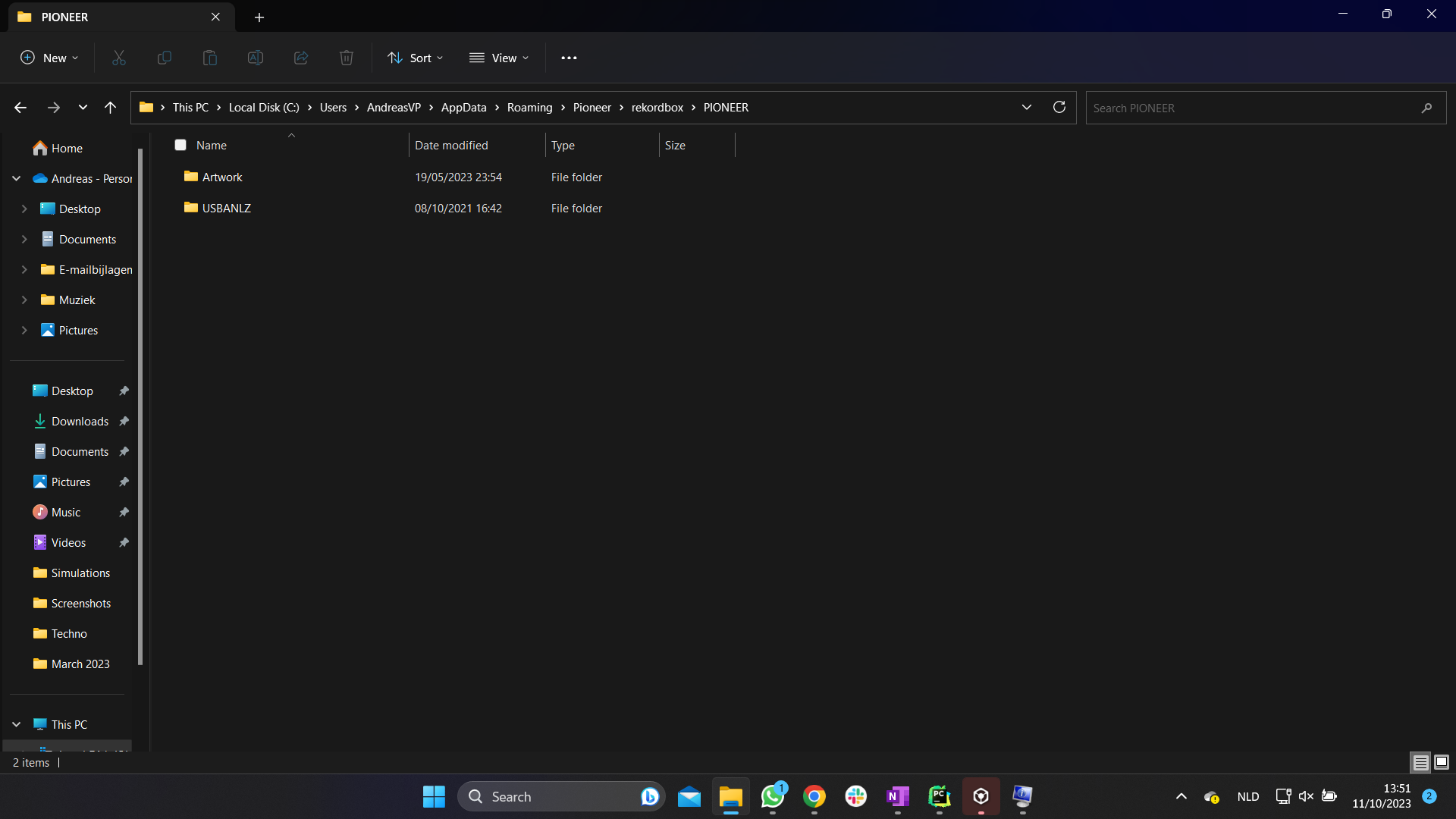
2. In your rekordbox folder is another 'PIONEER' folder. Could you please show what is in there?

3. The file master.db is your library in rekordbox. It is 50MB which doesn't seem to be an empty DB. I got a file with an empty DB and it has 1432KB.

4. The files 'masterbackup.db', 'masterbackup2.db' and 'masterbackup3.db' are backups of your library. They are at a similar size. You may backup them for now, in cas something goes wrong. Maybe it make sense to save the entire rekordbox folder out of your user folder.

Basically I think your data is still there but rekordbox is not reading it from the right place. Which rekordbox version you are on?

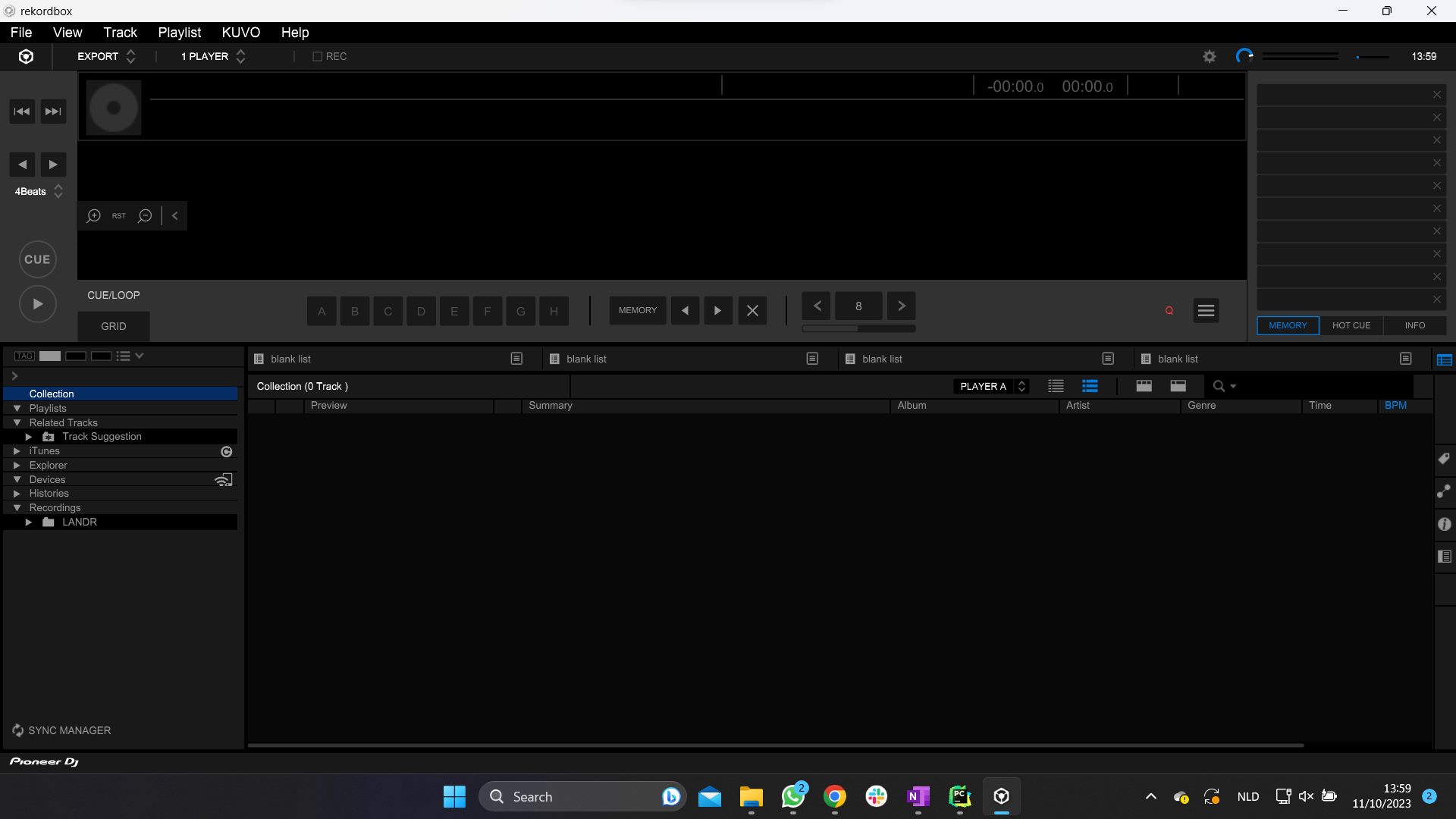
Can you post a screen shot from your rekordbox please?

In the 'share' folder you should find a 'PIONEER' folder and inside 'Artwork' and 'USBANLZ'. Is there data inside? If yes it should be from your old library.

What we might be able to try is:

1. take a full backup of your computer
2. copy the entire rekordbox folder in your user folder to somewhere else
3. uninstall rekordbox
4. Install rekordbox new
5. Copy the rekordbox folder you saved previously back to the original location
6. open rekordbox

As mentioned - I am not a PioneerDJ employee and just try to help what I would try to solve this. I don't take any responsibility for data corruption which might occur.
You can open a ticked and ask the PioneerDJ support team to help you with this. I stronly believe that your data is still there but because of some reason not read by rekordbox 


Frank Richter 0 Stimmen
Aktionen für Kommentare Permalink
0
Avatar

1. Yes, you are right, I checked, and it indeed points to the new AndreasVP folder.

2. This is what's inside that folder.

4. I'm currently backing up that folder.

I'm currently on rekordbox 5.6.0
Screenshot of my rekordbox:

Yes, there is data in those 2 folders.
I also opened a ticket to the PioneerDJ support team in the meantime.
Thanks already for your help!

Andreas Van Parys 0 Stimmen
Aktionen für Kommentare Permalink
0
Avatar

regarding 2) if you find inside the ARTWORK and USBANLZ folders data, it would be from your old library - don't lose it. It has your analysation of your tracks you had in rekordbox.

Any reason you were still with rekordbox 5? This isn't supported anymore. I think version 5.8.7 (or so) is the latest available. Depending on your needs you should consider the upgrade to rekordbox 6, but not before we fixed your issue as rekordbox 6 uses a different database format. It cannot use the version 5 DB and need to convert it. Therefore we need to bring back your v5 first.

Frank Richter 0 Stimmen
Aktionen für Kommentare Permalink
0
Avatar

2. Good point, it still has data, and I'm currently backing it up.

It's because I bought the full version of rekordbox 5 and rekordbox 6 requires a subscription. So I use rekordbox 5 both to export and as a dj software. But keeping a library in both r5 and r6 requires a lot of disk space.

Andreas Van Parys 0 Stimmen
Aktionen für Kommentare Permalink
0
Avatar

Another possibility we might be able to try is to 'create' a DB on another drive and point rekordbox to it.

If you have a different drive in your computer (i.e. D:\) you can try the following:

1. Create a folder 'PIONEER' in drive D:
2. Create a folder 'Master' inside this folder
3. Create a folder 'PIONEER' in the 'Master' folder.
4. Create a folder 'share' in the 'Master' folder
5. Create a folder 'PIONEER' in the 'share' folder
6. Copy the 'Artwork' and 'USBANLZ' folders from you old DB into this last 'PIONEER' folder
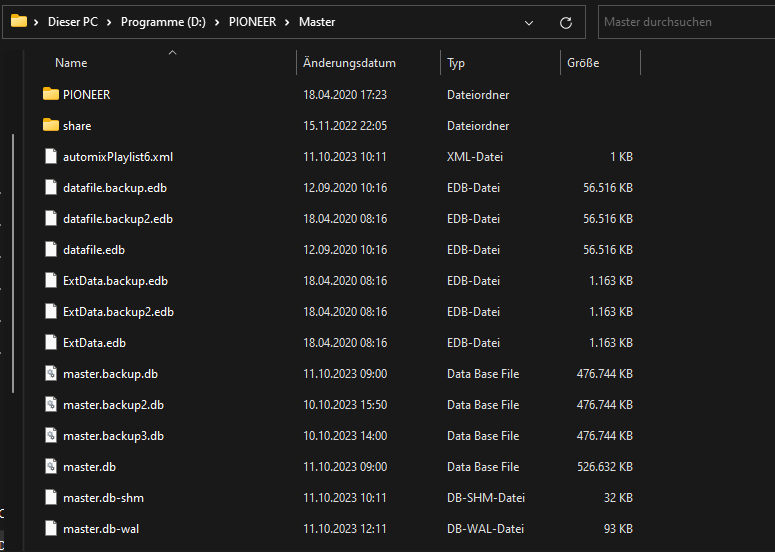
7. Copy the files from your 'rekordbox' folder in your 'user' folder to the new 'Master' folder on drive D:\ - just the files, not the folders.
It may look similar like this:

Once done you can open rekordbox, go to the settings -> Advanced -> Database -> Database Management and have a look if you now got an entry for drive D: when you open the drop down. If yes you can select it. rekordbox will switch to the database found on drive D:


Frank Richter 0 Stimmen
Aktionen für Kommentare Permalink
0
Avatar

Understand why you are on rekordbox 5. I had a similar thought process some time ago as I had a full license for rekordbox DJ incl. DVS. Meanwhile I got Hardware unlock devices for both rekordbox 6 performance mode and DVS (DJM-A9 and 2x CDJ-3000), so I don't need the rekordbox 5 anymore. I can do everything with rekordbox 6 without a subscription (performance mode and DVS).

What devices you got? CDJs, DJM, Controller?

Frank Richter 0 Stimmen
Aktionen für Kommentare Permalink
0
Avatar

Another - most likely simplest way would be to rename your user account back to the orininal name and see if your library comes back. If that works you can do a rekordbox backup and try again.

Frank Richter 0 Stimmen
Aktionen für Kommentare Permalink
0
Avatar

I might try this with an external drive as I don't have a second drive in my pc, but not sure if it will work in that case. In the meantime, I'll wait for the response of PioneerDJ on my ticket.

Currently, have a DDJ-SB3 still, and use rekordbox because I prefer to have everything in one space (ready for cdj use when I need it). I have been looking to upgrade, but as a student it's not the easiest purchase hahaha. But yeah, once I get my hands on a more current rekordbox device, I won't need the subscription anymore. 

That would be worth a try, however I use this pc for coding daily as well (that's why I removed the spaces in the username). So switching back, even momentarily would not be ideal, but still if the PioneerDJ support can't help me out this is probably my first try.

Andreas Van Parys 0 Stimmen
Aktionen für Kommentare Permalink
0
Avatar

Ok - good to know you have created a ticket. Good luck.
For the future a strong recommendation is to do regular backup out of rekordbox. It must not have the tracks included if you already have a backup of the tracks. But if you got a backup of you library you can easily bring it back, even in such a scenario you are in right now.

Feel free to let us know how it is progressing. 

Frank Richter 0 Stimmen
Aktionen für Kommentare Permalink
0
Avatar

Up until now, no good answer from PioneerDJ, I tried both your suggestions of changing the username back and using the different drive, but sadly both didn't work for me.

Andreas Van Parys 0 Stimmen
Aktionen für Kommentare Permalink