Have a feature request or suggestion? Post your idea here!

Post

5 Follower Folgen
0
Avatar

Rekordbox vs Denon Engine & ID Tags

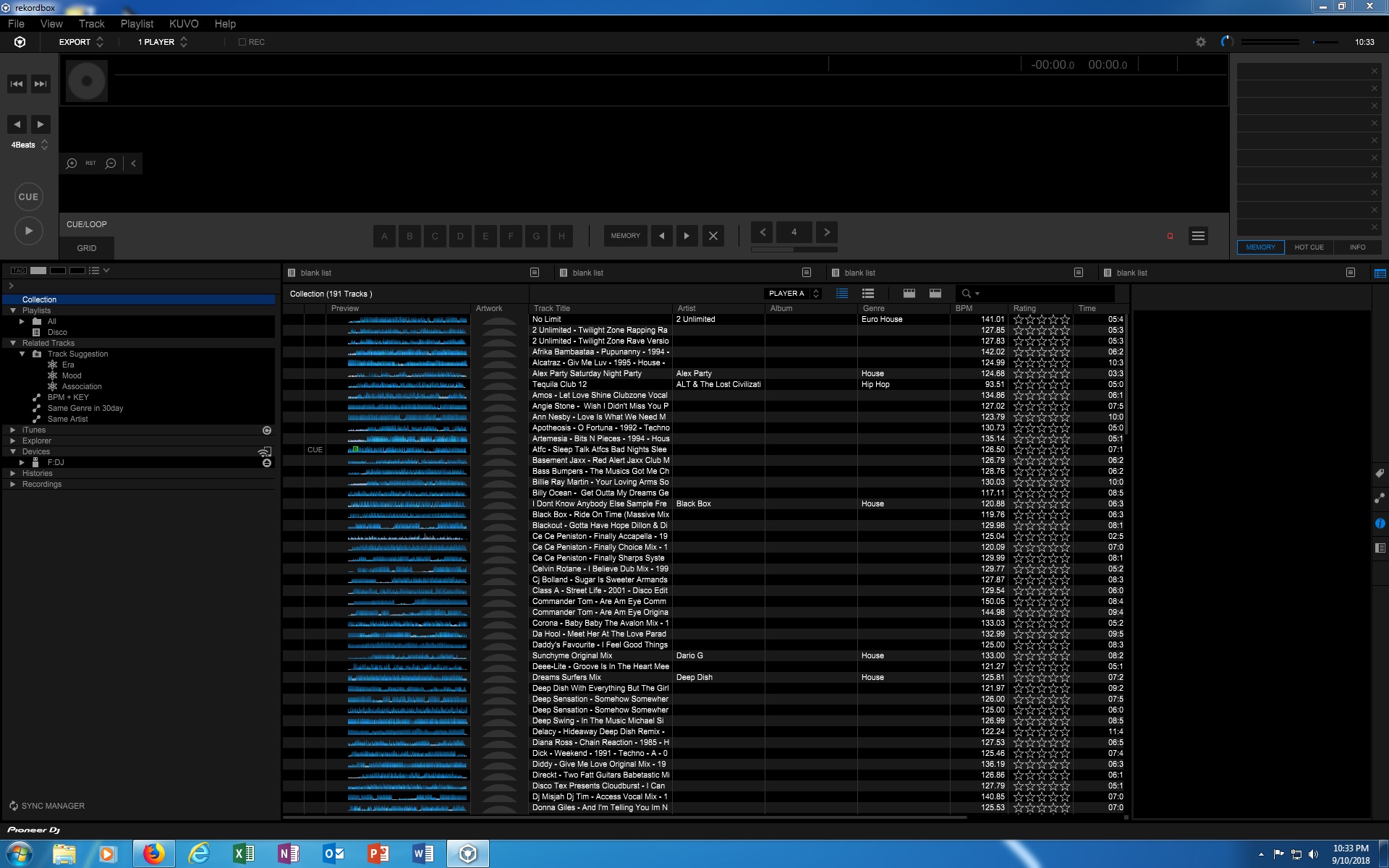
Recorded 191 vinyl tracks to 48khz wave files. Added artwork, tags all nicely in place. Itunes finds all the artwork & tags. Denon Engine Prime finds all the artwork & tags. Both iTunes & Prime are free software. I pay for Rekordbox and it doesn''t find any artwork & tags are virtually non existant. Pretty poor effort Pioneer.


Darren Tolley Beantwortet

Offizieller Kommentar

Avatar

As noted by users posts below, this is not a fault, but rather a lack of any official industry tags for WAV files. It's great to know that Prime may possibly support non-standard metadata and embedded artwork, but the majority of applications do not.

Pulse
Aktionen für Kommentare Permalink

Post ist für Kommentare geschlossen.

4 Kommentare

0
Avatar

WAV files doesn't support tags, use iTunes to convert your files into AIFF (the tags should transfer) and you're set. Strange that Engine actually picks them up...

The Henrik Maneuver 0 Stimmen
Aktionen für Kommentare Permalink
0
Avatar

my guess is the OP was using Serato.

It's true there is no official tagging mechanism for WAV files. However Serato has established a 'sub standard' to tag the WAV files. 

Engine Prime does honor these tags, Rekordbox does not. it's not a Pioneer "problem" rather than en Engine Prime extra.

MixMasterG 0 Stimmen
Aktionen für Kommentare Permalink
0
Avatar

I'm not a RecordBox user (yet!!) but I've also ran into issues with DJ software not supporting metadata in WAV files. I've found that there is usually better support for basic metadata in FLAC files. Plus you get the added benefit of the compression, while still using a lossless format. 

Again I'm not sure how well RekordBox supports metadata in FLAC files. I'm going to be experimenting with that soon.

Eric Anastas 0 Stimmen
Aktionen für Kommentare Permalink