Hello Support Forums, I beg you to help me as quickly as you can because I need this working properly for a show tomorrow (Friday) night. I have already contacted Pioneer Support Directly, but I thought I would try here as well just in case someone has a solutions for me.. here is my issue:
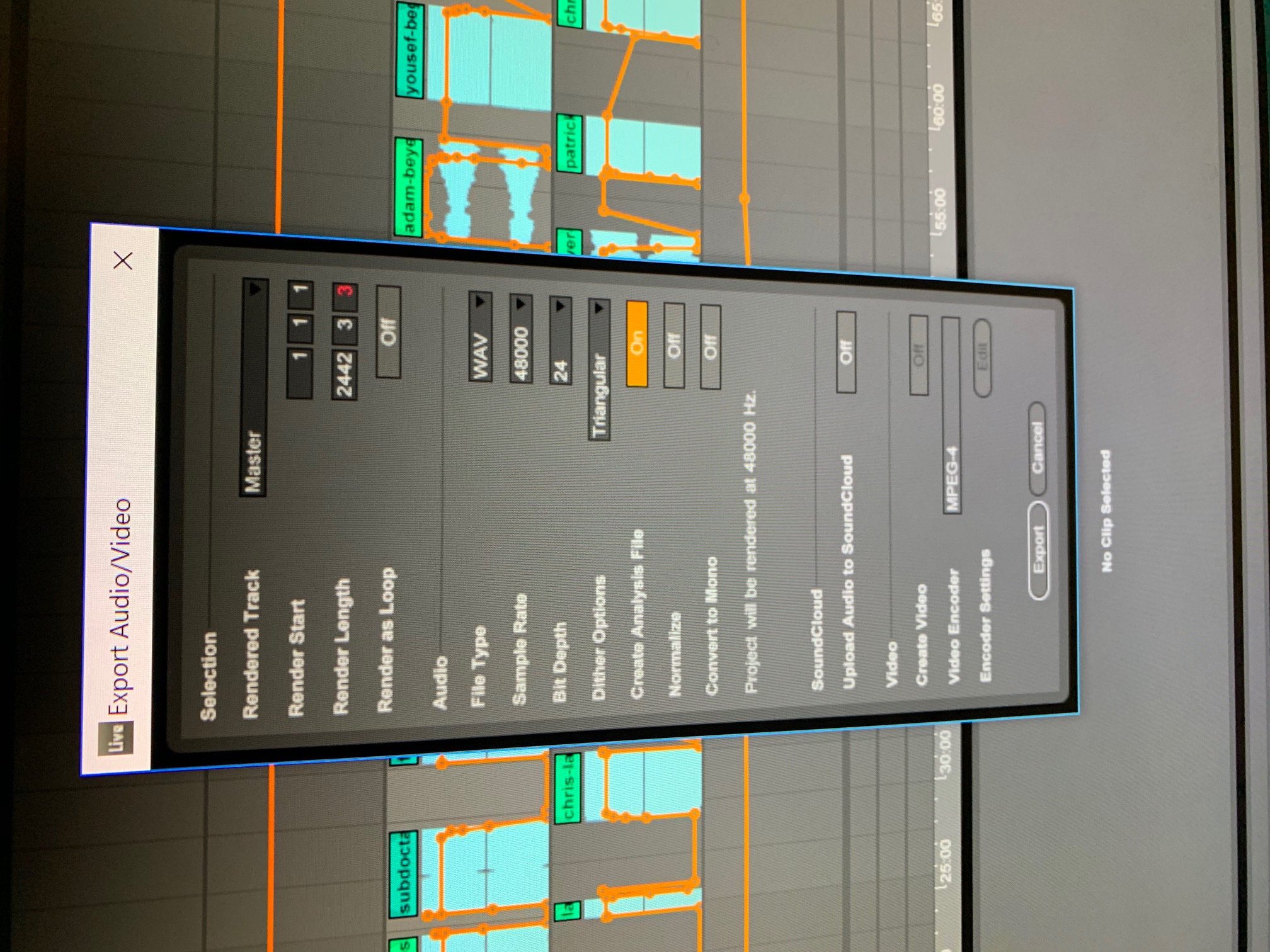
Whenever I try to Load Deck 1 on my XDJ-RX2 using USB 1 with a track/song/mix that I have created and saved the .WAV File using Ableton on my Desktop after loading the file into Rekordbox (Where it plays and works without problems) and then onto my Flashdrive, I receive the "E-8305 Unsupported Error" and am unable to playback the song. All other songs seem to work on Deck 1 and 2 so far and so does the USB so I have a feeling that it is some error with my Ableton Export, can you please assist me and explain to me what I have to change in my Export file in order to successfully play the song without receiving the error? I have already made sure that it is in the correct Bitrate and Sample rate by lowering it from 32 bit to 24 bit for the Mixer, as well as using the 48k supported sample rate so I am unsure what else could be causing the error. Thank you for the assistance! I have attached a picture file of the "Export Settings" I use on my Ableton program so that you can see what I must change in order to get it to work!
Another Update: I would also like to add that I have now tried 44.1k files exported as well on 24bit, and I have updated my XDJ-RX2 successfully to the latest firmware : v1.33 and I am still unable to play anything that I export from Ableton because of the "E-8305 Unsupported Error". Is it possible that my XDJ-RX2 is defective? It just arrived 2 days ago so I have not had a chance to play with it much yet, but the reason I needed it was for the gig tomorrow (Friday) night. I really hope that with your help we will be able to get to the bottom of this. The files that I am trying to load on the decks are .WAV and using USB 1 Flash Drive loading straight from Rekordbox and they work everywhere else, on Soundcloud, iTunes, iPhone, the mixer is the only place that I am unable to play the files for some reason.
Here is an example Image of my Ableton Export Settings:
Thanks for your time!

