
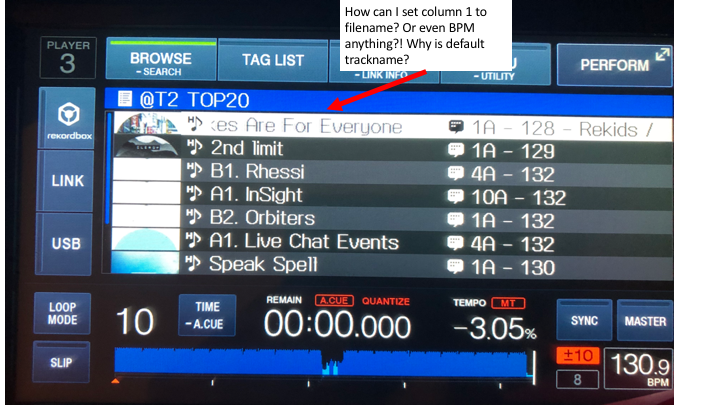
You can't - the trackname is the primary display column, the one to the right of that is the one you can choose. If you want to browse by filename select filename from the top BROWSE menu.
Aktionen für Kommentare

Hi,
when accessing my playlist folders on CDJ 2000 nexus and XDJ 1000 - I have column one as the track name by default.
I want to change column one to filename - or anything else!
How? I dont want to sort, I want to set column 1 to display whatever I want.
Can anyone help please? Thanks.
Post ist für Kommentare geschlossen.
You can't - the trackname is the primary display column, the one to the right of that is the one you can choose. If you want to browse by filename select filename from the top BROWSE menu.
But i have 15000 filenames on the USB? The only way to organise them is through playlist - which then only displays trackname?
even the second column - there is no option to sort by filename either - filename is not availble in Rekord box either