
Have you disabled the KUVO option in the preferences?
Aktionen für Kommentare

Every time i open Rekordbox I get the KUVO authentication error message. I enter my details and it goes away, but then as soon as i select any track the message box pops up again. The only way I can stop it is to turn off wifi.
I reported this last month and was told it was resolved, but its still happening on my system. How do i stop this message from popping up constantly?!
Post ist für Kommentare geschlossen.
Have you disabled the KUVO option in the preferences?
How do I do this? I've had a look in preferences but can't see anything obvious related to KUVO? Can I disable it permanently?
Right here:
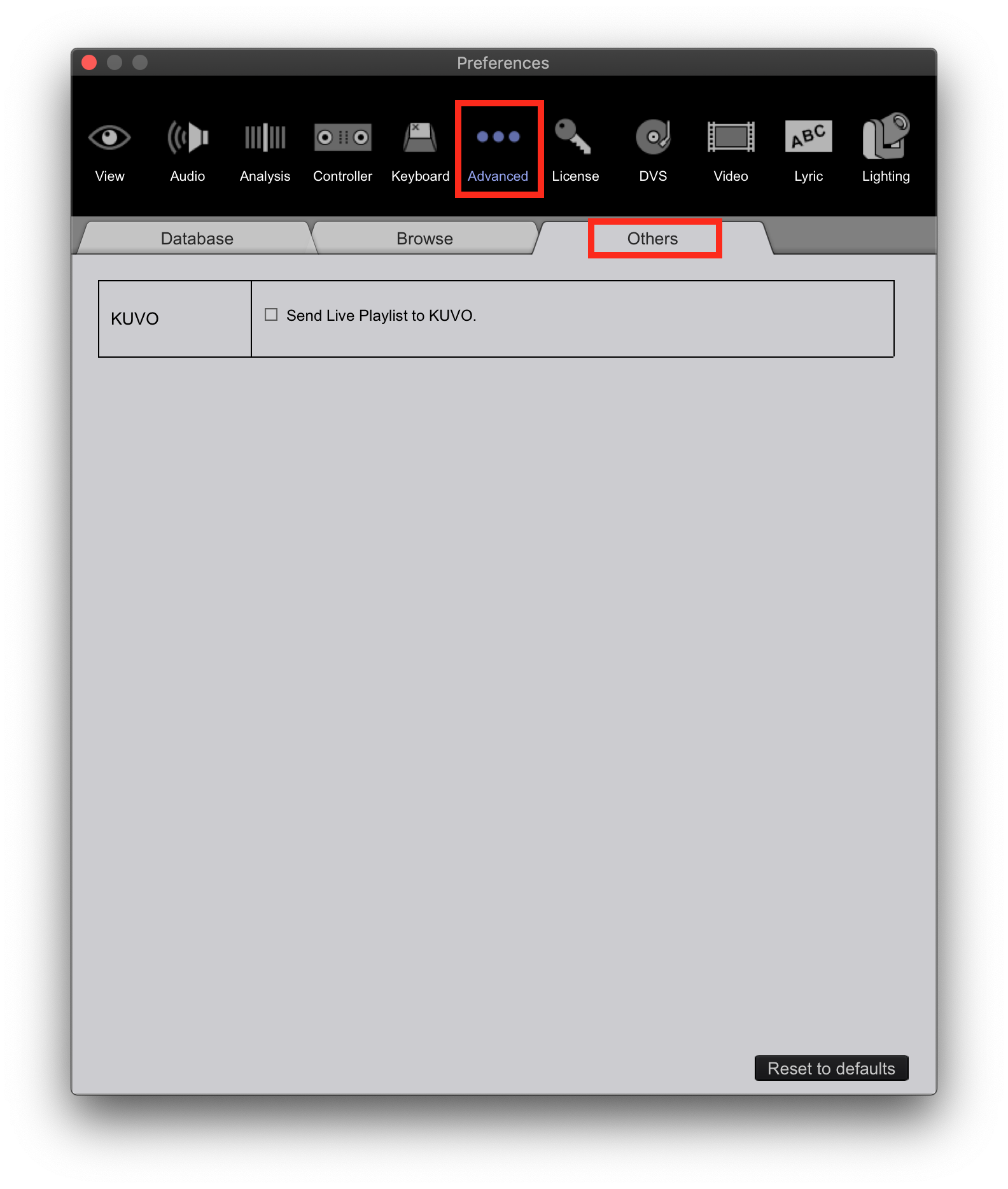
ok, yes I can confirm that setting is UNCHECKED. However, i'm still receiving these constant KUVO authentication errors...
Are there any other suggestions?
Thanks
Did you try signing out then back in to your rekordbox account? KUVO > Privacy on the menu.


