Offizieller Kommentar
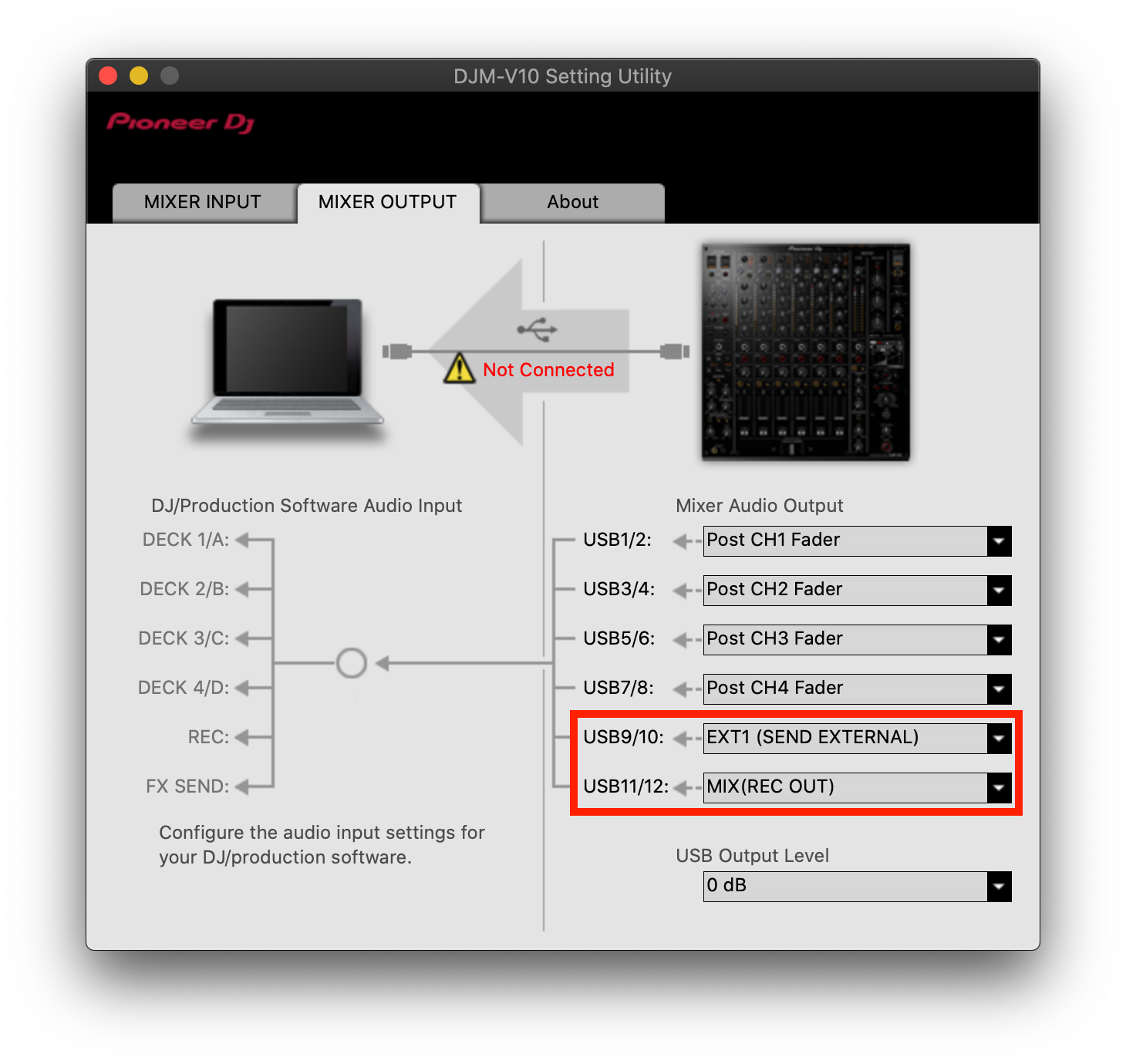
Yes; just open the DJM V10 Setting Utility and assign the outputs for POST-FADER and then in Ableton (or Audacity), assign the individual channels to a different track for recording.
hi there I've just brought the new djm v10 mixer..{love it }
is it possible to record each individual channel separately into albeton
im using it for live dub mixing but would than like to chop up the best bits of each channal
nice one
Yes; just open the DJM V10 Setting Utility and assign the outputs for POST-FADER and then in Ableton (or Audacity), assign the individual channels to a different track for recording.
Post ist für Kommentare geschlossen.
sound dude
can i also record it with the send effect
i just tried it and it records it with the lpf filter movements but not the send or multi fx
nice one
Because of the routing of the audio out-point, no, you wouldn't have those. You could add those as additional channels to record, but then you lose those channels:

thanks for getting back to me..yeah i think i recored from external out 2..a bit confusing but ill get my head around it all
lovely mixer..great new filters..ill be playing it out live dubbing at some point
nice one