Have a feature request or suggestion? Post your idea here!

Post

4 Follower Folgen
0
Avatar

Rekordbox 6.0.04 and XDJ RX2 not linking

Hi,

I recently bought a new laptop (specs are below) and I want to use it with my rekordbox 6.0.04 and XDJ RX2 unit. 

I have been following instructions on how to set up the RX2 with rekordbox using this YouTube video. 

However, I am running into issues whereby my 'Audio midi' is not finding/recognising my XDJ RX2 controller.

Why is this and how can I make it find the controller? Can I find the controller manually?


A few things to note

  • I have tried restarting my computer
  • I have tried a different cable
  • I have tried a different connection
  • I have tried uninstalling and reinstalled my drivers
  • I have uninstalled and reinstalled rekordbox 6
  • I have updated my firmware on my RX2 to the most recent 1.38
  • I allowed the drivers in security settings
  • I have turned off the firewall
  • I have created a new user and followed the process again in the youtube video with no luck.

The biggest thing to note is:

  • I have had my RX2 and rekordbox previously connected with no problems on my previous laptop (mac air). This still continues to work today (hence possibly not hardware, firmware or cable issue).

***What should I do?***

Kim

Post ist für Kommentare geschlossen.

11 Kommentare

0
Avatar

Hey Kimberley,

When you installed the RX2 drivers the first time, did you also bypass the macOS security? If not, the drivers weren't fully installed, and even subsequent installs may have been blocked. I'd recommend following this guide starting at step 2 on page 5 to uninstall, then reboot and install again, making sure to allow the drivers to complete installation.

Let us know if that works.

Pulse 0 Stimmen
Aktionen für Kommentare Permalink
0
Avatar

Hi there,

Thanks very much for your speedy response. It's much appreciated.

I have reviewed your document.

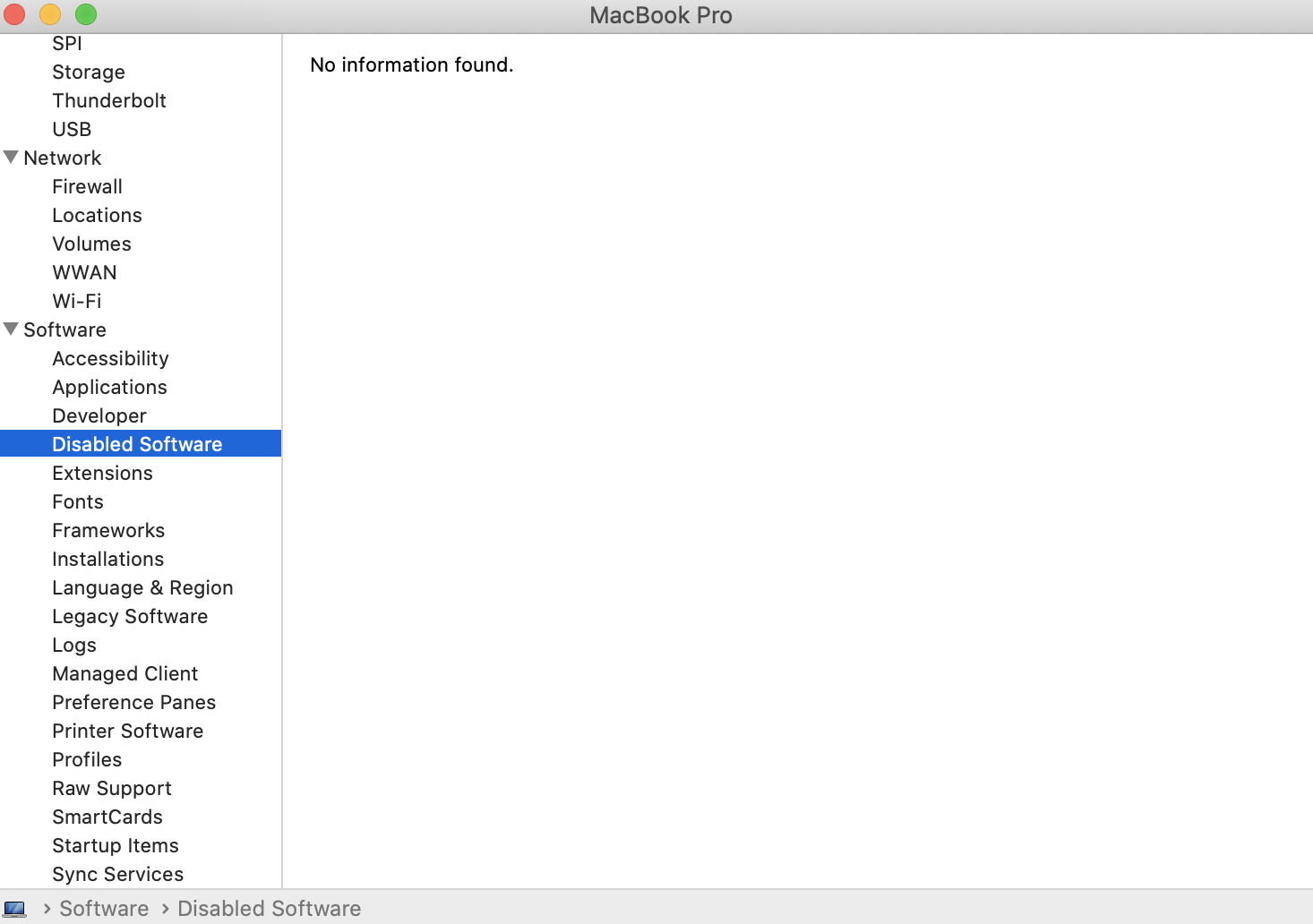
I have completed the following in step 2. 1) Open [Applications] > [Utilities] > [System Information] and click [Software]

Result

Unfortunately, it is showing "No information found."

Any other suggestions?

Many Thanks

Kim

Kim 0 Stimmen
Aktionen für Kommentare Permalink
0
Avatar

@SF > Please post a new topic and we can provide 1:1 support there. Be sure to include other details such as versions, OS info, etc. Thanks.

Pulse 0 Stimmen
Aktionen für Kommentare Permalink
0
Avatar

Never mind, you already did here. I'll help you there - please don't piggy-back on other posts. Thanks.

Pulse 0 Stimmen
Aktionen für Kommentare Permalink
0
Avatar

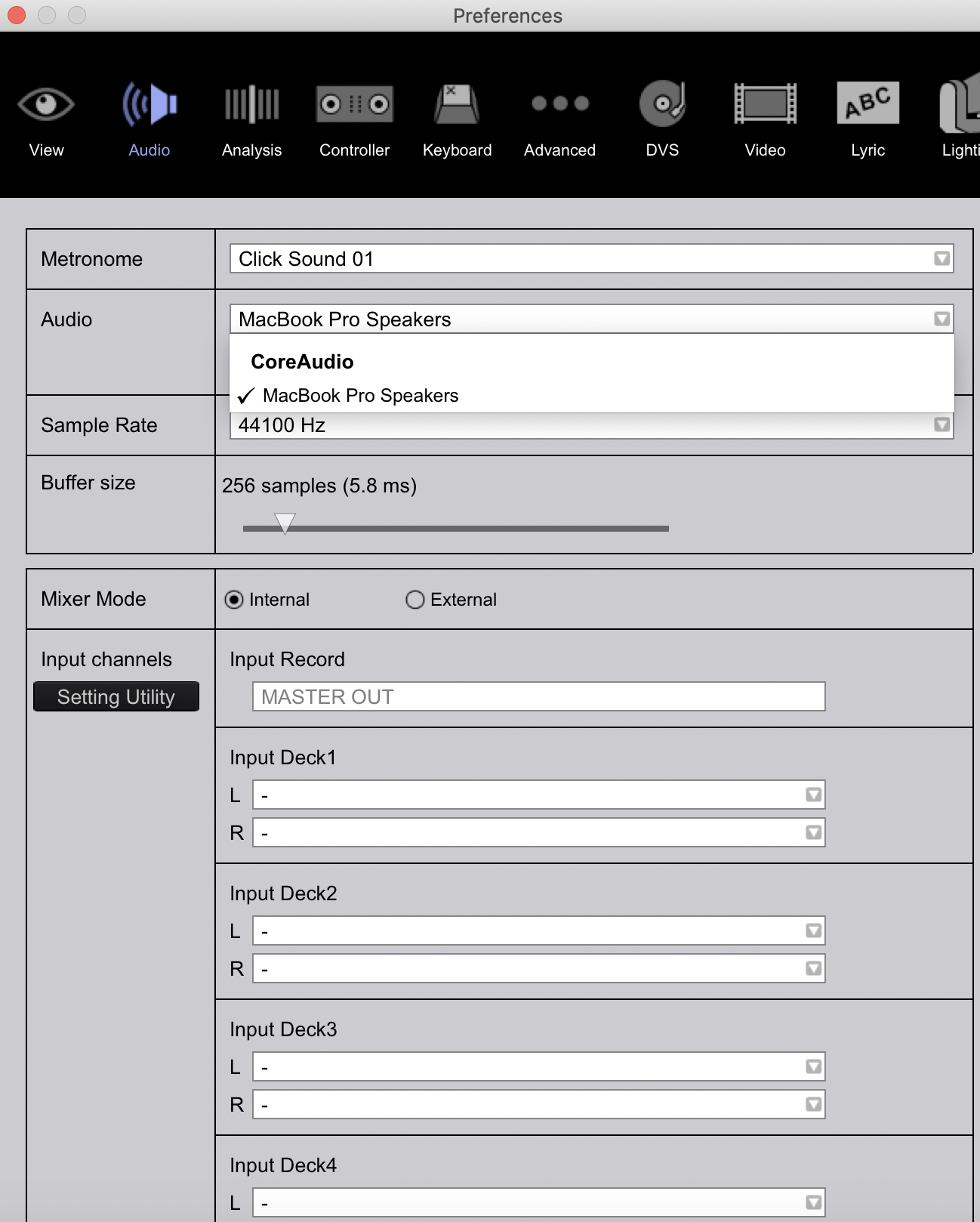
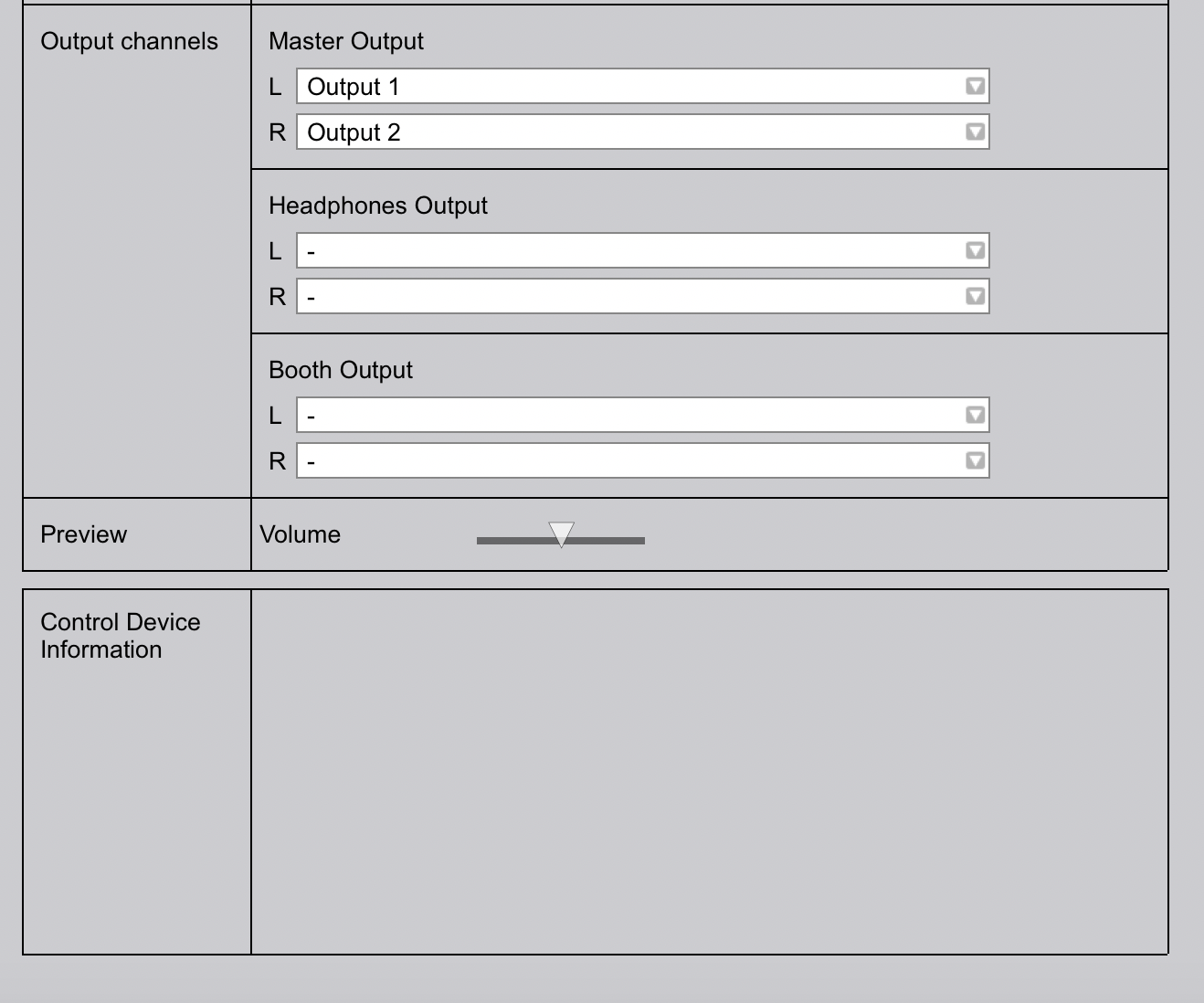
Thanks for the video I have closely followed it. Please see my comments and screenshots below:

- Confirming all the correct drivers for XDJ RX2 were installed
- Confirming all firmware is up to date

1.24secs into the video.

- I have no audio
- I have nothing showing in Output channels
- No device controls showing

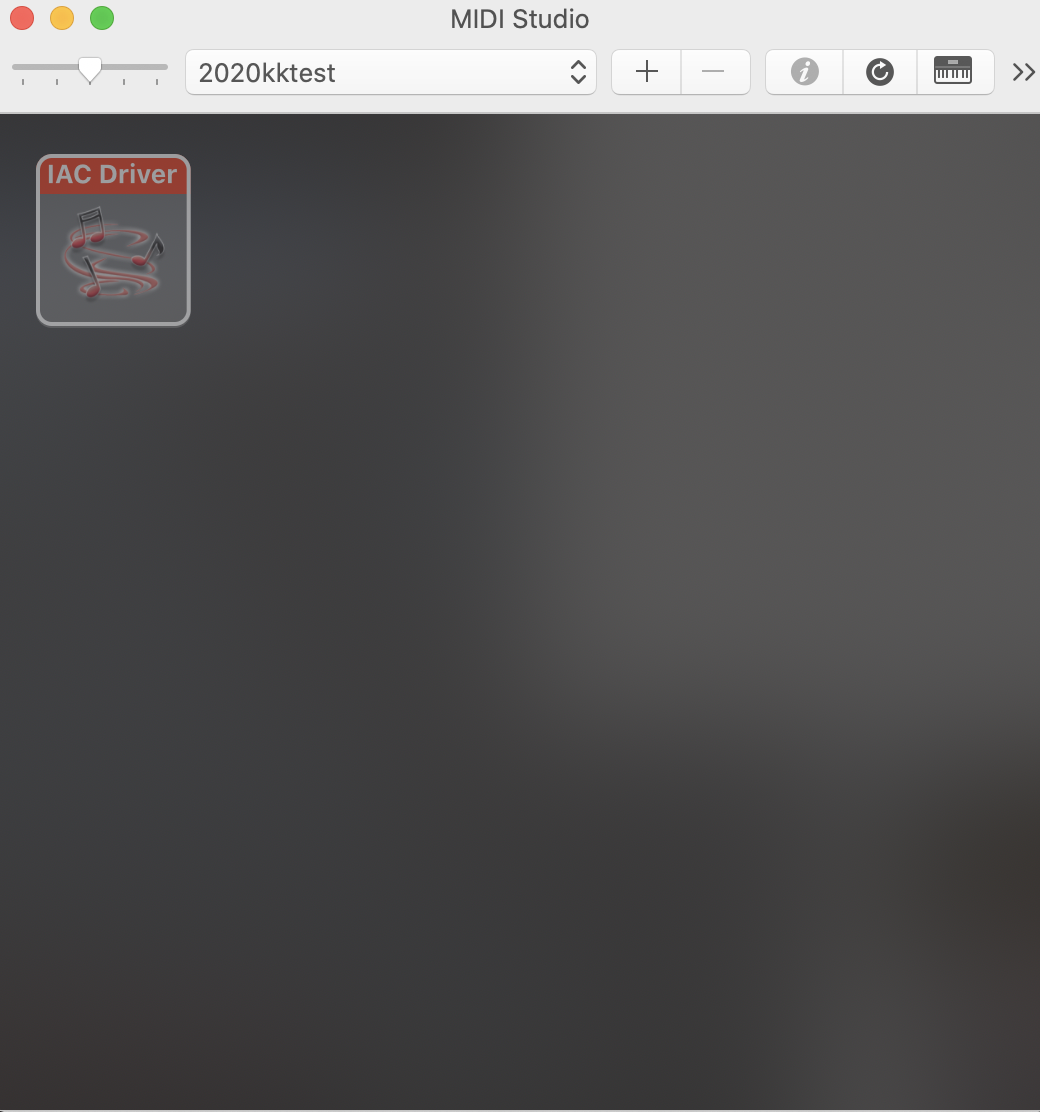
- I tried to create a new configuration and 'rescanned the bus'. Nothing found. See below

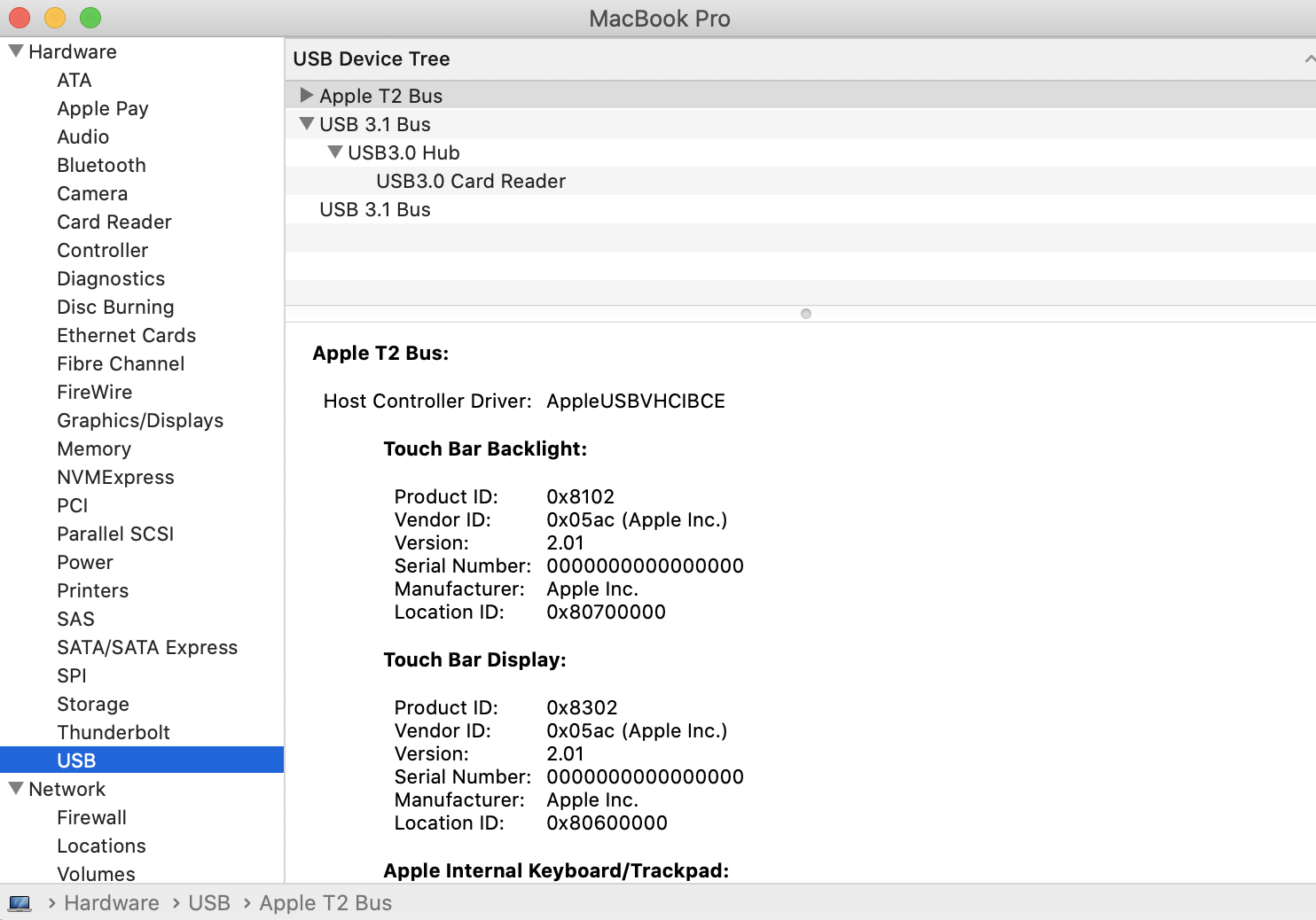
- No controllers are showing under the USB tab. See below screenshot

What to do next? 

Thanks for your help

Kim

Kim 0 Stimmen
Aktionen für Kommentare Permalink
0
Avatar

Hi,

Do you have an update on the above? I am still having the same issues.

Thanks

Kim

Kim 0 Stimmen
Aktionen für Kommentare Permalink
0
Avatar

Hello Pioneer are you ignoring my comment?

I would like a solution please? Still same issue.

Kim 0 Stimmen
Aktionen für Kommentare Permalink
0
Avatar

Hello, I haven't had a response on this issue since August 17th. This is still an issue. Can you please reply or point me in the direction of somebody who can. Thanks

Kim 0 Stimmen
Aktionen für Kommentare Permalink
0
Avatar

Have you double clicked on the iac driver and tick the box to put iac driver online? Might solve your problem

John Lawlor 0 Stimmen
Aktionen für Kommentare Permalink