
Official comment

I'm reading the post thinking "Ah yeah, that's easy - you just click the X and it deletes it!" but I open rekordbox to confirm and provide a screen shot and ... Hmm, that's odd, I can't actually delete the saved text, it just clears the content of the field, and if I right-click and select Delete, that just does the same thing as clearing the field, it doesn't remove the saved text.
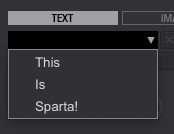
So I dig.
I found where the text is stored...
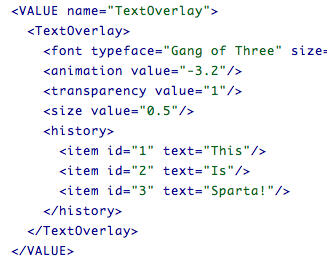
I tried doing a bit of an edit...
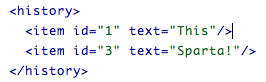
And then reloaded rekordbox...
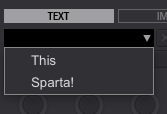
It works! I added a new one just to see how it would affect the XML...
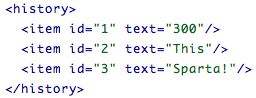
rekordbox seems to renumber things just fine.
So here's what you need to do... if you're on a Mac, go to Finder, click Go > Go to Folder and enter:
~/Library/Application Support/Pioneer/rekordbox/
If you're on a PC, go to Explorer and navigate to:
C:\Users\<yourusername>\AppData\Roaming\Pioneer\rekordbox
First, make sure rekordbox is closed. Next, open the VideoSettings.xml file with a text editor (right-click and Open With because chances are, if you don't already have an editor assigned, it will want to open with your web browser) and find the TextOverlay section. It's not a long file, so it's not hard to find.
Find the History items you want to remove and simply delete ONLY the item line you want to remove. Don't worry about the numbers, just save the file, re-launch rekordbox and away you go!
And here's what I'm going to do ... ask the engineers to add an easier way to remove them from within rekordbox! lol
Thanks for bringing this to our attention.


