Have a feature request or suggestion? Post your idea here!

Post

3 followers Follow
1
Avatar

DDJ RZX not updating

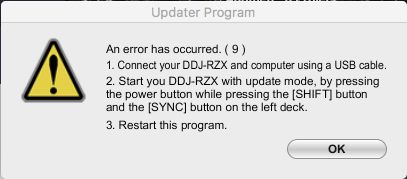
I just bought my DDJ RZX this weekend and for the price I'm super disappointed. None of my displays work with Rekordbox, and I cant update the board. Whenever I run the updater it crashes. I've tried it on Windows 8, Windows 10, and Mac. Please help me I didn't spend $3000 to not be able to use any of the nice features of this board.

Grant Summers

Post is closed for comments.

9 comments

-1
Avatar

Regarding the video issue, have you tried using the rekordbox 4.3.0b2 beta?

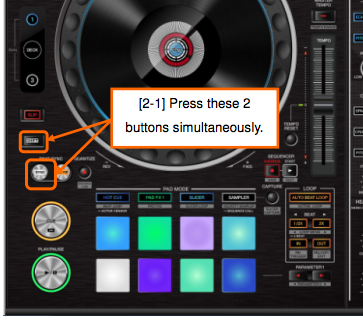
As for the updater, it's a different application on Windows than Mac, and I find it hard to believe it crashed on each system. Was there an error message of any kind at all? Did you put your RZX into update mode by holding these buttons while powering-on the unit?
Pulse -1 votes
Comment actions Permalink
1
Avatar

The video issue has been solved. It was my firewall not allowing the video portion of the board to operate. I did put it in update mode, but it still didn't work. It gives me the error message, 'An error has occurred. (9) It was not possible to update the program,' on every computer I've used.

Grant Summers 1 vote
Comment actions Permalink
1
Avatar

I also have this issue. WTF Pioneer? Serious buyer's remorse so far.

aotu 1 vote
Comment actions Permalink
0
Avatar

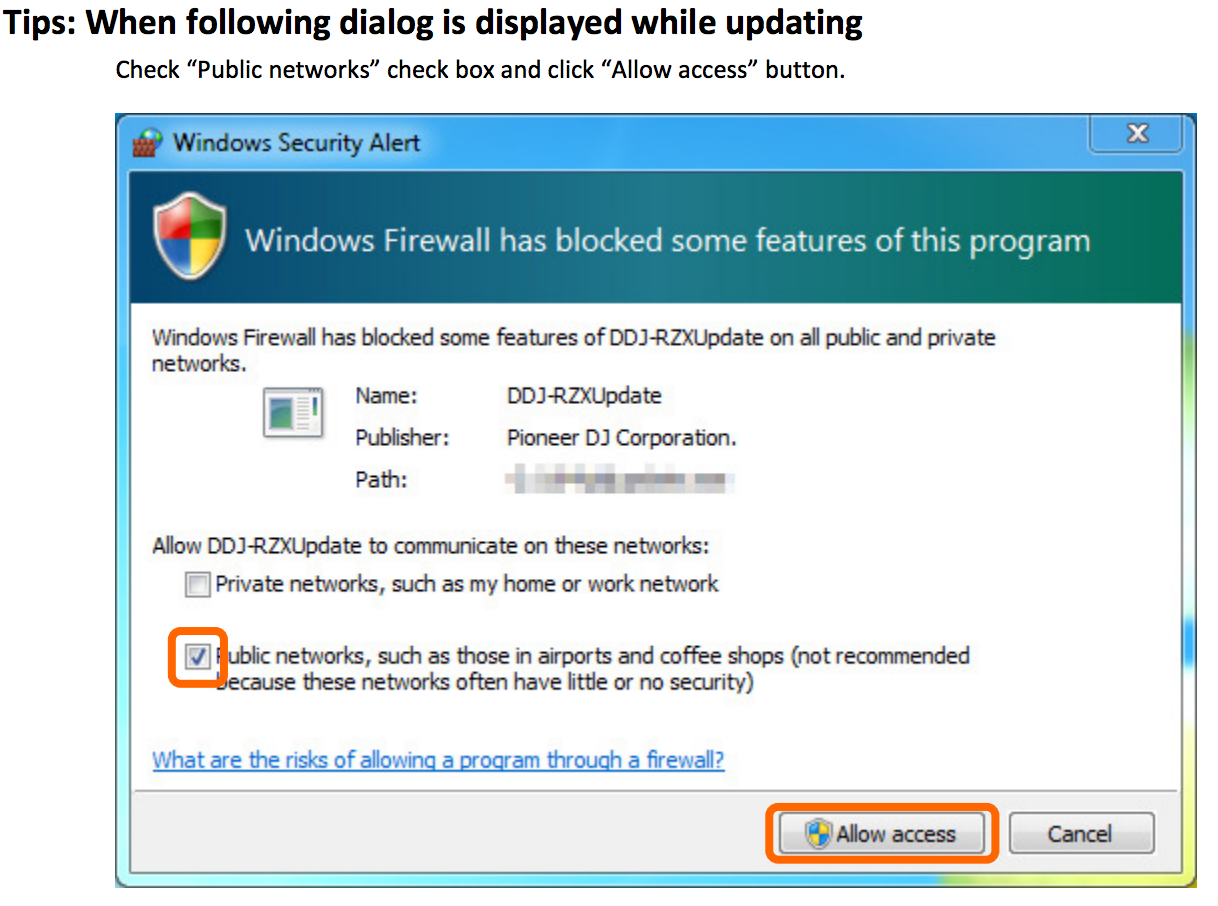
@Aotu > Is your RZX in update mode? You may also have your firewall blocking the communication:

Either allow the connection or disable your firewall during the update process.
Pulse 0 votes
Comment actions Permalink
0
Avatar

Yes, it's in update mode. I followed the update manual perfectly. I don't have a firewall. I'm on a Mac. Tried restarting my computer. Tried downloading the update again. All other applications are closed. Unplugged all other peripherals. Tried 10 times. Paid $3K. 

aotu 0 votes
Comment actions Permalink
0
Avatar

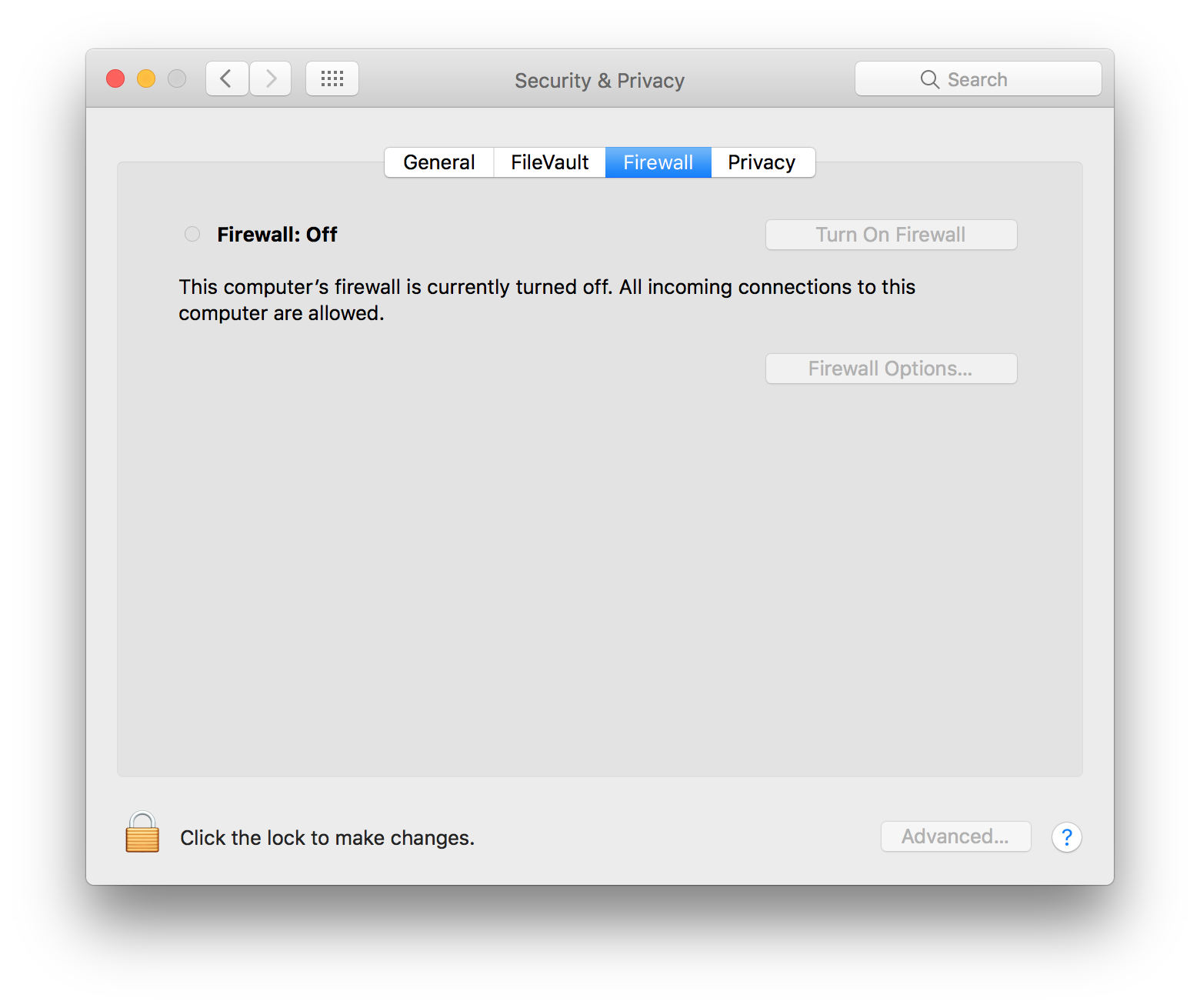
The Mac has a firewall as well, please try turning it off and repeat the update procedure.

Pulse 0 votes
Comment actions Permalink
0
Avatar

I'm not sure if this helps, but this is what I did to get mine to update.

1. Restart your computer
2. Delete the old updater and download a new copy
3. Disable your firewall and your antivirus
4. Turn on DDJ RZX in update mode
5. Connect DDJ RZX to computer
6. Run the updater as administrator

I've updated my board twice now and it has only worked if I follow these steps.

Grant Summers 0 votes
Comment actions Permalink
0
Avatar

Pioneer realized this is a real firmware update issue and corrected the error message to 'Connect your USB cable to slot A (!)'... I had mine connected to B and I went crazy trying to upgrade...

Anyway - one step forward but... now Rekordbox say something about updating the driver in Windows... This asks for disconnecting the controller and to download and run DDJ-RZX_1.021.exe... everything ends with success but a funny small window remains opened 'DDJ-RZX'... I restart everything and tried again to connect Rekordbox to controller... same warning 'please update driver'... I have skip... but skipping doesn't help me at all... controller is not linked to rekordbox...
I will not repeat the price, Pioneer, everyone complained, but please provide some help. In this moment my money are blocked in an unusable HW...
Waiting for your reply,

Teo


PS. I will also try to open an official case to them.

Teodor Costache 0 votes
Comment actions Permalink