
@Karl > Can you tell me what kind of computer you're using? Is it possible you have the USB drive connected to a USB2 port?
Comment actions

I've just bought 2 pieces of Kingston HyperX Savage 256, and I'm trying to export my playlists, but it's going terribly slow. Now the export has been going on for 14 hours, 41%. This has got to be wrong. I'm exporting 100 GB, the usb keys are in FAT 32, with all the right format settings, been trying to search the web and forum for tips and tricks, but can't find any.
Please help, this can't be correct that I'm going to use one and a half day to export one key, especially when I bought them because of the high read and write transfer speeds.
Post is closed for comments.
@Karl > Can you tell me what kind of computer you're using? Is it possible you have the USB drive connected to a USB2 port?
Hi, no, using a macbook pro from 2015, all usb's are 3.0.
Can the drives be used in any pioneer player if they are formatted in OS X extended? I thought they had to be in FAT32 to be compatible.
You should try HFS+, it will work - I use it for mine.
Ok, but OS X extended is not compatible?
How do I format them to HFS+?
"Mac OS Extended" is HFS+, so you're fine there.
I did some digging on that drive, and according to this review, it absolutely dies in the small file transfer department, and rekordbox exports a heap of small files for the database and waveforms.
More on just how bad those small file-transfer rates are here: http://usb.userbenchmark.com/SpeedTest/47907/Kingston-HyperX-Savage

I can confirm that My HyperX 512GB USB Stick doesn't work very well with Rekordbox.
I have used it for over 2 years, and file copy with Total CMD woks very wel and fast,
but it's o-so slow with rekorbox sync
I read here that's small files makes the HyperX very slow,,, and the library here is about 100.000 files.
I have now a sandisk 1TB SSD with Startech Sata to USB adapter.
Future will tell, but rekorbox seems to work good with it, finally
Also a major problem with the HyperX is removing the Stick.
In Win10 Rekordbox always crashes. and that's really Terrible.
I tought it was a problem witk RB in Win10 but RB doesn't crash with the Sandisk SSD
Pioneer Really need to tell us which USB Sticks and SSD's are comptible.
or which not
Forget about kapitalsm trick and deals,, It need to work !!
Regards,, StephenM
@Stephen > There are far too many drives on the market to test them all and make recommendations. Those which are highly rated on tech websites / reviews are typically going work better than cheap drives you could buy at your local Staples / Office Depot.
I see you purchased a HyperX, and while that is a fantastic drive for transfer speeds of large files, the reviews of that drive have shown it absolutely fails when it comes to transferring small files (as I mentioned above). I too use an SSD (I was using a Samsung Evo 860 500GB, but I'm now using a smaller size / larger capacity Samsung T5 1TB), which beats the pants off any USB drive at not much more cost.
About the Samsung T5,, It's too difficult for me to be sure it works with normal USB 3.0 ports, cause this is a USB-C port,, I don't have these ports,,
Steven > The T5 works with USB-B ports; it ships with both a USB-B and USB-C cable.
'USB-B',, that's also USB 3.0 I guess,, otherwise an SSD on USB 2.0 speed has no sence,,
Okey,,,
Sorry, I meant USB-A.
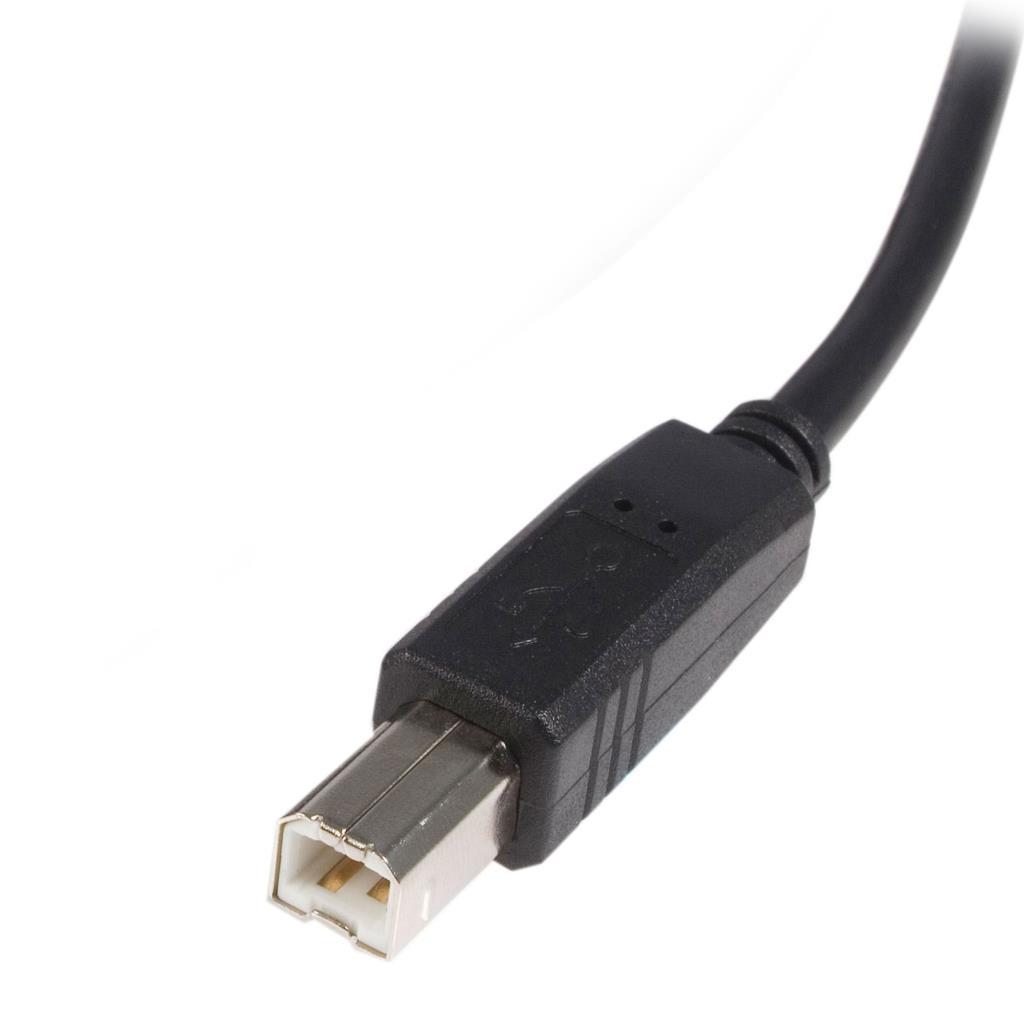
This is the USB-B end of a cable:
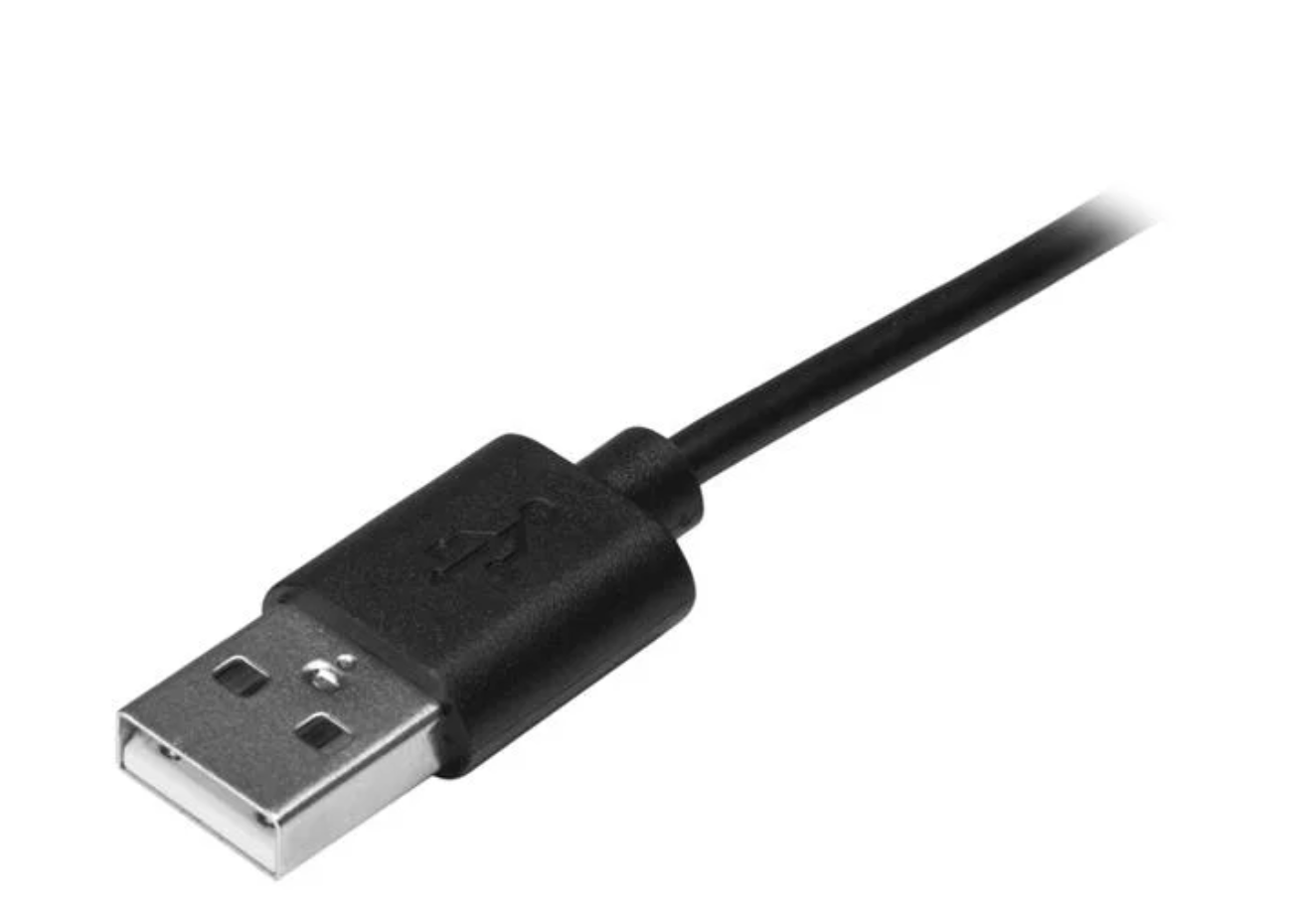
USB-A is that standard familiar port from USB1 all the way to USB3:
Okeyy,,

