Have a feature request or suggestion? Post your idea here!

Post

1 follower Follow
0
Avatar

XDJ-RX Rekordbox DJ Samples and info screen.

Hi there,


A few months ago I got the license for Rekordbox DJ for free as many others.

still I am not a fan of Rekordbox DJ and use it mainly the network link to my RX.

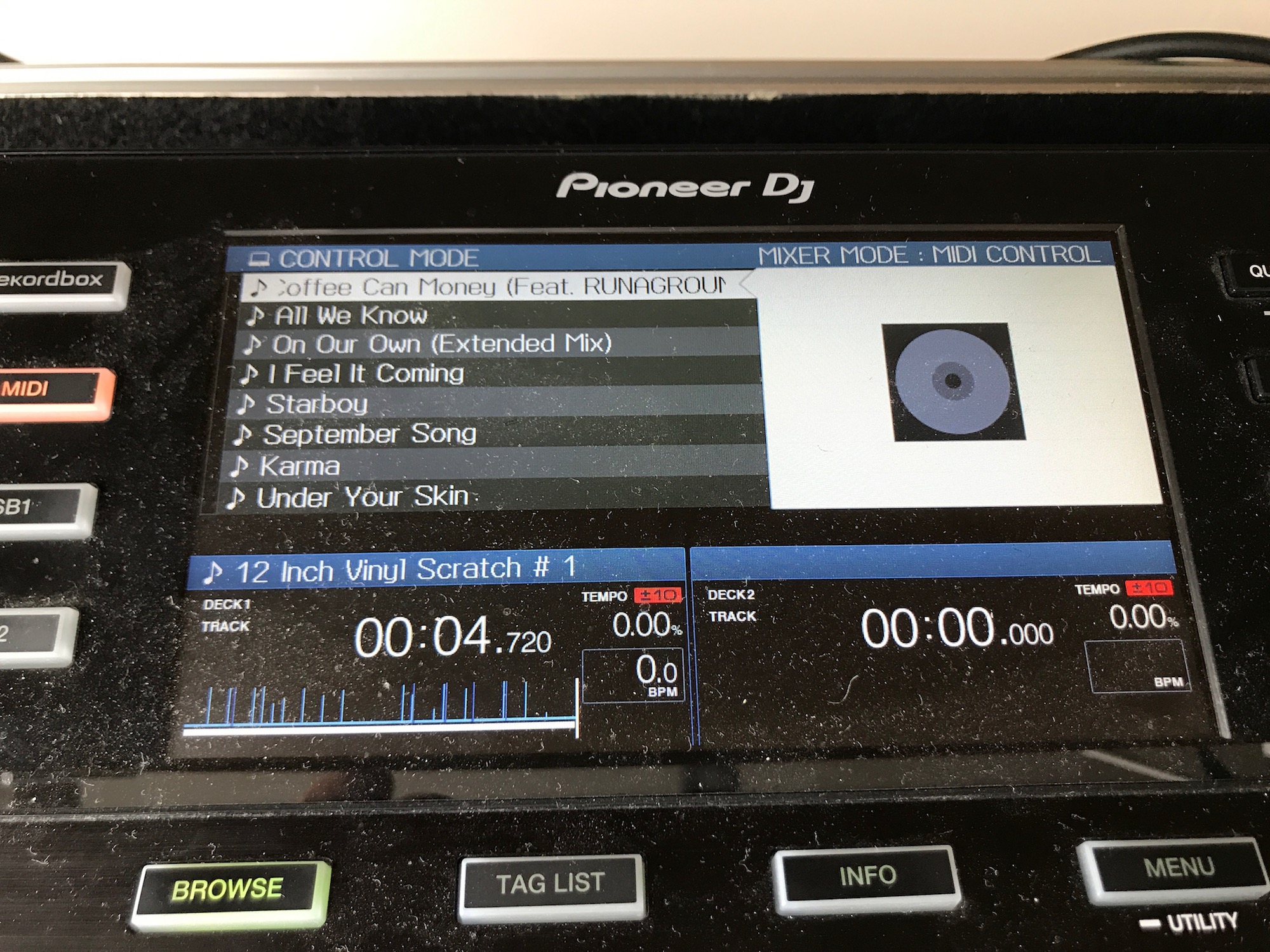
There is a thing with the RX display I don't like with RB DJ. When playing trough network link I always use the info screen to scroll trough my playlists. When I play with RB DJ and USB cable the info screen shows only the coverart. I don't want that, I want full info.

What I'd like to know If it is possible to map the samples in RB DJ to the XDJ-RX?

Thank you.

Pat

DJ Pat Answered

Official comment

Avatar

Sorry, the display preferences are pre-defined by the software and aren't adjustable by the user. The reason it's not available on the player is it's already visible and easily accessible within the software.

As for mapping the XDJ-RX to play the sampler, if you re-mapped the Hot Cue buttons for that purpose, you'd lose the Hot Cue functionality, but yes, it is possible.

Pulse
Comment actions Permalink

Post is closed for comments.

5 comments

0
Avatar

Thank you for your answer.

I prefer to look at the screen of my RX for song info. I'd like to keep facing the audience instead of being blinded bij my laptop screen. :-)

I think I'd better stick in export mode.

The samples are not that important to me.

DJ Pat 0 votes
Comment actions Permalink
0
Avatar

Have you tried pressing the INFO button on the XDJ-RX? It won't appear while you're in BROWSE mode, so press BROWSE first, then INFO. All of the track details for one deck are shown. To switch to deck 2, press the DECK 1/2 button.

Pulse 0 votes
Comment actions Permalink
0
Avatar

In the first picture is how I like to see the info while browsing.


In the second picture I'm browsing trough midi and I'm missing my info.

As said before I'd like to look at the display of my DX and not constant looking in my laptop screen.


Thanks for the tip about Info on loaded songs but that's not what I'm looking for :-)

DJ Pat 0 votes
Comment actions Permalink
0
Avatar

@Pat > You missed above where I said you need to press the BROWSE button first (to exit BROWSE mode) THEN press the INFO button. It will show as your first photo for the playing info, not while browsing - again, that's what your computer display is for.

Pulse 0 votes
Comment actions Permalink