
Official comment

Disconnect your DDJ-RB, download the drivers for your OS, and run the Uninstaller from the package.
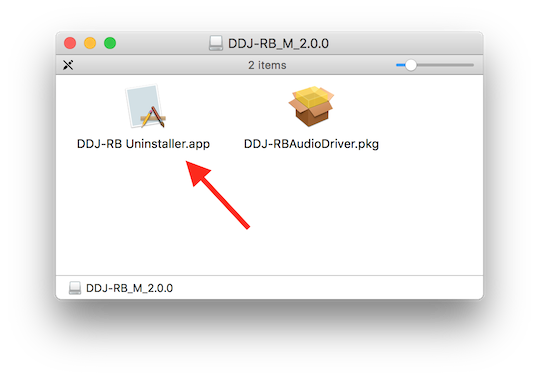
Reboot your computer.
Install the drivers from that same package.
Reboot your computer.
Go into Applications > Utilities > Audio MIDI Setup. Go to Window > Show MIDI Studio (if not already visible).
Click the dropdown at the top of the window (to the left of Add device) and select New Configuration. Give it the name 2017 and click OK. Next, connect your DDJ-RB and ensure it appears in the window.
Quit the Audio MIDI Setup application and launch rekordbox.
Open the software, check that you are in PERFORMANCE mode, and open the Preferences to the Audio tab. Scroll to the bottom and see if the DDJ-RB is listed beside Control Device Information.


Comment actions