Have a feature request or suggestion? Post your idea here!

Post

4 followers Follow
0
Avatar

How to sort rekordbox by iTunes date added AND time added?

Hi,

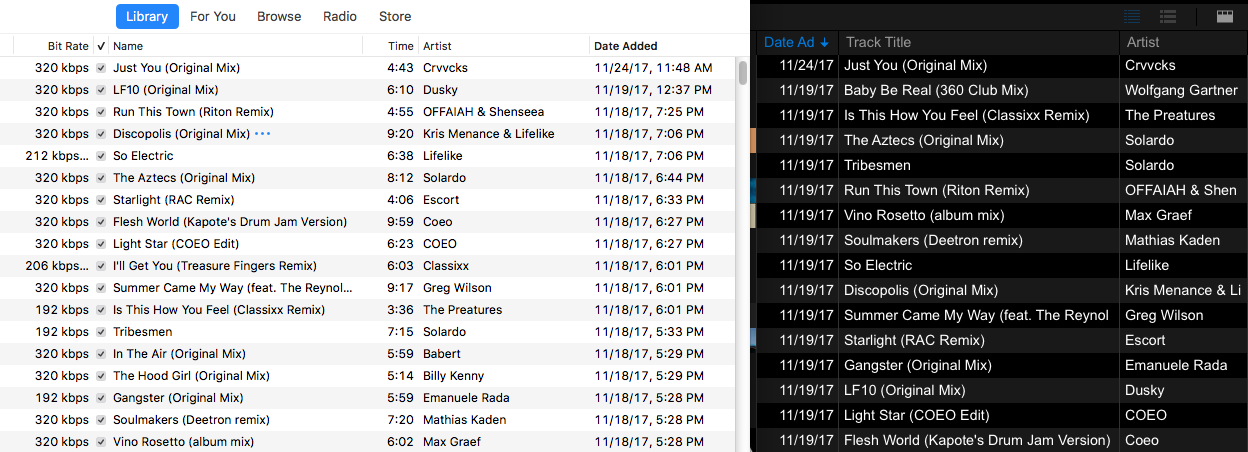
When I view my iTunes collection in rekordbox and sort by 'Date Added' it does not reflect as the same sort order within my iTunes. Is this due to the fact that rekordbox does not incorporate the time stamp associated with the date the tracks were added?

Or is this possible? You can see in the screenshot that tracks that were added on the same date are shuffled in order within rekordbox.

Thanks!

zuperduper Answered

Official comment

Avatar

Unfortunately the Date Added field in rekordbox isn't as granular as the Import Date field in iTunes (no time, just date). 

If you want to have them in the same order, my recommendation is to sort the playlist in iTunes the way you want it (you can sort it by date or any other criteria), then, at the top-right of the playlist in iTunes, click the circle menu (with the 3 dots) and select Copy to Play Order and that will rearrange the numbered order of the playlist to that sort.
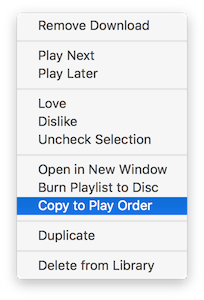
Then, when you go into rekordbox and import the playlist, the numbered order of the playlist will be the same.

Pulse
Comment actions Permalink

Post is closed for comments.

13 comments

0
Avatar

For me this seem to work ok. The only reason that a track is being shown with a different time stamp is, when I was changing data and for some reason I deleted it from the rekordbox database and added it in again. In thta case iTunes still is showing the old 'data added' while in rekordbox the date has been changed to the day I added the changed track again.

Any Chance you did updates in rekordbox in the DB and not changing iTunes?

Frank Richter 0 votes
Comment actions Permalink
0
Avatar

I edited everything in iTunes prior to importing into rekordbox (and haven't edited any meta within rekordbox). I even clicked on iTunes > All Tracks from the tree view and clicked the Date Added column to sort by date and it gave me the results from my previous post. Would be nice to have my track collections 100% aligned - sorted by Dated Added & Time Added :(

zuperduper 0 votes
Comment actions Permalink
1
Avatar

Same issue here...

I created a new RB database, synched with iTunes and now the order is not corresponding to iTunes' collection.

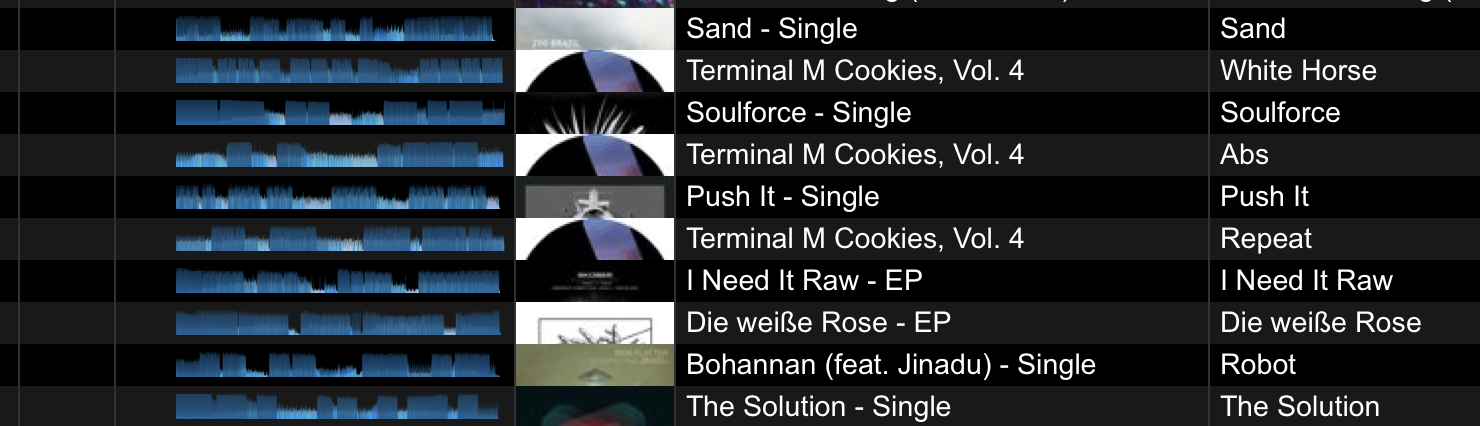
My personal problem: albums and EPs (e.g. Terminal M Cookies in my screenshot) are spread. It becomes also obvious when just looking at the Artwork in rekordbox.

@ Pulse

Thank you for your suggestions, but the playlist reorder function is not available for iTunes' main collection. Compared to rekordbox, iTunes does respect import date AND time when sorting by 'Date Added'.

2 suggestions to fix this issue:

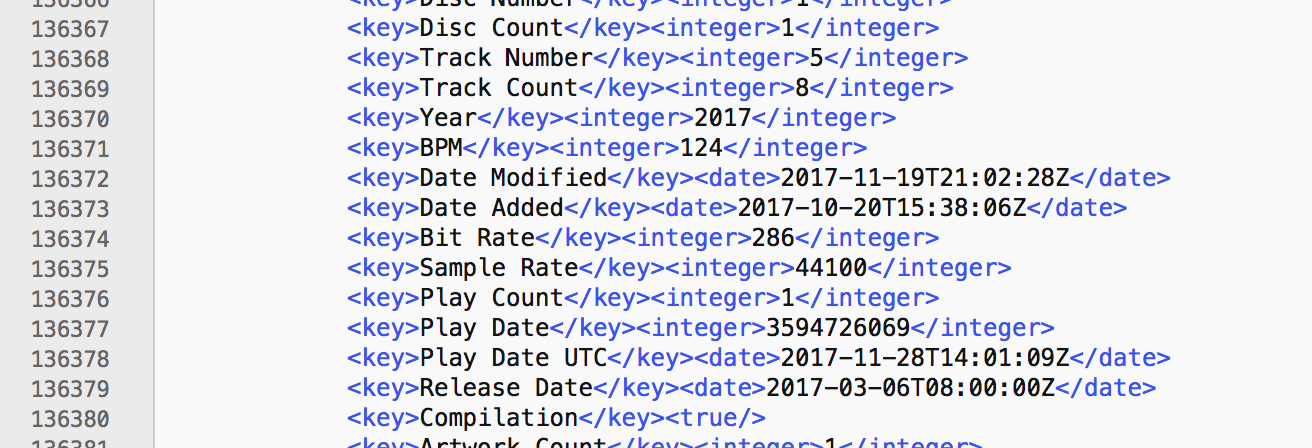
1) When importing files / synching with iTunes, rekordbox should respect the timestamp, too. iTunes' XML file does provide that information.

2) If Pioneer is not willing to respect time stamps, then at least the importer / sync manager could sort by the album names to avoid ugly spreading like in my personal case.

Plangin 1 vote
Comment actions Permalink
0
Avatar

@Pulse: Thanks for confirming this is not possible and the workaround. This will have to suffice for now but gets a little tedious for maintaining my collection in the long run since I have to drag tracks from my iTunes collection into a playlist first, then sort within that iTunes playlist before jumping into rekordbox. Would be nice to bypass these steps and have my collection nicely synced from the get-go.


@Plangin: Big Ups for the deep dive and confirming the xml data for the time stamp is provided. Hopefully, we can get this implemented in an update.

zuperduper 0 votes
Comment actions Permalink
0
Avatar

Some kind of workaround:

Just stop sorting by 'Date Added'. Click onto the column, until the arrow diasappears. Then the Collection is sorted by iTunes again.

But I still do not get this odd behavior. And I still do not understand, by which criteria it does sort as soon as I click on 'Date Added' (in case the tracks are added on the same day).

Plangin 0 votes
Comment actions Permalink
0
Avatar

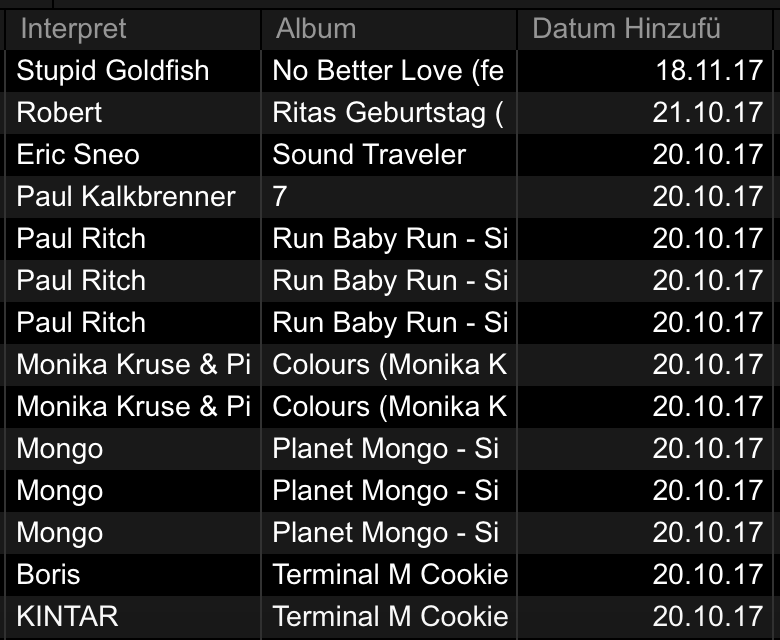
To visualize this:


Normal sort order:


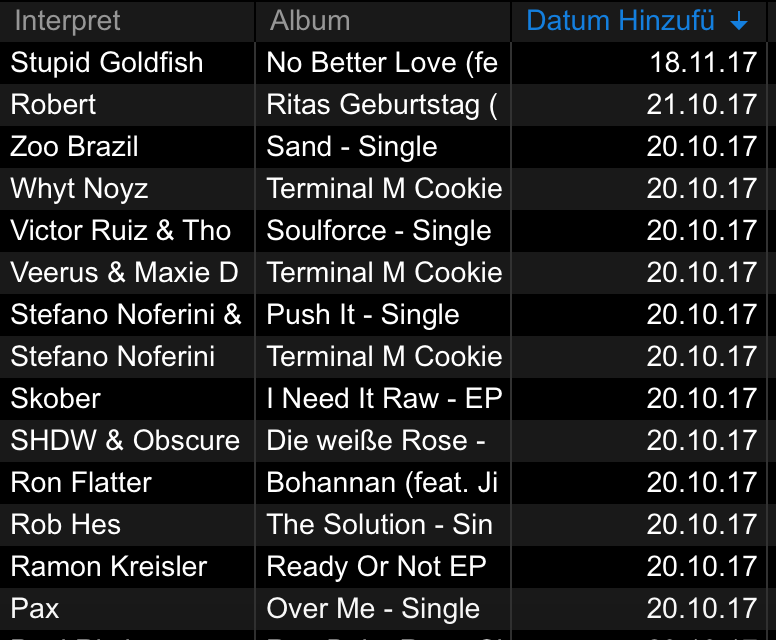
Clicking on the 'Date Added' column breaks everything:


So if rekordbox does ignore the exact time, why can't it just ignore it and leave the order in the intended order.

A fix would be really nice. Thanks.

Plangin 0 votes
Comment actions Permalink
0
Avatar

Sorry, 3rd post in a row. ;-)

When looking on my 2nd screenshot it became obvious:

When sorting by 'Date Added', rekordbox does sort by Date and then by Artist in descending order.

Improvement request:

If the several tracks have the same date added, please sort by Album as second criteria.

Plangin 0 votes
Comment actions Permalink
0
Avatar

@ Pulse

I already answered to your post on November 30, 2017.

People are complaining about messy order in their collection and you answer how to sort playlists....

If you interested in improving the software, please forward this thread to the developers. Or tell me how to file bug reports. Found another issue in XDJ-RX2, which I'd like to file.

Thanks! 

Plangin 0 votes
Comment actions Permalink
0
Avatar

Thanks, I will try it again with 5.2.0 and a new database.

Plangin 0 votes
Comment actions Permalink
0
Avatar

Tried again and encountered the same behavior.

I made a video to illustrate what's going wrong:

https://youtu.be/2jkXw8ZW0VY


Forget about iTunes, forget about playlists. The cause is in rekordbox' browser and how it handles data when 'Date Added' has the same value.


Present behavior:

When sorting by date, 2nd sort order is by artist

Desired behavior:

When sorting by date, 2nd sort order should by album.


Thanks.

Plangin 0 votes
Comment actions Permalink