
Have you checked the crossfader assignment within rekordbox?
Comment actions

Just had an issue where the left jog wheel was unresponsive and the right jog wheel sounded like it was in slow motion. Today I updated the firmware and pressed shift + sync on both decks which seemed to resolve the issue. Now though the cross fader has is not fading and it's either on A or B - even in the middle both channels aren't audible.
Post is closed for comments.
Have you checked the crossfader assignment within rekordbox?
The cross fader works fine within the Rekordbox software - just not through the controller.

Yes, but did you ASSIGN the channels to the crossfader in the mixer section?
No - how do I do that?
Regardless of the position of these:
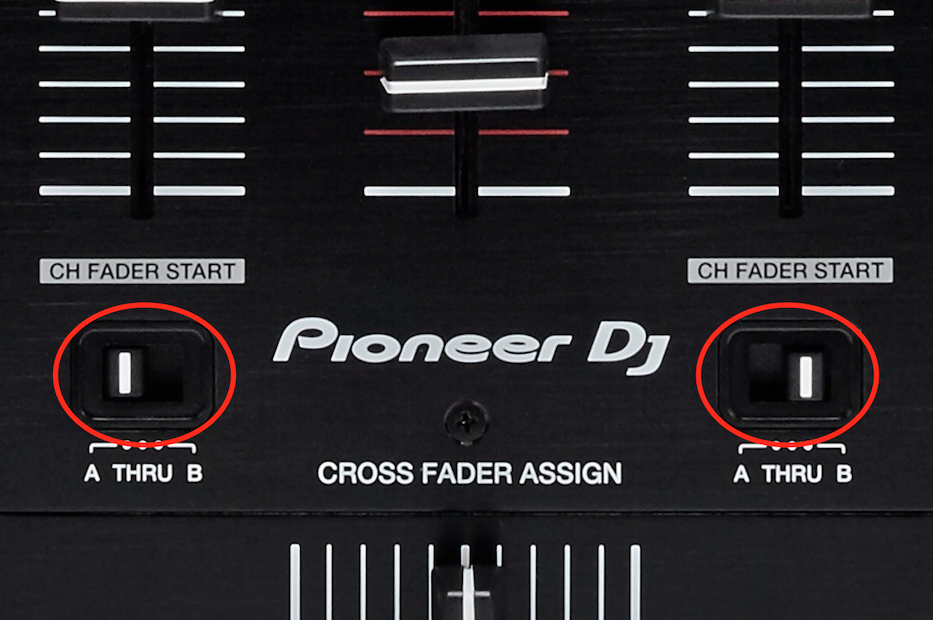
Check the status of these:
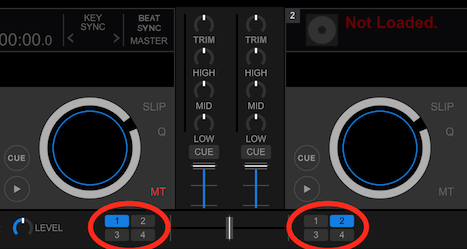
Thanks for your ongoing help. This is how they are setup:
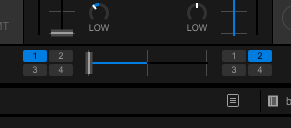
Do the assignments in the software match the hardware? And does the cross fader in the software move with the hardware crossfader?
Yes they match. When the hardware crossfader is used, the software fader goes from one side to the other - it's not gradual.
What is the position of the curve knob?
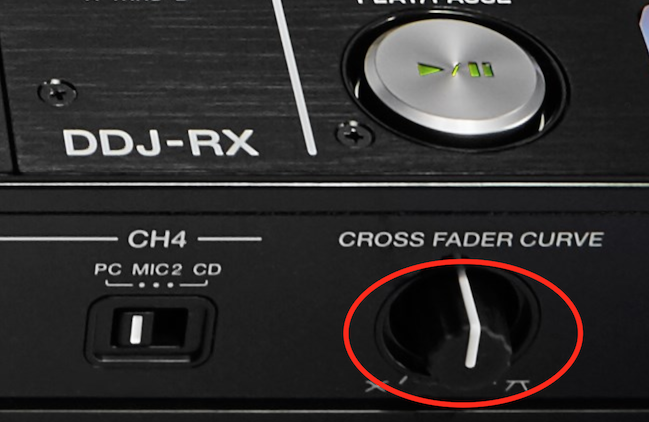
central as per your image.
Try turning it all the way to the left and see if that makes a difference when mixing between channels.
thanks - but still does the same, it's either left channel or right channel
Sorry, do you mean 1 or 2, as opposed to L or R?
Sorry - yes. When using the cross fader with the hardware, the software shows it as either deck 1 or 2. There's no in between.
Okay, but if the fader is all the way left, it's only CH1, and all the way right, it's only CH2, correct?
Correct.
And in the middle, neither channel is audible?
In the middle one channel is audible and then as you pass the center line the other channel is audible.
Yeah, that's not right -- if anything, it should be all-or-nothing, not a split to the middle.
Can you try performing the hardware reset again please and tell me which firmware version you're running?
You are a legend! The factory reset did it :-) Thanks so much for your time!
Glad that helped - I was running out of options! ;)
Me too - thought Xmas was over ;-) Thanks again - really appreciate it. Next time I have an issue, I'll make sure I reset the hardware to see if the issue is resolved before wasting your time.
lol - not to worry, and that's usually not a necessary step, more of a last-resort.
Cheers!

hello i have the same problem, how to reset please ??


