Official comment

That is how the grids work with DVS enabled. To change this functionality, disable DVS mode.
Comment actions

Hi, I have problem with 5.0.1. the grid does not work well.
when I synchronize two songs with different bpm, the lines are not parallel, they only match in the center.
They sound good but it is impossible to adjust the grid.
MacOS fault in my other pc windows is going well.

That is how the grids work with DVS enabled. To change this functionality, disable DVS mode.
Post is closed for comments.

sorry for my bad English. i have the same problem when DVS is active... tempo is ok the grid not.
I'll try Ossierra to see if it works.
rare windows works.
p.d. soy español
@ Official comment : Before is Works in the relative mode when you push the Sync Button the tempo and the Grid was paralell
@Ingohelmerich > Yes, that was before the version 4.4 update. A change was made to the operation.

please go back to the previous system because this update (after 4.4) is so bad.
Workflow is bad ... we need grid match on the gui
@ Official comment :When i go back i dont can use my new DDJ-XP1 !!!

What was the reason to change that after Version 4.4? I don't really understand that.
@Ingolemerich > DVS mode being enabled or disabled has no affect on whether the DDJ-XP1 can be used or not. What is the problem you're having? Please post a new topic and I'll be happy to answer you there.
@Clubber > The waveform stretching was changed in version 4.5 (sorry, not 4.4):

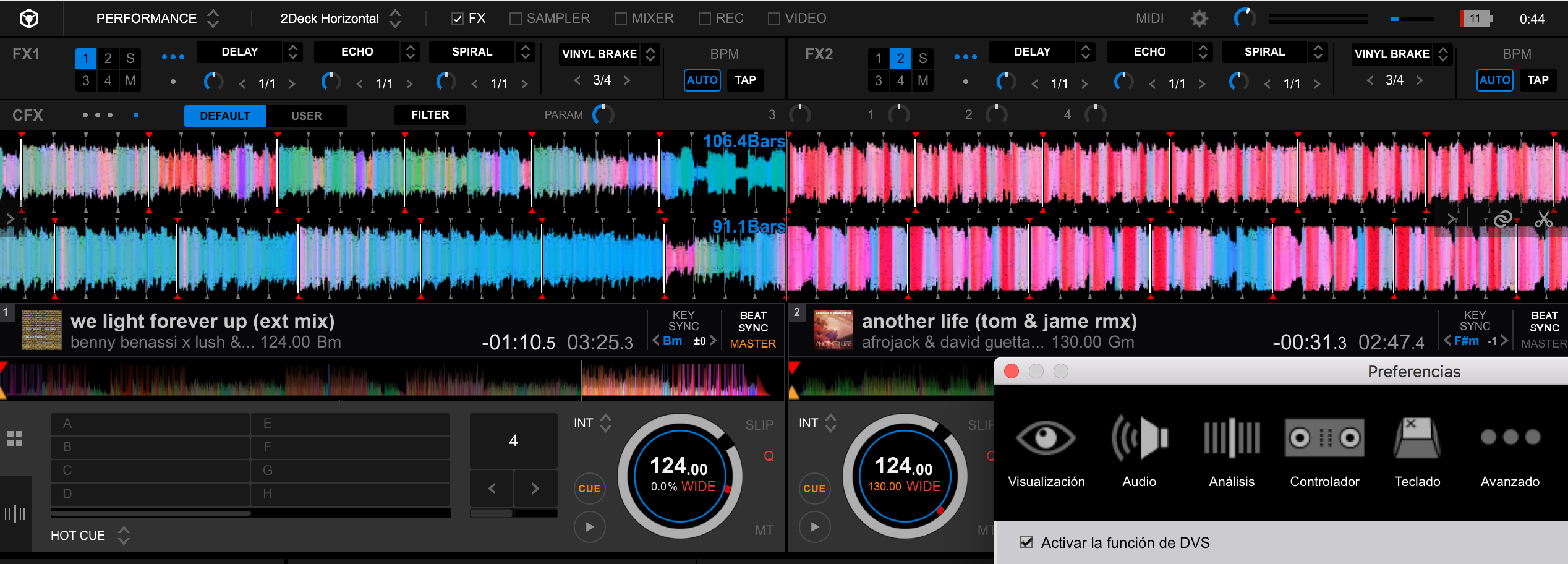
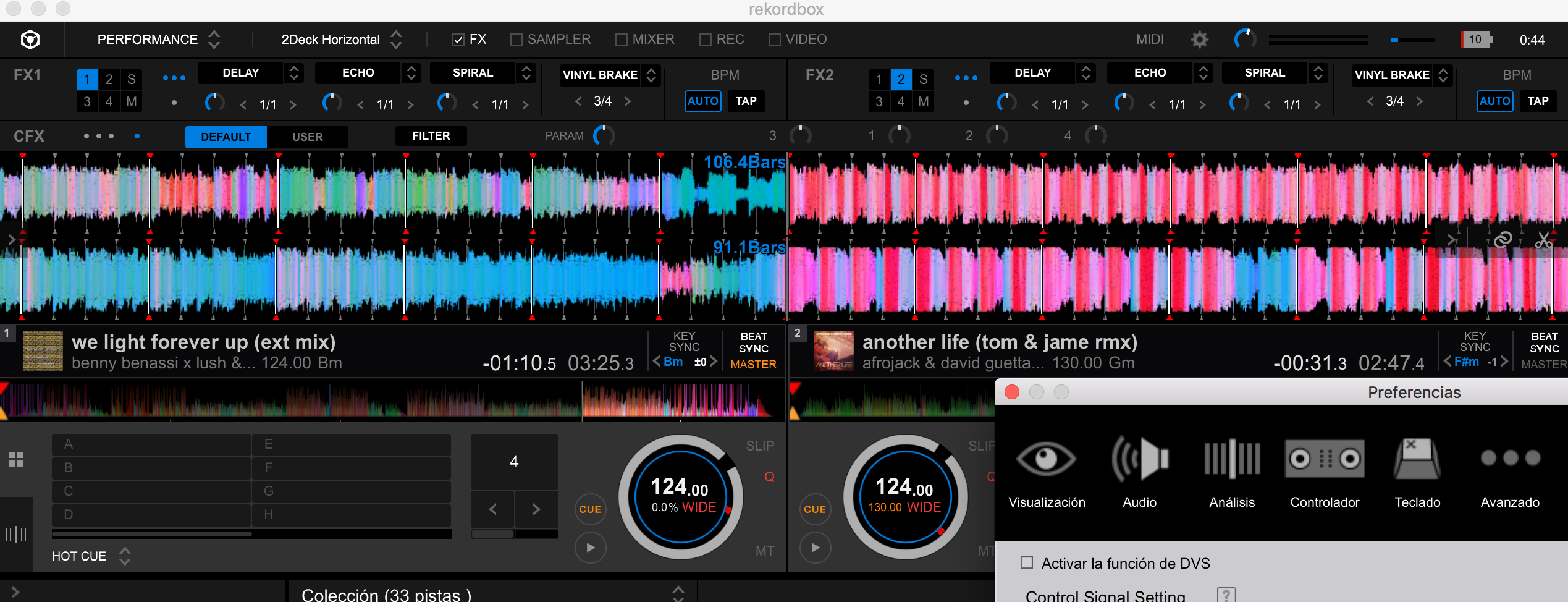
Look at the two images, just activate the dvs and the grid changed.
Dont have much sense. that the zoom of the grid is changed, when the DVS is activated.
if we fit two tracks, they should be symmetrical as they move along the grid.
Traktor does not happen.
How to see if a track enters before or after the expected point ???
the grid serves to avoid mistakes in the mix, and save time to do other more creative things.
Sorry, but I see it absurd.
The same as, can not map jogs for any controller, I can not even map the track offset in the encoder of the sp1 that is your brand. should release the use of their software with other brands, if they want to compete with the other two big.
I understand what you're asking, but they made a change to the operation when using DVS for consistent grid spacing.
They must fix it.
in my case, I have a small DJ business, and I have to work many hours straight from the assembly of light and sound, dj session and pick up everything. are many hours of continuous work. and sometimes the head collapses, and all the facilities and aids in the mixture are necessary. not all pioneer users are super stars, who arrive on stage from the limousine hotel. the work is hard.
Understand that it is very uncomfortable for users. we put one wave on the other in order to see the differences and facilitate the work and thus lose all visual reference
In forums of my country, they told me, that seratoDJ also happened the same, and in a short time they solved it
greetings and thanks for your time

If you disable DVS this stops happening but if DVS is on it affects all decks even the one of the controller? Is that right? If so this is worse than I originally thought. This essentially means it the answer right now is to turn off DVS which renders my two PLX-1000 useless is that right? Yeeesh I saved for a long time to get these man.
Not going to spam the forum but please listen to the users on this!
Hi i test today the 5.0.2. Beta here works the Sync with the grid funktion.


