Have a feature request or suggestion? Post your idea here!

Post

3 followers Follow
0
Avatar

CDJ 2000NXS2 track sorting issue

I just purchased 3 CDJ 2000NXS2's and I love them, but I am having some issues getting the tracks to display and sort the way I want. I should note I am playing tracks off a USB and all tracks have been analyzed in Rekordbox.

Long story short I play house exclusively and I have created playlists and custom genres within Rekordbox to make track selection as quick and easy as possible. The playlists are kind of like main categories and then I have things dialed in to a specific sound/mood based on custom genre's.

For example Some of my play lists are: Deep House, Funky House, Acid House, Tech House etc.

Then for example, in my Funky House play list I have the following genres: Funky Duby House, Funky Jackin House, Funky Classic  House etc.

If I sort by Playlist, I want to see the track name and genre, with the tracks presented from newest to oldest add date. I can't get it to work though. I got it to display track name and genre, but I can't figure out how to get it to display the tracks from newest to oldest add date. If I sort by add date it doesn't show me the genre, it only shows me the track name and add date.

If I sort by genre, I would like to see the track name and then artist, with the tracks displayed from newest add date to oldest but I can not get that to work at all. It shows me artists and the albums under that artist which is not useful to me.


Is there a setting somewhere that I am missing, or do the players just not allow you to get as specific as I want for sorting/browsing tracks?

Kevin James

Post is closed for comments.

7 comments

0
Avatar

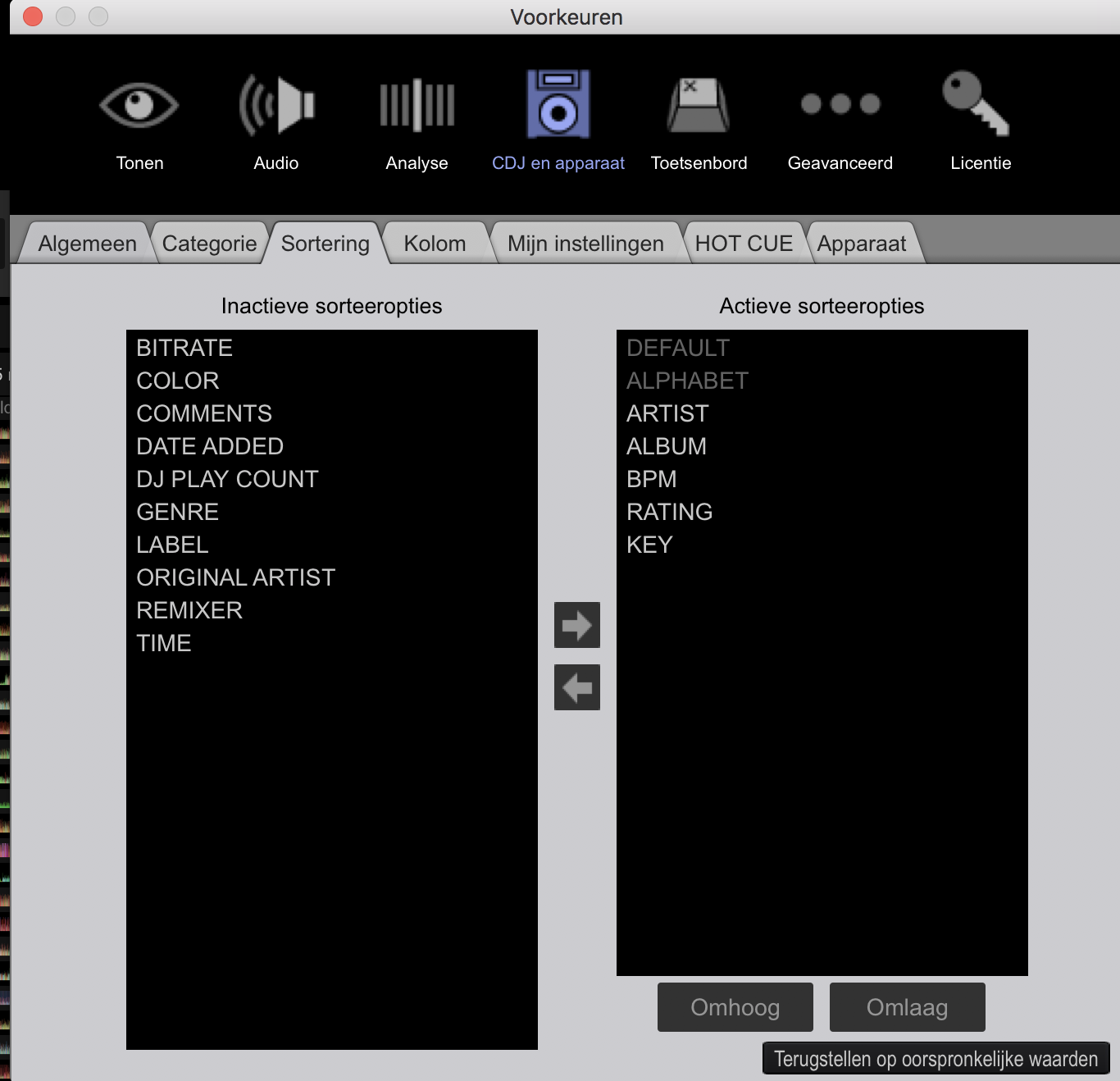
What sorting options are enabled in your preferences in RB? Did you 'load' your preferences from the USB drive, after inserting it on your NXS2? 

Please check your preferences in RB, here is a screenshot (in dutch version) of RB.

Antoine 0 votes
Comment actions Permalink
0
Avatar

Yes, I have set my preferences in Rekordbox and Date added is at the very top, then genre etc. And yes, I have loaded those preferences on the deck after inserting the USB. It still does not do what I want.

My main browsing is by playlist and it does show me the track name and genre, but I can not get it to display the tracks with newest tracks at the top and oldest at the bottom.

Kevin James 0 votes
Comment actions Permalink
0
Avatar

hi kevin

order the tracks in rekordbox how you want. in this case click the date added column in rekordbox. then right click the 'date added' column header in rekordbox and select 'renumber' in the dropdown. if you re-export your playlists (or perform these instructions on the playlists on your USB drive whilst in Rekordbox) then all your playlists will default to displaying all your tracks in this order.

if during your set you want to temporarily display a different order, descending bpm, key etc then just hit the menu button along the top and go to the 'sort' menu...

not sure if this is what you were looking for but this is how i set up and navigate my playlists...

Phil 0 votes
Comment actions Permalink
0
Avatar

Hi Phil,

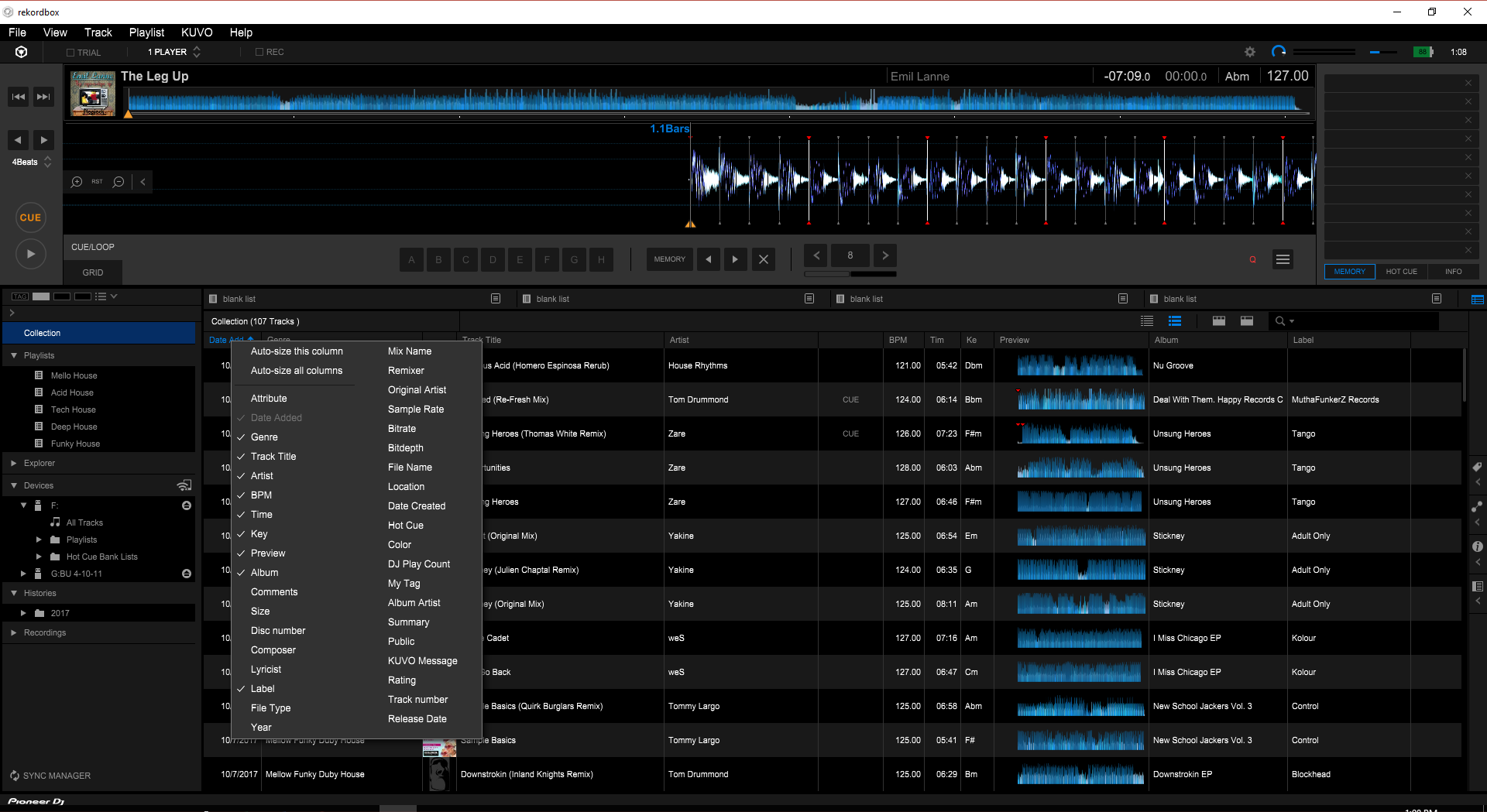
 When I right click the date added column I do not get a drop down or option to renumber as you suggest.

Here is a screen shot:

Kevin James 0 votes
Comment actions Permalink
0
Avatar

sorry kevin, they must have changed it for rekordbox 5! i'm not sure how to do it in the new software, maybe someone else can chip in as i'd like to know too!

Phil 0 votes
Comment actions Permalink
0
Avatar

Ok... so I just got off the phone with Pioneer DJ support and apparently the CDJ's are simply not capable of displaying tracks in order based on date added, even though it is an option in active sort in Rekordbox under the CDJ/Device tab.

It is not a feature that is available on the CDJ's. Gonna have to seriously think about how I'm going to make this work for me lol.


Kevin James 0 votes
Comment actions Permalink
0
Avatar

ok kevin, i've figured it out.

within the playlist you want to sort, activate the 'date added' column and click on it to sort the playlist as you want it. then do to playlist menu at the top and click 'renumber track order' and then re-export. you can do this straight into the playlists on your USB stick if you want, no need to re-export this way.

when you load your playlist into the CDJ, it will be ordered by date added now by default. 

let me know how you get on.

Phil 0 votes
Comment actions Permalink