Official comment

Yeah, there should be a clear button, and restarting the software shouldn't be how it's done. I'll pass this along to the rekordbox team.
Comment actions

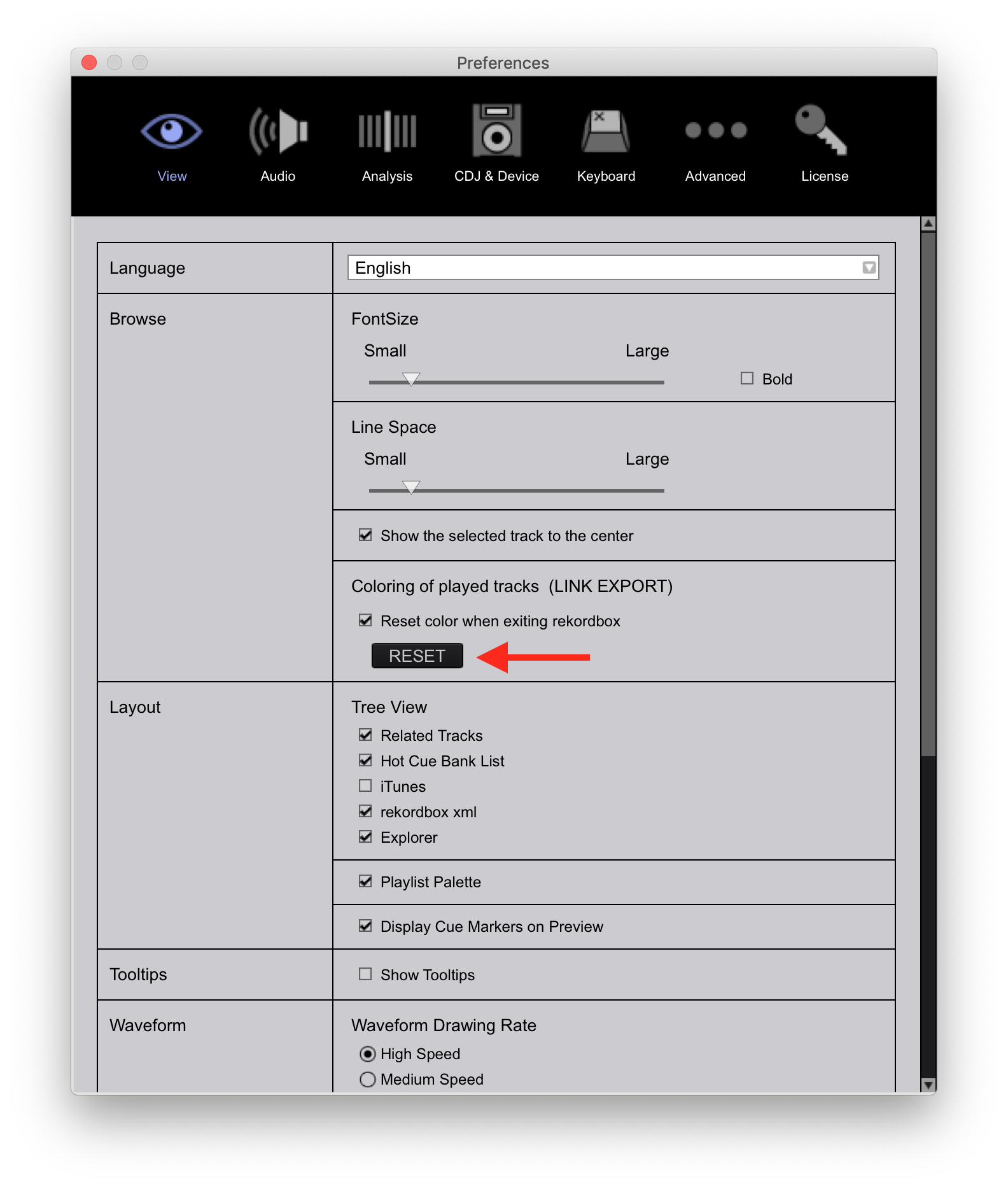
How do I reset the green color from tracks that have been played already?
Yeah, there should be a clear button, and restarting the software shouldn't be how it's done. I'll pass this along to the rekordbox team.
Post is closed for comments.

did you tried out to close Rekordbox and reopen it?
Obviously that would work. I'm talking about while still isong it like in Serato, there is a clear button.

Pioneer Team / Pulse --- thanks for adding this. I'm very happy to say that most of my annoyances with Rekordbox are getting fixed/solved one by one. First the GATE playback (hotcue function when paused) and now the TRACK PLAYED issue.
The ability to CLEAR it manually would be great. Huge lifesaver during long sets when you can't remember if you played a certain 'filler' track hours ago.
+1 for the pioneer team.
For me, the important factor would be not having the played-tracks cleared after (if) the software crashes!
@pulse - Yes, important for me too. I think in my original list of bugs/feedback, I suggested a time window, for example, played tracks for the past x hours. I suggested that as I hjad to restart RB a fe times during practice sets.
I think the best bet is to keep "PLAYED" for 12 hours, and then have a clear button. Hopefully no one has a set more than 12 hours. If you happen to practice in the afternoon before playing out, you can hit CLEAR prior to starting your performance.
Anyway, still a good step in the right direction by coloring the played tracks. Hopefully there's a CLEAR button and some 'memory' to help with crashes..
It can only get better. Bugs were expected.

+1

Hi, I have started to use Rekordbox Pro Link from my mac to CDJ2000nxs's in clubs.
When i activate Pro Link my played tracks are still green, how do i reset it so that they are not green anymore ?
Thanks
Right here in the preferences: