
Are you running a 32bit or 64bit version of VDJ8, and what is your current audio configuration - can you take a screenshot and post it?
Comment actions

I was using Hercules RMX with Windows 10 Home and Virtual DJ8 no problem. Bought brand new DDJ-SZ and have updated drivers to 1.0 and firmware was already 1.20. Sound plays fine through the headphone out of laptop so VDJ8 is fine but nothing - booth-headphone-master from the DDJ-SZ when everything is connected through USB (yes the switches are set to USB for input). Somewhere I read the DDJ-SZ requires Win10 Pro - I'm running Win 10 Home - could that be a problem? It is 64 bit. I've tried everything I can think of - any troubleshooting/fix ideas?
Post is closed for comments.
Are you running a 32bit or 64bit version of VDJ8, and what is your current audio configuration - can you take a screenshot and post it?
As far as I know you don't get a choice between 32 bit or 64 bit VDJ8. It is stored in the 
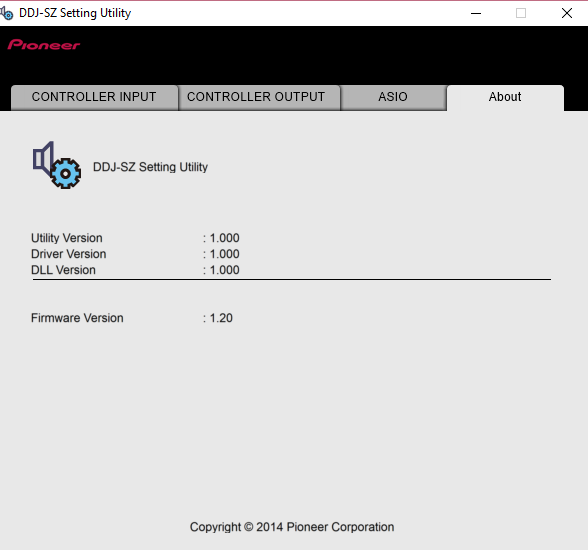


x86 folder of windows 10 program files. It is file version 8.1.2770. Everything I've researched about it on VDJ boards indicates it is 32 bit but I can't confirm that. I upgraded my VDJ 7 2 weeks ago. I am running Win 10 64 bit on a Sony Vaio with 4GB RAM, i3, 500GB - so the hardware shouldn't be an issue. I installed Serato DJ Intro tonight and it is doing the same thing as VDJ8. I have attached screenshots of the entire VDJ8 Audio setup and the DDJ-SZ setup screenshots. Hopefully something in there will point to what to do next, or what I have done wrong in setting up the DDJ-SZ. Thanks for the help.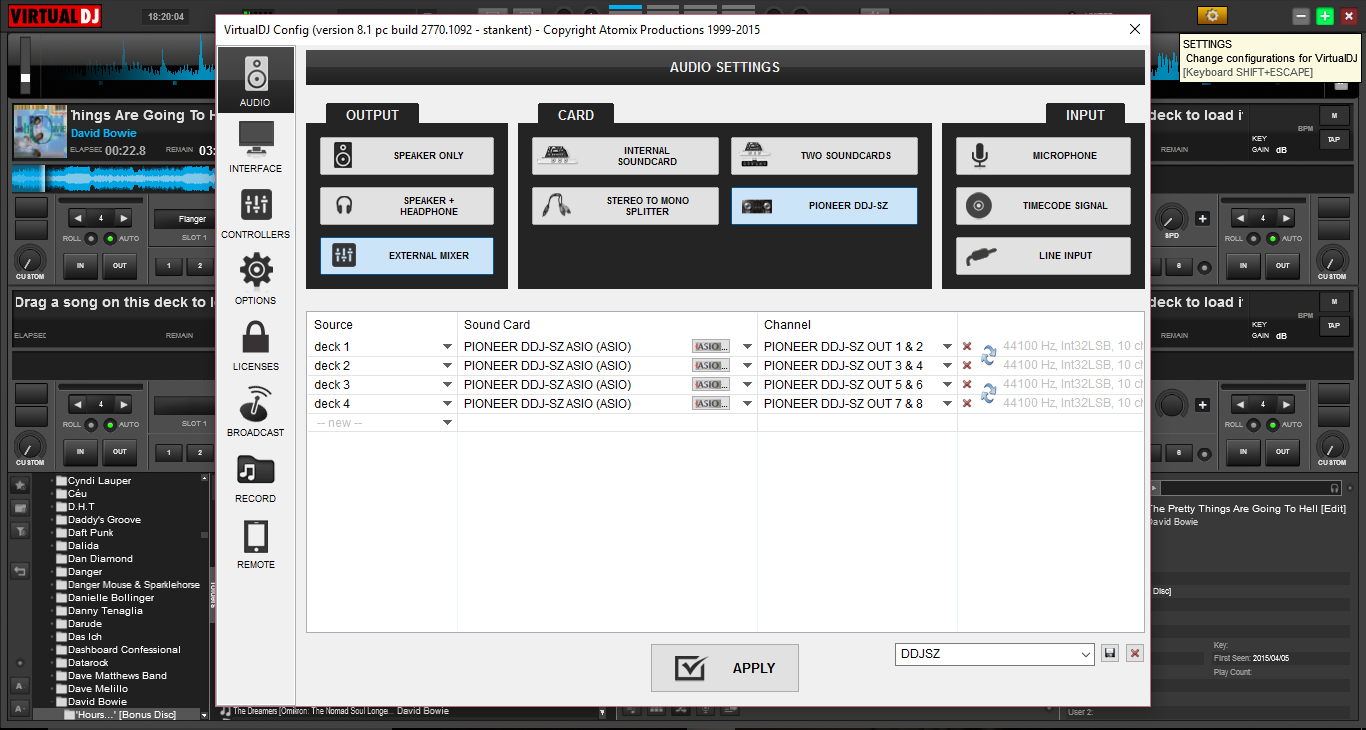
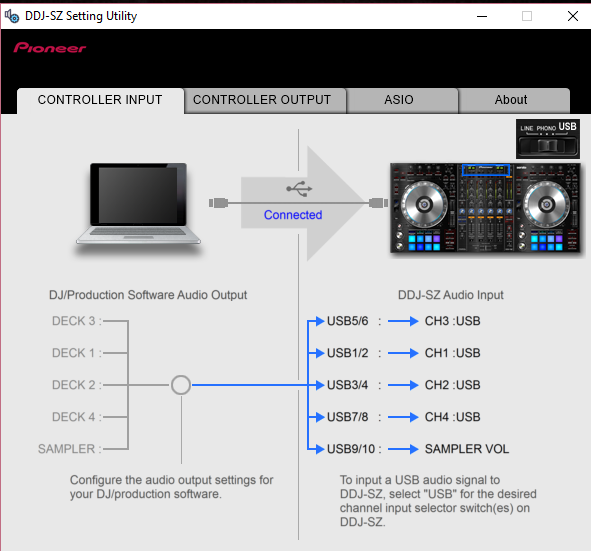
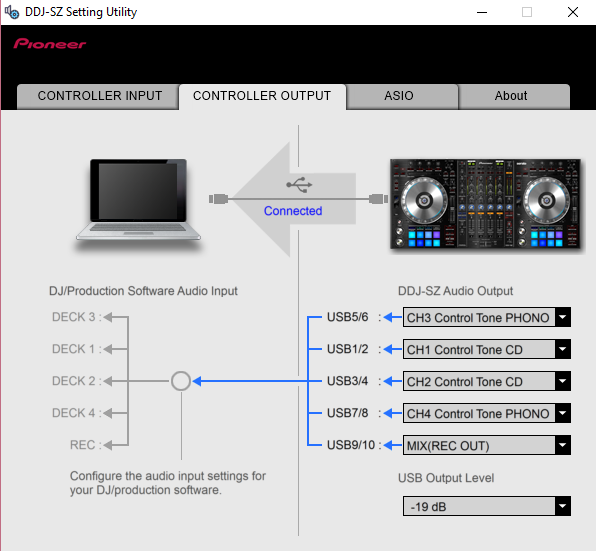
The problem is solved. Nothing to do with WIn 10, 32 vs 64 bit anything. All down to pilot error as in RFM - which we all know what that means. Didn't realize that the trim knob on the channel was all the way down - so the output was cutoff. Noticed this when I pullged in a device to line outside of VDJ and Serato and played it to test the mixer. Got nothing then realized I had to up the trim. Silly me - if I'd read the F manual I would have seen that. My old mixer didn't have that safeguard so I was just unprepared. Sorry for the timewaste.
You're running 32bit (I can tell because the ASIO drivers load up in the audio panel).
lol - glad you managed to figure it out and that it was a relatively simple issue. ;)
Enjoy!

