Have a feature request or suggestion? Post your idea here!

Post

3 followers Follow
0
Avatar

DDJ RZ Audio Drops completely & after reeboot unable to play tracks

Got new DDJ RZ and its driving me mad. Have done all firmware updates etc. Reinstalled Rekord box however cant get further than 3 tracks without audio drop out which basically grinds to a halt (2 tracks if I try to use effects) and leaves me unable to play tracks.

Coming from traktor background my PC was set up accordingly however after about 50 mins used to experience glitches in audio, Solution was fairly simple - MSCONFIG>disable all. Then enable the following only-

Multi media class scheduler

Ni Hardware services

Power

Windows Audio

Windows end pointer

This solved all my drop out/glitch issues with traktor,

Is there a similar solution for Rekordbox/DDJRZ or maybe alternative solution ?


Really frustrated and thinking of returning the RZ back to the store.

Any help greatly appreciated.

 Update 24Apr

Have uninstalled/reinstalled drivers for DDJ RZ and updated the firmware. I have done this several time however this has given me another problem.

After reinstall I get approx. 10 mins play then audio drops completely. I then reboot laptop & DDJ RZ and now I can't play any tracks at all. I can load a track via DDJ RZ but that's it nothing else.

Beginning to think I have a faulty unit. Had it 2 weeks now and haven't been able to use it at all :(


Paul Lawler

Official comment

Avatar

You nailed it. rekordbox does not support the AMD processor and unfortunately even if you don't think it's the cause of the problems, I'm unable to provide any further support as it is documented on the system requirements page that rekordbox is only compatible with Intel processors. Sorry.

Pulse
Comment actions Permalink

Post is closed for comments.

24 comments

0
Avatar

What is your system spec (CPU / RAM / operating system) and what is the setting for your audio buffer (latency)?

Pulse 0 votes
Comment actions Permalink
0
Avatar

Hi Pulse

Thanks for getting back to me :)

Was using the standard settings. However had some success tonight. In Utilities I changed to the following>sample 44100HZ>buffer 1024>latency 23.2.  Same settings in RZ >preferences>audio. (Platter however did feel a bit slow in responsiveness at this setting)

This allowed me to mix with 4 channels for approx. 2 hours  and audio drop out bar remained at approx 25% only (I did have a freeze and had to restart RB but I think this was because I was changing settings whilst tracks playing).

After 2 hours I started to use effects - this gradually pushed up audio drop out bar to 75%. I then switched off effects however audio drop bar remained at approx.75% and 10-15 mins later RB froze and had to be restarted.

System details -

AMD A10-7300 Radeon R6 10 comp cores 4C+6G 1,90Ghz

RAM 16GB

Windows 8.1 64b

2TB Hard drive.

I read the other day that RB & serato don't support AMD. I not convinced (based on other posts on forum) that my problems are AMD specific. I think I need to adjust settings to get stability.

Whilst I was mixing and using effects. I have to say despite my teething problems I think the DDJ RZ is a solid Piece of kit.

Any help greatly appreciated.


Paul Lawler 0 votes
Comment actions Permalink
0
Avatar

Ok thanks plan to try a clean windows install and if no luck then Ill get new intel laptop.

Is there a limit to the number of times I can use my rekordbox and DDJ RZ licences if I reinstall ?

Paul Lawler 0 votes
Comment actions Permalink
0
Avatar

@Paul > You'll want to deactivate the license before uninstalling or removing the software. You get two installations per license, but better and easier to deactivate it yourself than to need to contact Pioneer DJ for help on that.

Go to Preferences > License and click on the Deactivate button.

Pulse 0 votes
Comment actions Permalink
-1
Avatar

Ok thanks, So I can deactivate do my clean install and if no luck deactivate again and  install on new laptop without incurring any charges yes ?

Paul Lawler -1 votes
Comment actions Permalink
0
Avatar

@Paul > Correct. You can deactivate and move the license around as often as needed, although it's not recommended for general use. No additional charges would ever appear without your consent to a purchase.

Pulse 0 votes
Comment actions Permalink
0
Avatar

Looking at buying new laptop with intel i7 however not sure whether to go with small SSD drive or larger HD drive.

Any benefit of using SSD with RB DDJ RZ rather than HD ?


Paul Lawler 0 votes
Comment actions Permalink
0
Avatar

@Paul > From a general computer standpoint, I would NEVER buy a conventional hard drive again. The cost of SSDs has dropped so much that unless you're needing more than 1TB of storage in one location, SSD is the way to go.

Your internal drive should most certainly be SSD and you should consider storing your music on an external drive (SSD or conventional, although again -- I suggest SSD for the fact there are no moving parts and the data speeds are higher).

Functionally-wise, there is no advantage to an SSD as standard HDs offer a high enough data transfer rate for rekordbox.

Pulse 0 votes
Comment actions Permalink
0
Avatar

Thanks Pulse. One last question. Laptop I'm looking at only has USB 3 ports. Would this be a problem ?

Paul Lawler 0 votes
Comment actions Permalink
0
Avatar

My MacBook Pro only has 2 -- I use a USB3 hub and don't have any issues.

Pulse 0 votes
Comment actions Permalink
0
Avatar

New laptop HP Envy i7 8gb Ram & SSD.

Had the RZ running for a good 2-3 hours and no audio drop outs :)

Very Happy.

However I have a few minor things I need help with.

1,Audio meter sitting at around 10% mark however did creep up to about 50% and stayed there after using effects. Prob need to look at adjusting latency etc


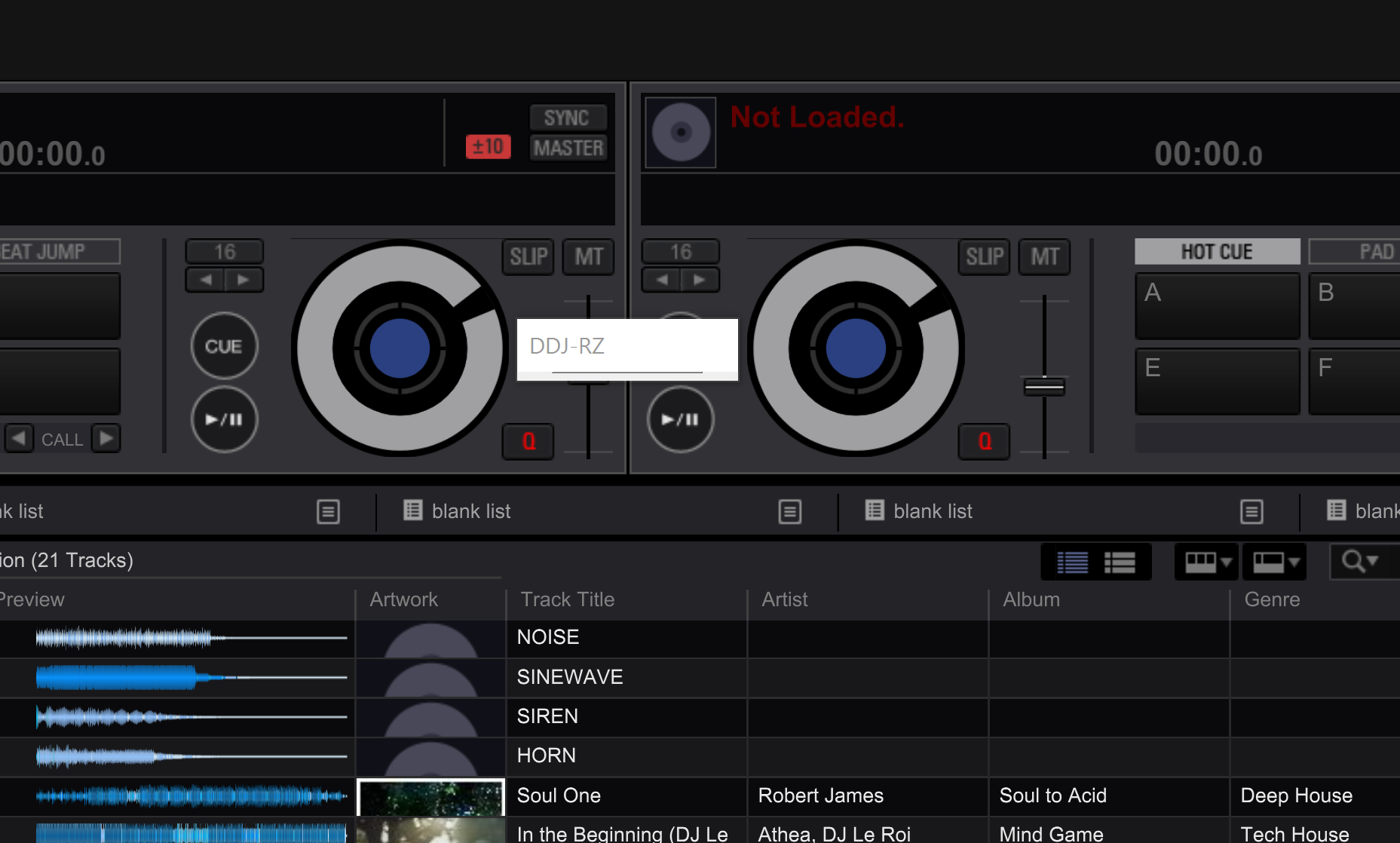
2. The RZ setting utility appears as a small box on my screen. So small that I am unable to read it. Have changed app preferences to open in full screen however this does not work. I still get very small window. Wondering if anyone else has encountered this ?

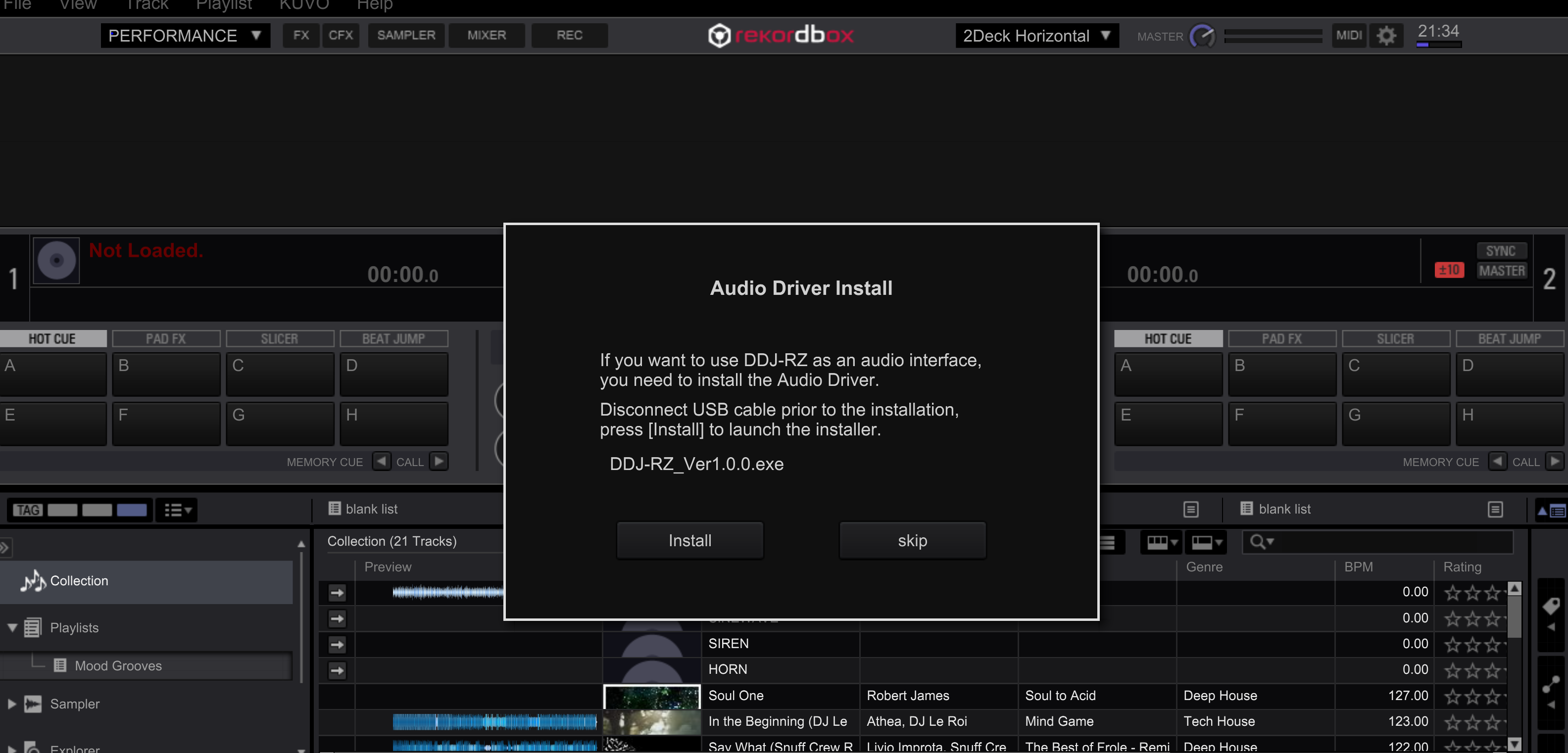
3 Every time I start Rekordbox I get the message telling me to Install DDJ RZ audio driver to be able to use as interface. However as far as I can tell everything is working as it should.

Paul Lawler 0 votes
Comment actions Permalink
0
Avatar

@Paul > By "Audio meter" did you mean the "audio droupout meter" below the clock? If you are seeing that number increase, try increasing the size of the audio buffer in the preferences.

Is your computer using a "Hi-DPI" display? Unfortunately this is something that the engineers are working on addressing for a future release, but until they do, the best thing for you to do would be lower the resolution of your display or to enable a font/text size larger than 100% in the system settings.

Can you post a screen shot of the message re: the driver installation? Does it happen if the RZ is connected?

Pulse 0 votes
Comment actions Permalink
0
Avatar

Hi Pulse

Yes I mean the audio drop out meter. I'll have a mess around with the audio buffer and let you know how I get on.

For DDJ RZ Utility I've tried change font size and screen resolution however still the same problem - the window is very small. However found a magnifier in advanced setting that I can use to increase size when I need to use the utility. Not the best solution but should get me by for now.

Hers is screen shot re driver installation. When I open Rekordbox there is no message.It only appear when I connect the RZ (same if I connect RZ first and the open Rekordbok). I hit skip and as far as I can tell everything works ok.

Thanks for your help. :)

Paul Lawler 0 votes
Comment actions Permalink
0
Avatar

Okay, so if you have the RZ disconnected and you install the driver then reboot the computer, open rekordbox and connect the RZ, it prompts you to install the driver again?

Pulse 0 votes
Comment actions Permalink
0
Avatar

Yes always the same. When I try to install I get small DDJRZ window which remains and can only be closed by  task manager or reboot,

I've also tried install with firewall and aniti virus switched off.

Seems like something stop the install completion.


Paul Lawler 0 votes
Comment actions Permalink
0
Avatar

Hmmm, I'll see if our RZ engineers have any comments on why it might be doing that. Were you installing in Administrative mode?

Pulse 0 votes
Comment actions Permalink
0
Avatar

Yeah I've tried Admin mode and even tried using command prompt but always same result.

As its a new laptop and I had done all windows updates. I decided to set it back to factory settings,  Tried install again but no joy I get same result.

Paul Lawler 0 votes
Comment actions Permalink
0
Avatar

@Paul > The engineers have said:

Be sure you have run all of your Windows updates first, then please uninstall the driver, and install it again. You might not be able to uninstall it from the control panel, in that case, please use the uninstaller in c:\Program Files (x86)\Pioneer\DDJ-RZ

When you install the driver again, make sure the DDJ-RZ is not connected. After installation, reboot the computer.

Pulse 0 votes
Comment actions Permalink
0
Avatar

Hy Paul Lawler,

Please keep me in touch if you still have issues with the DDJ-RZ and Recordbox DJ, I' had the same problemes like you.

I have recently return my Traktor Kontrol S8 , because of dropouts,glitch issues, I've done the same have done the latest updates,driver,bios,audio, etc...everything but did not help. And I'm using a ASUS Laptop Windows 8.1,  2.5Ghz Corei7 Ram 16GB.

Now I'm thinking to buy me the DDJ-RZ and hope not having the same problems with the DDJ-RZ because for the price a 2000€ Gear and not working I would be then Angry.

Best regards


Sacha Vasic 0 votes
Comment actions Permalink
0
Avatar

Thanks pulse. I tried that but still same problem. Did engineers think there was any particular windows update that I needed ?

Paul Lawler 0 votes
Comment actions Permalink
0
Avatar

Sorry should have mentioned that when I try to install. It doesn't complete. I still get the small white DDJRZ box (provided in screen shot originally) and this is before I start RB and connect the RZ. I need to restart the computer to get rid of the small DDJRZ box.

Paul Lawler 0 votes
Comment actions Permalink
0
Avatar

Apologies for late reply Pulse I have been on vacation. I had tried installing as admin but got same issue.

Having returned from holiday I have done updates etc again installed and got same issue. However I then ran from task manager (in a state of frustration) the DDJ RZ Auto set up compatibility trouble shooter several times and it eventually installed correctly. Not quite sure what the problem was but seems to be fixed now :)


Just need to mess around with audio buffer now to get audio meter to be more stable.


Thanks for your help.


Paul Lawler 0 votes
Comment actions Permalink