Official comment
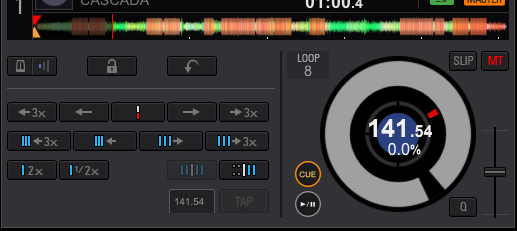
NOOOO! That is to tap the BPM for the grid!
If you want to tap the effects to sync them manually, pass your mouse over the BPM word over the AUTO button, and a triangle appears -- click that and you'll see the selector:

is there a way to tap manually in performance mode? or somewhere on ddj-rx? I have an already created 1 hour mix where i just want to attach some fx but bpm is way of
NOOOO! That is to tap the BPM for the grid!
If you want to tap the effects to sync them manually, pass your mouse over the BPM word over the AUTO button, and a triangle appears -- click that and you'll see the selector:

Post is closed for comments.
open the "GRID" area and you will see tap

oh crap, my bad, i wasn't thinking straight, lol
thanks for clearing that up, new to me! Only thing is it doesn't seem to have any effect on the Pad FX i want to use? They seem to remain on original BPM value..
@Frank > Sorry, you didn't say the PAD FX - those are directly linked to the grid BPM. If you find that the timing of the effects are not what you'd like, you can edit the timing values, but in terms of the tempo of those effects, if they're not accurate to the grid you can enable quantization or edit your grid to ensure accuracy.