
What Audio Setup have you Done?
Did you selected the USB Input on the Channel of the DJM you want to listen to?
Comment actions

There is no sound when playing a track in the rekordbox player.
I have my DJM 900NXS2 connected to my Mac via USB and am able to record this way.
But, when I want to listen to tracks in the rekordbox player there is no sound.
Any idea?

Post is closed for comments.
What Audio Setup have you Done?
Did you selected the USB Input on the Channel of the DJM you want to listen to?
My CDJs and DJM are connected via LAN.
My DJM is connected to my Mac via USB.
My TV is connected to my Mac via HDMI.
I can hear the tracks through the headphones Link.
I can play tracks and record mixes directly within rekordbox.
I just can't hear anything played in the rekordbox player through my active speakers.
Where are your active Speakers connected to? To the DJM? Have you set one Input selector on your DJM to connect with your PC via USB?
Your Setting need to look similar to my CH1 Setting indication USB as Input.
With this setting I am able to get the rekordbox player played via CH1 of the DJM.
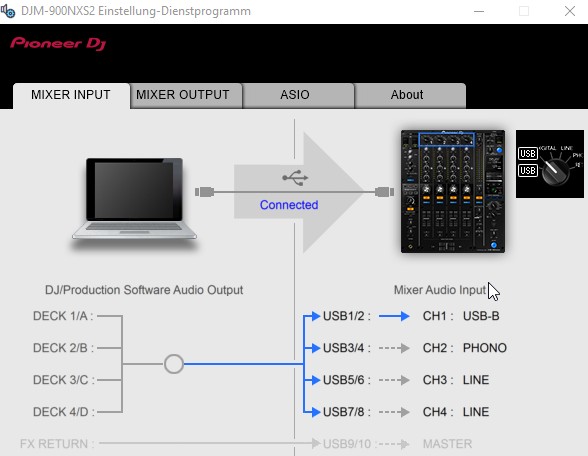
Make sure you have installed the DJM Driver for your Mac and have the Audio selected in rekordbox.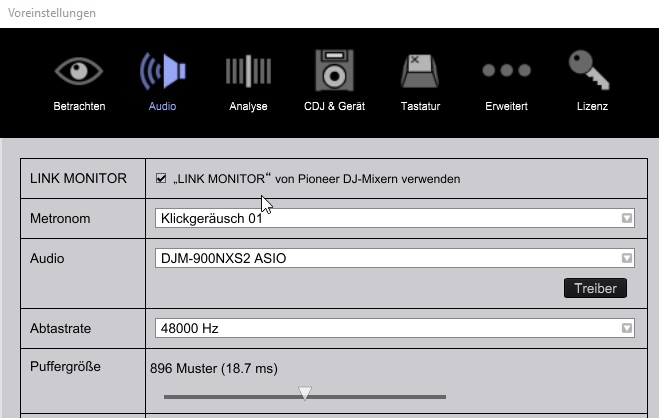
I know this is all Basic stuff. If this doesn't help you may Need to wait for Pulse for further advise.
I have my settings the same as yours but I still can't get any audio through my speakers
playing from either the rekordbox player or iTunes, etc.
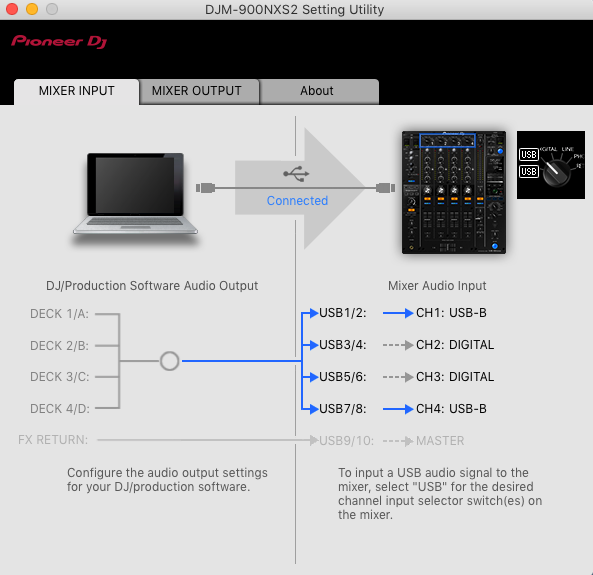
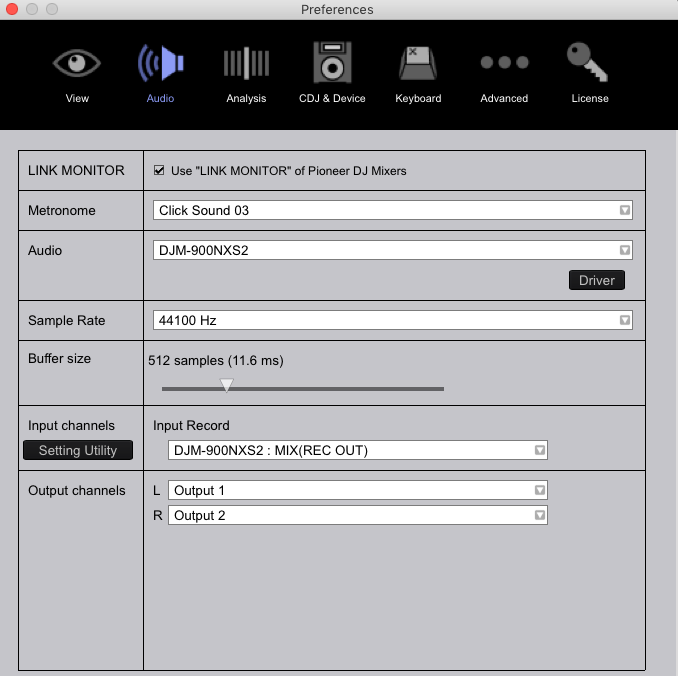
OK, so I got it to come through CH1 (USB-B) but I'd like it to come through
CH4 instead but I can't get it to come through this channel.
To get Sound via CH4 you have to change the Setting: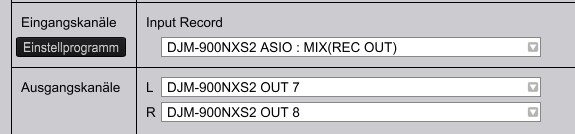
Each channel has its own pair of Output channels.
CH1 = out 1&2, CH2 = out 3&4, CH3 = out 5&6, CH4 = out 7&8.
Frank
I don't see the DJM-900NXS2 in the output channels list;
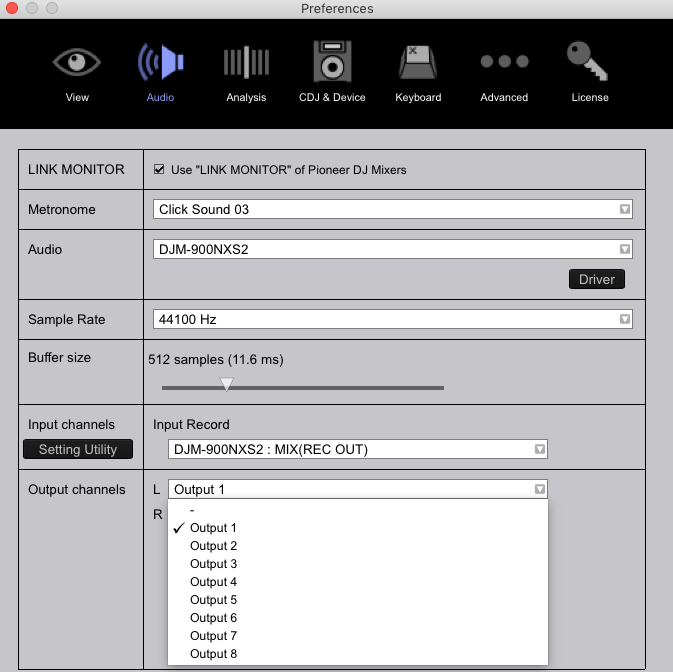
You have the Mac Version - I have the Windows Version. The Outputs might be names different in the Driver Version. Choose Output 7 & 8 and it should work.
Thanks! This works for audio coming from rekordbox player.
How would I get audio (system sounds, iTunes, etc) from CH4 USB-B as well?
It currently comes through CH1 USB-B.
I guess this will be in my audio settings of my Mac but I've already tried every configuration I can think of.
It's OK - I've managed to work it out.
It was in my MIDI settings on my Mac.
Thanks for your help with this Frank - appreciated :)

Frank I know you guys have this figured out for him on Mac, but whenever i tried switching to USB on Channel 1 i still don't get anything, do i have to switch the output channels to output 1 and 2 if i want the audio to come out in the same channel 1?? I never had issues with this on the first 900nexus, pretty much sometimes i want just stream some youtube stuff through my mixer while i take a break.. but there's no audio coming and the only thing i can record is through rekordbox, i cannot use any other recording software, there's no audio going out either..


