Hello,
I recently changed my internal hard drive to a 1TB SSD. I used migration assistant to transfer all my files/apps to the new SSD without a hitch.
Current configuration:
Macbook Pro 15-inch mid 2009, 3.06 GHz Intel Core 2 Duo, 8GB 1067 MHz DDR3, SSD 1TB,
OS X El Capitan Version 10.11.6
Running Serato DJ 1.9.3, on my DDJ-SZ.
ALL DRIVERS AND FIRMWARE HAVE BEEN REINSTALLED TO LATEST VERSIONS as of 11 November 2016.
Upon opening program all crates load as expected. Upon connecting and powering up the SZ controller the status bar flashes and attempts a connection.
After a short period of time the status bar indicates "Pioneer DDJ-SZ failure to connect" and stays in the offline player mode.
I attempted multiple shutdown/restarts, a NEW USB cable but problem has not resolved.
Upon checking the status of the controller via Applications > Pioneer >DDJ-SZ > DDJ-SZ setting utility App
It shows firmware ver. 1.20, Utility Ver 1.0.2, Driver Ver 1.1.0, Framework Version 1.0.2.
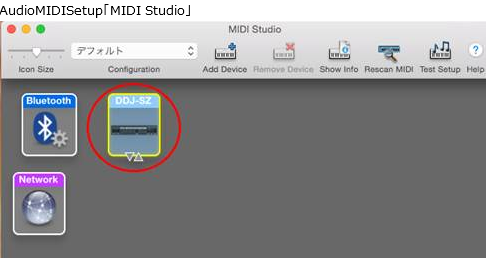
Controller INPUT/OUTPUT shows connected in blue colored fonts.
All systems seem to be operating normally yet the unit does not connect for controller playback.
Please help ASAP as I have important DJ Events coming up.
DJCintronMusic@gmail.com