
It should only matter if your drive file format system is case-sensitive:
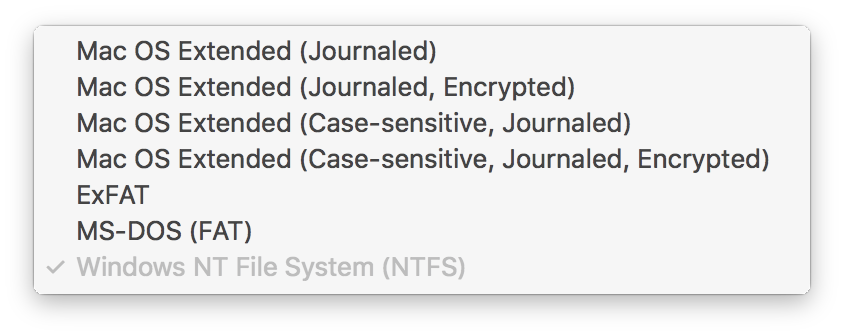 Which does your drive currently use?


Comment actions

Hi,
This is my problem:
All my songs are stored on my hard drive called 'SEAGATE 1TB'. In rekordbox the path of all my songs leads to this HDD.
For some reason my laptop changed the name of the hard drive to 'Seagate 1TB', no capitals. Rekordbox had no problem finding the songs BUT it does not recognize if the songs are already in my RBlibrary or not.
Normally from time to time I would import my Itunes library and RB would only import the new stuff. But now it imports all the songs from my itunes, even though they are already in the RB library
The onyl difference I can see between songs is the path. One is 'SEAGATE 1TB', with capitals, the other one 'Seagate 1TB'.
Changing the name of my HDD back to the capital one did not fix it. RB still does not say it's already in my library.
Any suggestions to fix this?
Thanks in advance!
Grtz
Post is closed for comments.
It should only matter if your drive file format system is case-sensitive:
Which does your drive currently use?
Thanks for the fast response!
My Hard Drive was set to Case-sensitive. I fixed the problem last night actually. Changing the name back to the capital letters version only kicked in when I restarted my Itunes too (first time I only rebooted Rekordbox, I admit quite stupid of me)
So now RB finds the songs AND recognizes it's already in the RB library. I can leave my HDD to case-sensitive now too.
Thanks for the help anyway.
Grtz
Awesome - thanks for writing back to update! :)