
Official comment

Choppy video performance is likely related to the spec of your computer. If you're on a PC, ensure that you have the latest drivers installed from the chipset manufacturer:
The other thing you can try is to adjust the video quality output from the Preferences > Video tab:

If you want to get the video to sync with the crossfader, you'll need to connect the DJM, open the MIDI panel and add a MIDI control for the crossfader:
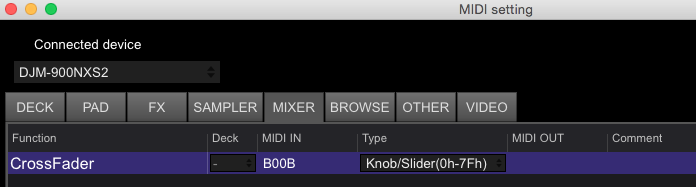
Click the ADD button, click CrossFader, then click LEARN, and move the crossfader on the mixer. It should show the MIDI IN value of B00B. <snicker>
Click the LEARN button again to disable that, then close the MIDI window.
On the video panel, click the AV SYNC button:
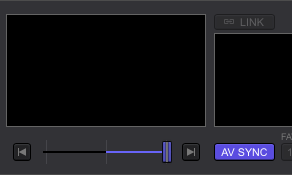
If you don't want the audio to follow the crossfader, simply disable the crossfader assignments on the mixer itself.

