Have a feature request or suggestion? Post your idea here!

Post

3 followers Follow
0
Avatar

Pitch Bend Minus Button issue using mouse in Performance mode

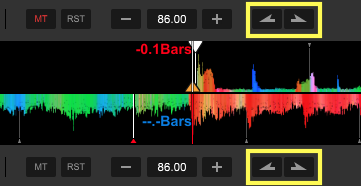
This is bit of a strange one and I thought it was just me not clicking the mouse correctly but after a closer look I've noticed the pitch bend minus button does not work always work correctly in the Performance mode when clicked with a mouse. The pitch bend plus button oddly works fine.

The majority of the time clicking on the pitch pend minus button has no effect. I need to be super precise on where I click in the GUI. The closer to the inner edge of the grey circle works but clicking on the middle to outer portion has no effect. It's as if the button is misaligned and not receiving the mouse click.

It probably sounds like a trivial issue but I use it a lot for practicing mixes when no hardware is connected. It would be nice to get a fix especially if it is just a control alignment issue.


Infinite Answered

Official comment

Avatar

Can I suggest you use a keyboard shortcut for that instead? It may be a narrow spot to click, but the PERFORMANCE mode wasn't exactly designed for "mouse operation." If you're just practicing, EXPORT mode is more accommodating, with larger buttons:

Pulse
Comment actions Permalink

Post is closed for comments.

4 comments

0
Avatar

I can't seem to replicate this issue. Can you please post a video of this?

Mark Gallo 0 votes
Comment actions Permalink
0
Avatar

I guess I'll have to use the keyboard. 

Will you be forwarding this bug to the development team?

Infinite 0 votes
Comment actions Permalink