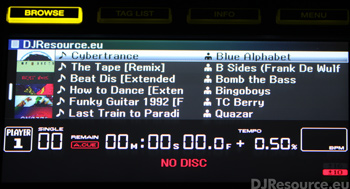
How do I get the display to show track name and artist next to it when in a playlist? I have gone into recordbox preferences and chosen artist to display in the second column but it does not do anything, I realize I can hit menu and sort and it will show the artist name but this changes the track order which I do not want. I also do not want to use the info option as I want to see artists at a glance without having to scroll.
So when I click on a folder and then choose a playlist I want it to display track name and then artist name, just as this image below.