Have a feature request or suggestion? Post your idea here!

Post

2 followers Follow
0
Avatar

PROBLEM WITH EXPORT SONGS PLEASE HELP !

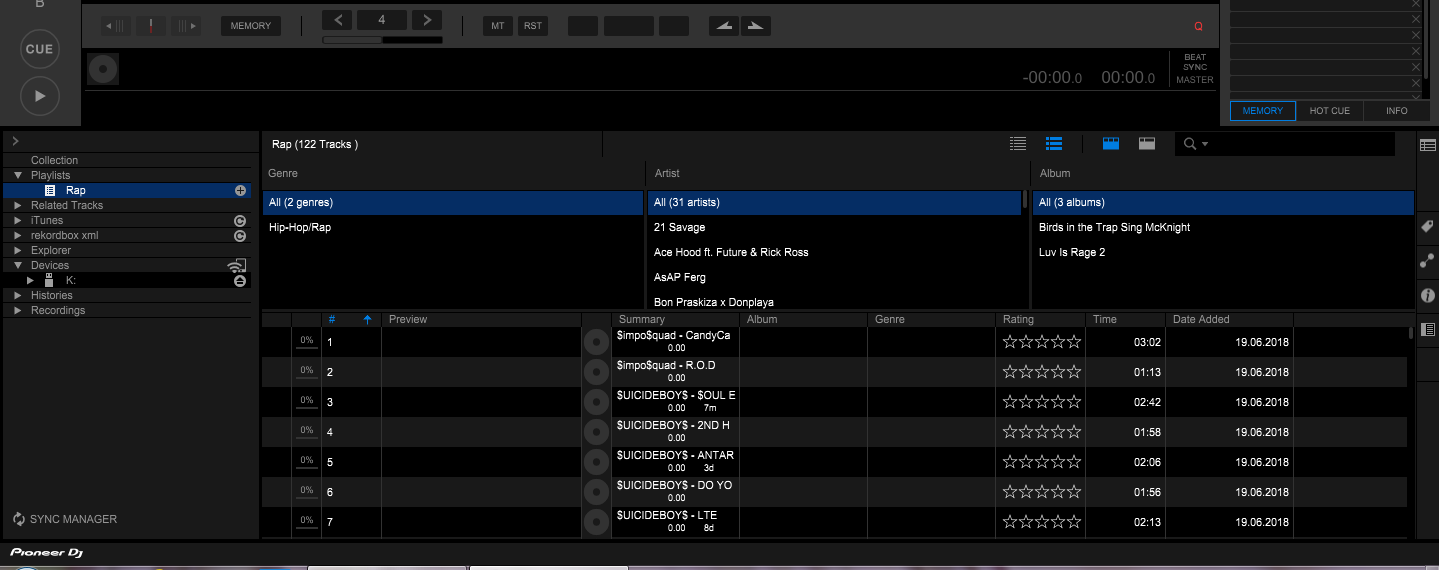
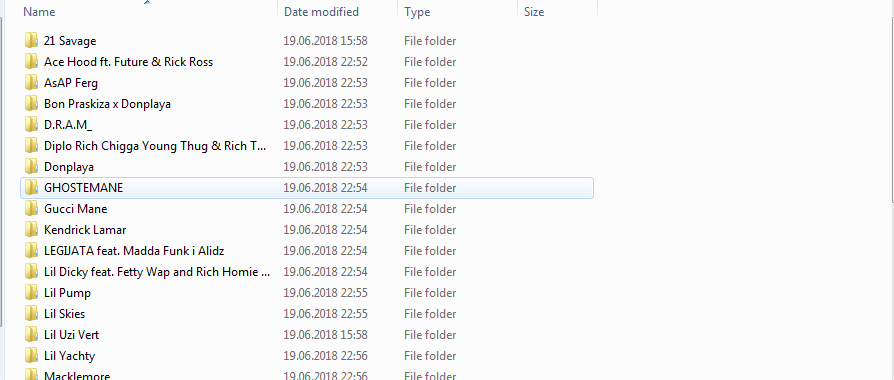
Hello Everyone ! A few days ago i bought xdj aero,becouse i wanted to use it for usb when it arrived at my home i put my folder with songs and when i wanted to play them they were sorted by first letter of the song so i googled and i saw that i need to analyse them to rekordbox which i did with licenced key from my controller and i wanted to sort them by bpm but when i click on my folder to export to my usb it didnt export the folders to my usb,it start sorting new folders to my usb with artist folder for ex:Lil Uzi Vert,Travis Scott please help me what is the problem i tryed on my lap top too but same problem please help ! Thanks.

Filip Answered

Official comment

Avatar

@Filip > After the export has completed, when you browse the songs on the USB drive, you aren't navigating the CONTENTS folder - the XDJ-AERO will allow you to navigate the songs through the default categories. If you want to browse by BPM, you need to add that yourself: 
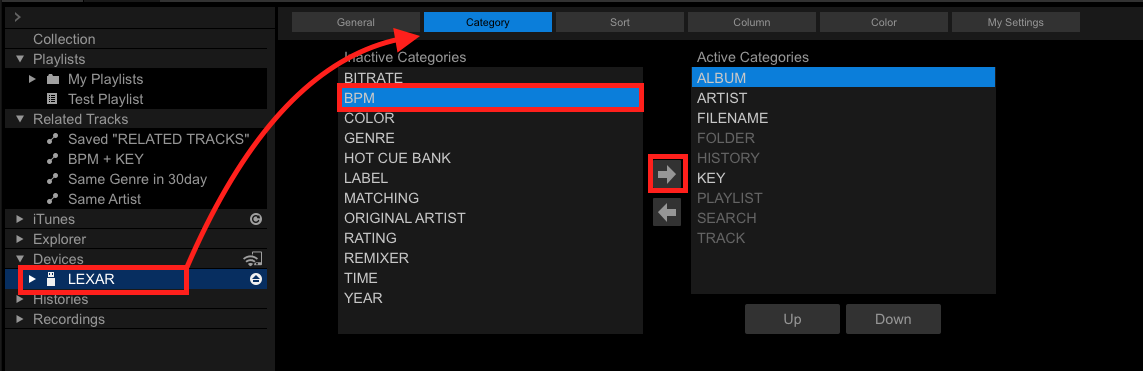
First, insert your USB drive and select it on the left. Click the CATEGORIES item at the top, then select BPM (or any other category item you want to add), and click the right arrow to add it to your device. You can then sort them using the UP/DOWN buttons.

On your XDJ-AREO, load your USB drive, select BPM, then pick a BPM value (eg. 124BPM) and then select a +/-% range to filter the tracks you want to see.

Pulse
Comment actions Permalink

Post is closed for comments.

5 comments

0
Avatar

I really understand that but u dont know what my problem is i checked every forum/support/yt video and nothing here is what i found in my rekordbox and when i click export i get this folders not my playlist as a folder i cannot explain good but check please the picture or let me give you teamviewer to fix it becouse my controller is staying in a case for a week :@@@@@@@@@@@@

Filip 0 votes
Comment actions Permalink
0
Avatar

i get this genres or artist whatever it is as a folder to my usb i dont get the playlist as a folder.

Filip 0 votes
Comment actions Permalink
0
Avatar

Look what i get in my usb when i export PLEASE HELP PLEASEEEEEEEEEEEEEEEEEEEEEEEEEEEEEEEEEEEEEEEEEEEEEEEEEEEEEEEEEEEEEEEEE

Filip 0 votes
Comment actions Permalink
0
Avatar

You're not meant to browse the contents of your drive from your computer -- that is perfectly normal!

If you want to browse by that playlist, export the playlist to the USB device and on your player, scroll to PLAYLIST and find it there.

Pulse 0 votes
Comment actions Permalink