Have a feature request or suggestion? Post your idea here!

Post

2 followers Follow
0
Avatar

RB-DMX1 problem

Hi guys,

      i have just brought the rb-dmx1 controller and i have it connected to 2x martin mac250+ and 4x Adj vortex 1200 lights. there all working but they seem to not really go with the music at all and the shows are pretty boring. the gobos arnt working on the mac 250+ and same with the other lights. they always seem to be a blue color and hardly chages color at all. i have scaned my whole libray of music and still no changes. Am i doing something wrong ????


Also in performance mode is there a way to change it from manual in lighting to auto so i dont have to keep remembering to click on deck 1 or 2 so the lights stay on????

 i am running 2x xdj 1000 and djm900 nsx2 mixer in performance mode set to external mixer mode as the external mixer wont work set to internal mixer mode


kctaylor

Post is closed for comments.

1 comment

0
Avatar

Sorry to hear about that.

Just so you're aware, there currently isn't any support for certain lighting features (like gobo, focus, prism, shake, etc) but we hope to see those added in a future update.

As for the colour, it could be there's an issue with those fixtures and their database entry.You'll see the database version listed at left:
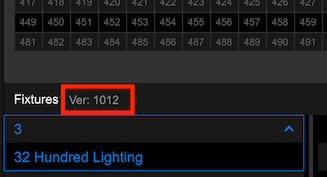
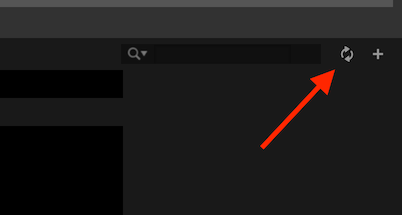
Check that you have the latest database by clicking this button:
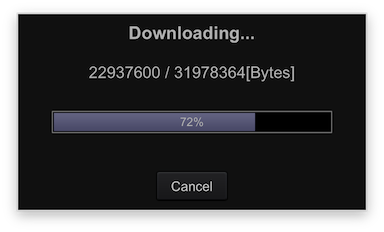
It will prompt you if an update is available, and you'll see the download:
It will then reflect the updated version:
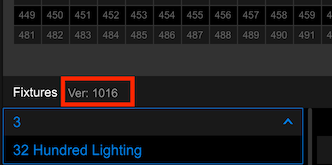
As for the auto / manual switching; unfortunately there is currently no ability for it to switch automatically when using an external mixer, but as you're using a mixer with MIDI support, you could MIDI-map that switch. If you wanted to do it via crossfader, you'll need to use a MIDI-translator software to have it take the signal from the left side of the crossfader to toggle it to the left deck, likewise for the right.

Pulse 0 votes
Comment actions Permalink