Official comment

Click in the preview waveform itself. That little icon you point to is not a preview button.
Comment actions

sorry about DDJ RX I would like to first upload a track listen to it in preview (in headphone), how can I do?
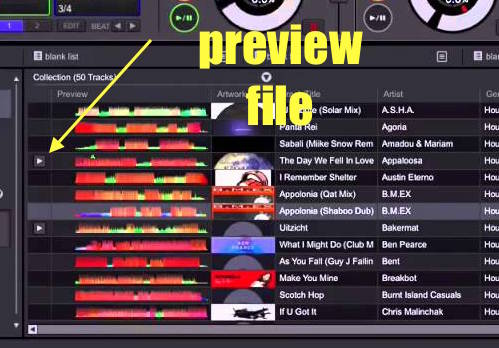
Click in the preview waveform itself. That little icon you point to is not a preview button.
Post is closed for comments.
Sorry but maybe I explained myself wrong, the fact of having to push the icon of the play I do but is in the headphones that I hear nothing despite the internal cue active..
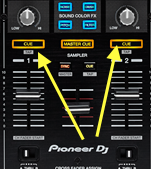
Ah, in that case, you want to check this:
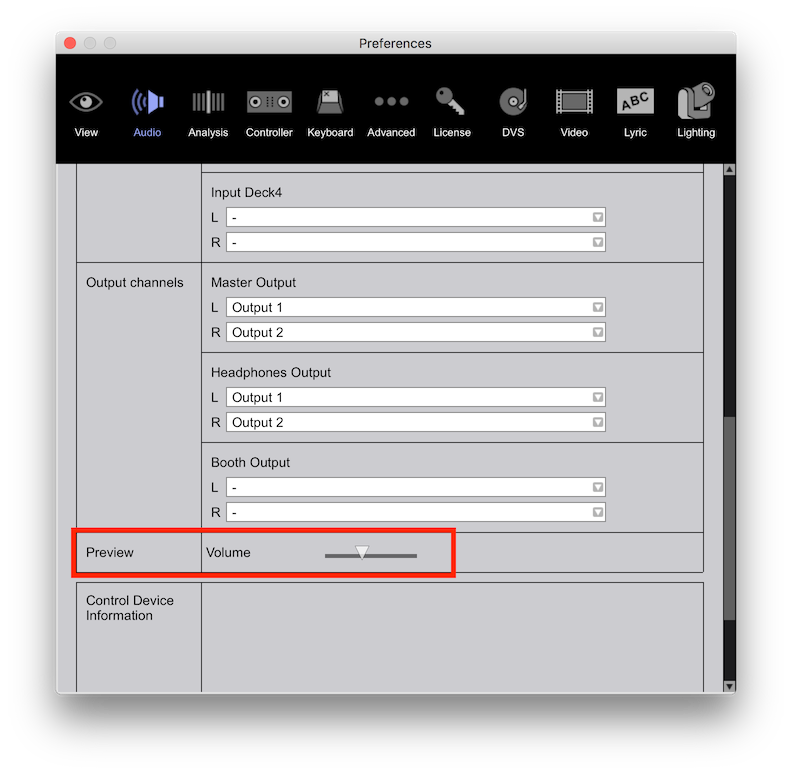
If your headphone cueing isn't working (for the channels either), be sure the HEADPHONE OUTPUT has the proper output selected for the RX.


