Post
Follow
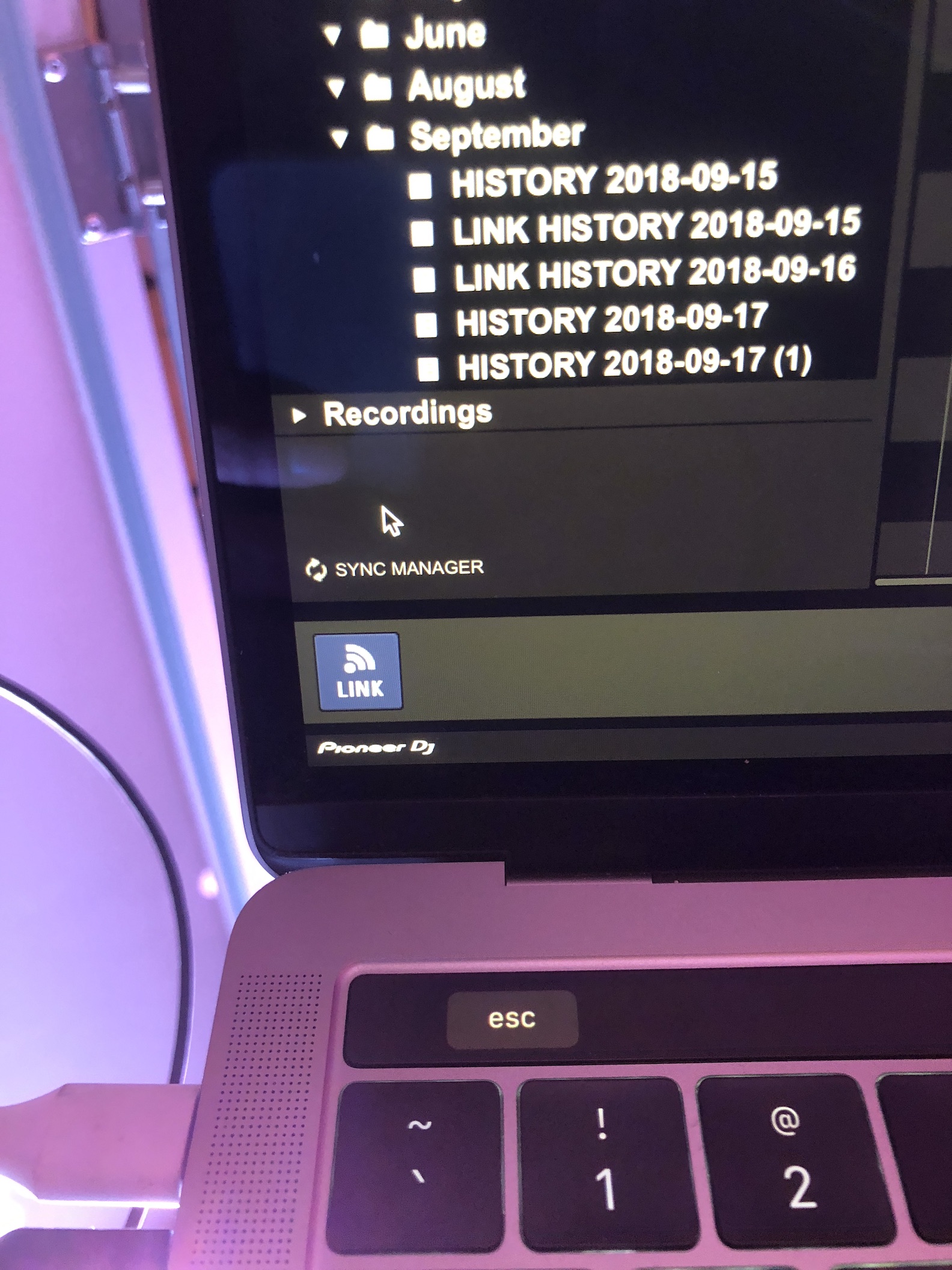
Link showing Wifi instead of Ethernet connection to NXS2 setup
In the last few weeks when i connect RB 5.4 to my setup i get the link icon on the bottom left but its showing the wifi antenna link instead of the arrows representing a hard wired connection, After a few restarts of RB and /or my Macbook it finally shows up but its annoying if you're in a rush to connect and play. Is there anything i can delete and reinstall to see if it changes like the PS files? not sure where they are located
My setup is the NXS2 players and DJMNXS900 mixer all going through a router and then USB to USB-C cable from 1 cdj to my 2018 Macbook Pro. I am on High Sierra 10.13.6 for a while now and theres nothing in my network connections that RB may think is wifi, I have disabled wifi completely and tried and still no luck. Not sure what else to do at this point. Also tried going back to 5.3 with same results
i have the usb connection driver installed from pioneer site snd slso tried ethernt to the laptop, only thing that works is a few reboots and finally i can connect
also once the wifi link icon appears, it doesnt go away even if i pull the USB cable so it has to be seeing something else as a coneection
Post is closed for comments.