Have a feature request or suggestion? Post your idea here!

Post

2 followers Follow
0
Avatar

Firmware Update 1.13 Issue XDJ-1000

I've tried several times to update the firmware on my XDJ-1000s and there's no response when I insert the USB stick. Tried several USB sticks with the same result. Formatted it to FAT32 on my Mac using Disk Utility. Followed the instructions but the progress bar does not pop up after waiting for 10 minutes. Display keeps showing the message to insert a USB device, as if it's not recognizing the stick.

I've done it before when I just got them about 3 years ago, and then it went fine.

Any ideas?

Mr. Swift

Post is closed for comments.

5 comments

0
Avatar

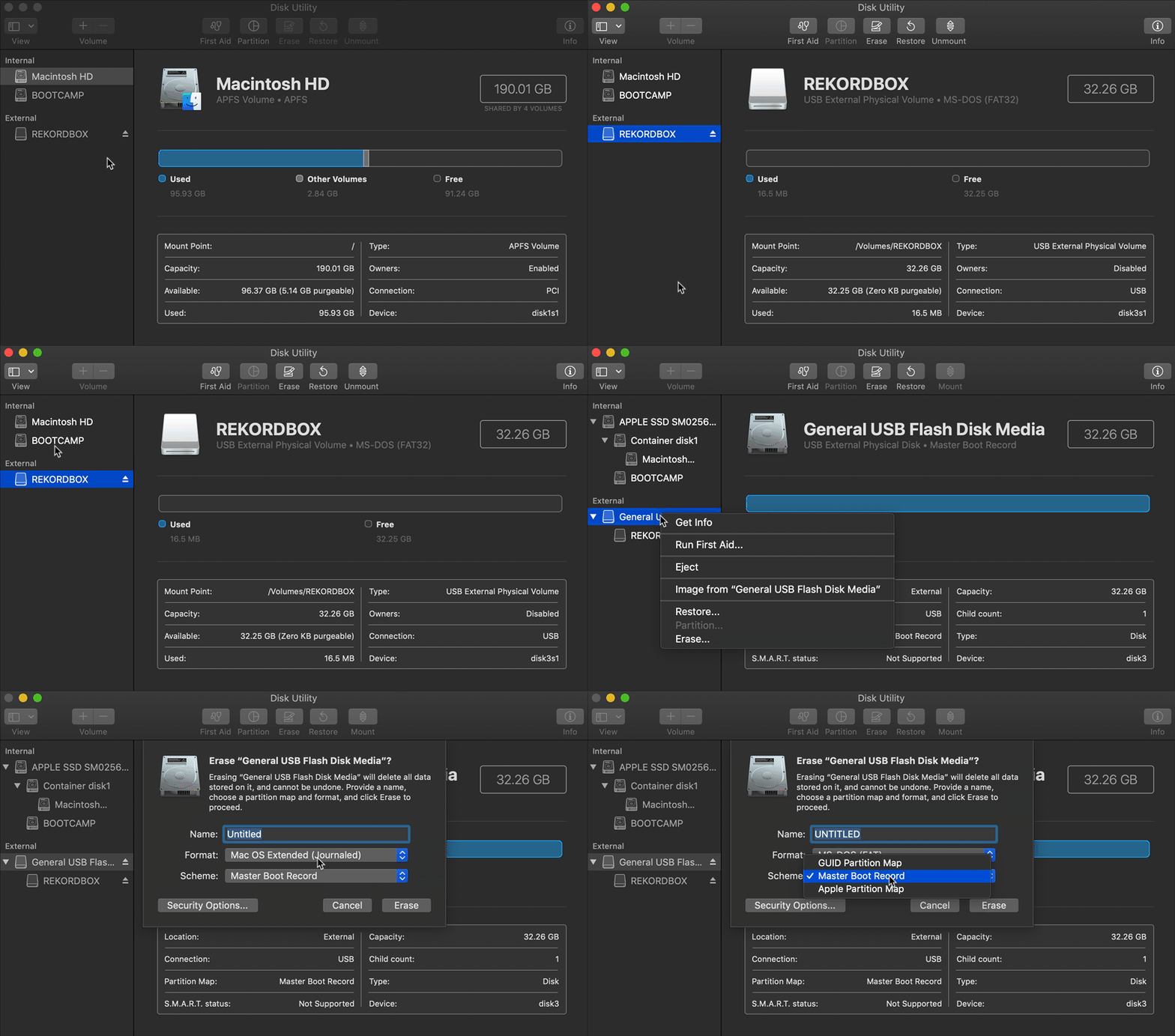
@Bart > The drive needs to not only be formatted FAT32, but you also need to ensure the boot record is set to MBR (Master Boot Record) not GUID.

If you have downloaded the firmware file using Safari, please try another browser as Safari can sometimes corrupt the file when it auto-unzips.

Pulse 0 votes
Comment actions Permalink
0
Avatar

I cannot find where in Disk Utility I can set the boot record to MBR. The firmware was downloaded using Chrome.

Mr. Swift 0 votes
Comment actions Permalink
0
Avatar

You may be trying to format the partition rather than the volume...

Pulse 0 votes
Comment actions Permalink