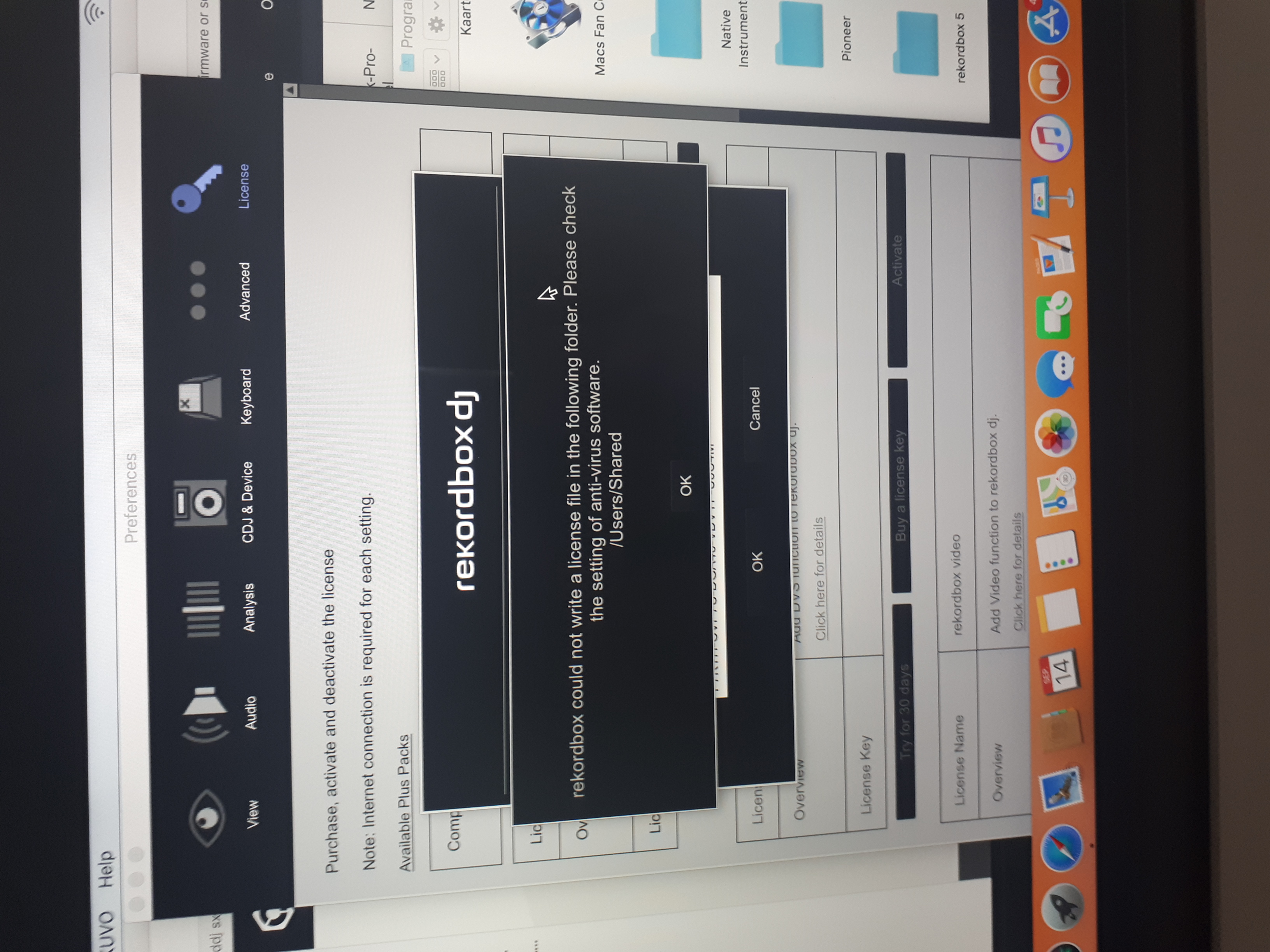

don't know how to solve on macbook pro
the description and solution is not 'clear to me'
Comment actions
Post is closed for comments.
don't know how to solve on macbook pro
the description and solution is not 'clear to me'

The problem is that rekordbox can't write to the /Users/Shared folder. You either need to disable the antivirus, or create an exception within the AV program to allow rekordbox to write to it.
hellow: there is no antivirus, it s just a new version of macbook
on my elder macbook: there s no problemen
mac os high sierra 10.13.6
Aha - did you move things from one computer to the other? I'm guessing that's what's happened and as you migrated the database and settings files, it's also looking in a location that no longer exists because the usernames are different.
Follow the instructions here:
First, you need to know the path to the home directory of the current user on the new computer. You can find it by opening terminal and typing pwd and press return. The line below that will show the path; usually /Users/YourUsername - the YourUsername part is what you'll use below as your NEW path.
Open a Finder window and go to the menu Go > Go to Folder... and in that window, copy/paste this:
~/Library/Application Support/Pioneer/rekordbox/
Right-click on the rekordbox3.settings file and select Open with... and select Text Edit.
Before you make any changes, open the Text Edit Preferences and make sure you disable the Smart Quotes, then click the red ball to close the preferences.
Next, use the Find to locate these lines:
<VALUE name="pioneerDirectory"
<VALUE name="masterDbDirectory"
<VALUE name="itunesLibraryFile"
<VALUE name="bridgeImportedLibraryFile"
<VALUE name="SamplerSaveDirectory"
<VALUE name="RecordSaveDirectory"
If they don't exist, that's fine - you should have the top two, at the very least.
In that line, it will have a val and the data for that will be the path to your OLD user's files; you need to update that. For example:
<VALUE name="pioneerDirectory" val="/Users/PulseOLD/Library/Pioneer/rekordbox"/>
would become
<VALUE name="pioneerDirectory" val="/Users/Pulse/Library/Pioneer/rekordbox"/>
thanks, this is the solution for "rekord box could not write a license file in the following folder"
spread the word around
many thanks

I'm getting this error and my username is correct and I don't have any antivirus software?

I'm having the same issue...my username is correct and I don't have any antivirus software...Help.
This topic is from 2019 and does not address the issue with the license issue users are reporting this time around - please file an inquiry ticket here and our support team will gather some additional information to assist you in resolving this issue.