Have a feature request or suggestion? Post your idea here!

Post

4 followers Follow
0
Avatar

What is the maximum file size for XML?

I am attempting to export my Rekordbox collection which is approximately 44,000 MP3 files in my music folder. It took about 12 hours to analyze all the files. When I exported only 400 songs to XML file it reads properly but when I export 44,000 the XML file does not read properly. 

  • is there a limit to the size Rekordbox can export to XML?
  • would my iTunes folder be screwing up the Rekordbox collect export process?
  • what could be screw up the Rekordbox collection export file?

Any assistance would be helpful. Thx!

My computer is an Apple MacBook Pro late 2015, 15" edition. The macOS Mojave 10.14.6 before the process I have reformatted my computer and installed the latest version of Rekordbox 5.8.4 since yesterday.

First photo is of the 400 songs titled RBTest1.xml
The second photo is of the 44,000 mp3 files titled RBX.xml

Eddy Bobby Answered

Post is closed for comments.

9 comments

1
Avatar

Much much larger. I've personally imported a 55,000 song XML with over 300 crates from Serato to rekordbox, and last summer I helped a DJ with over 210,000 songs migrate an XML into rekordbox.

It's slow, but will definitely work, provided the XML is not damaged.

You may want to use rekordbox 5.6.0 as some of our partners have reported issues with XML since that version.

Pulse 1 vote
Comment actions Permalink
1
Avatar

I can confirm there is no maximum XML size. A 44K of tracks collection exported to XML is not big at all, artists who rely on my tools deal with much bigger XMLs.

as @Pulse already stated, there is an XML IMPORT problem introduced with Rekordbox 5.6.1 (so 5.6.0 is the latest version without the bug) as I demonstrate here:

https://youtu.be/JV89dj1hDWM

If you doubt if the exported XML is valid, you can feed it back into Rekordbox (5.6.0 if you really want to import it) but even in 5.8.4 you can browse the XML. 

If the XML is damaged/non valid Rekordbox will tell you.

MixMasterG 1 vote
Comment actions Permalink
0
Avatar

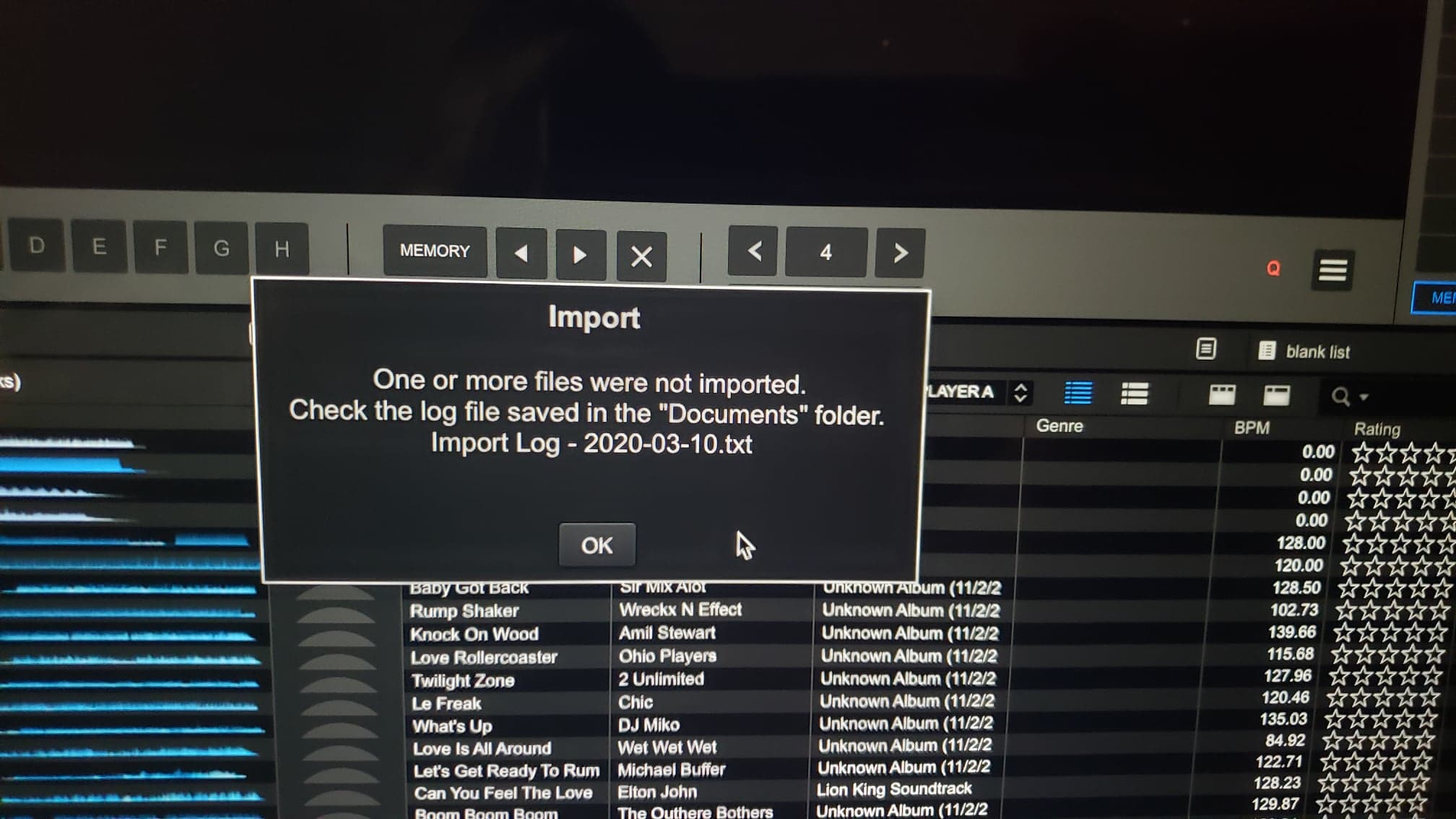
@MixMasterG, I tried it with Rekordbox Version 5.6.0 and I still get the same issue, the XML files is not readable or is corrupt. I am trying to import my Rekordbox Collection into Engine Prime. So when I export Rekordbox version 5.6.0 or 5.8.4 it is the same. Now interesting enough I get a proper XML file with the 400 tracks. I am wondering if iTunes has anything to do with it. I did get this after analyzing all my tracks over night with Rekordbox 5.8.4   Now would this corrupt exporting my collection in XML format? Why not the 400 files I tested that came out correctly? Why only the 44,000 files?

Eddy Bobby 0 votes
Comment actions Permalink
0
Avatar

@MixMasterG & Pulse

Do I need to remove these tracks first then try the export to XML?


Eddy Bobby 0 votes
Comment actions Permalink
0
Avatar

nope iTunes has nothing to do with it, that import error is usually a character in the track's filepath that is deemed illegal by Rekordbox and/or a file format that Rekordbox doesn't support.

In my original comment I explain how you can test the validity of the XML by Rekordbox itself.

MixMasterG 0 votes
Comment actions Permalink
0
Avatar

Understood and thank you for all your help. You will have to have patience with me as a lot of this is new to me and my comprehension is limited. I watched your video but still not certain how to test the validity of XML with Rekordbox itself. I will watch again to figure out what I am missing or not understanding. But there is something wrong and I have followed to the best of my ability the steps presented. What am I doing wrong or what am I not comprehending are my issues! So frustrating...

Eddy Bobby 0 votes
Comment actions Permalink
0
Avatar

The video link I send you was about the Import.XMl bug.


Here is how you can import an XML in Rekordbox and more information about what a Rekordbox.xml is (it starts the video at the correct time)

https://youtu.be/PDQ2dBn4ys8?t=208

MixMasterG 0 votes
Comment actions Permalink
0
Avatar

When looking at the Folder structure you might be easily above the 255 character limit for the file path. You should shorten the folder  name for that what hadn‘t imported and try again.

Frank Richter 0 votes
Comment actions Permalink
0
Avatar

How does one fix the XML that isn't working properly? Since I have tried Rekordbox 5.6.0 and 5.8.4 and neither method is working for me. I can make a XML file work properly for a smaller collection of 400 tracks but not for my whole collection of 44,000 tracks. If those tracks with issues were not imported then they should not interfere at all with exporting Rekordbox collection into an XML file, correct? So what is the issue even when using 5.6.0?  What is preventing the XML to function correctly? Thanks!

Eddy Bobby 0 votes
Comment actions Permalink