
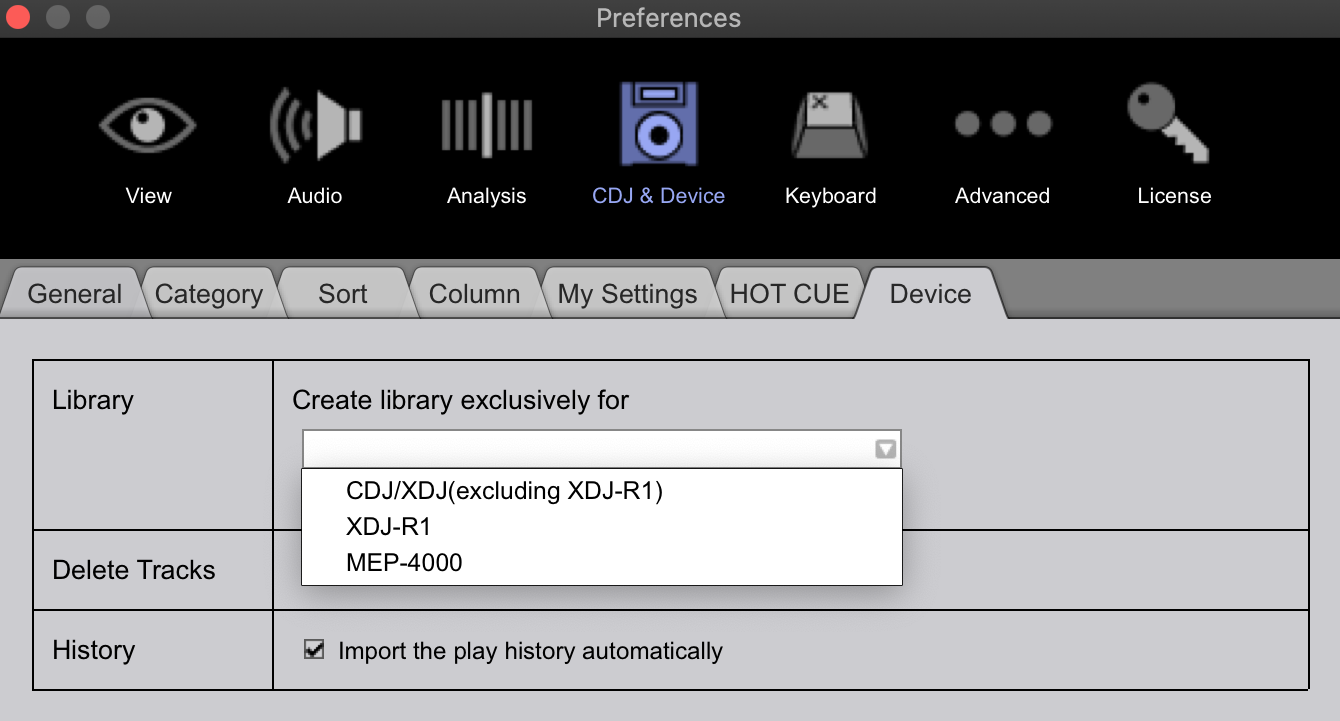
Are you creating the library for an R1 device? In EXPORT mode, please check your preferences under the CDJ & Device > Devices to see what's selected here:


Comment actions

I've had a strange issue arise out of nowhere.
Using Rekordbox on my Mac about a week ago, I put some new playlists on there for a gig as normal (exported then eject through rekordbox to create library)
I didn't notice at the time but it did not create the library, I noticed when at the gig and my new playlists weren't there ...
I came home checked the USB's; the playlists were on there, I tried creating a library again and the drive just drops out. I tried two USB's and that same. These are good quality USB's that have always behaved in Rekordbox, and have already plenty of tunes on there from Rekordbox.
To rule out my USB's I formatted them both (Correctly to the proper format) and still not creating a library. I tried updating Rekordbox, and even reinstalled it with no fix.
Here is the even more strange part.. I keep my master database on my external hard drive, so I booted up Rekordbox on my old Mac with the same database on my external hard drive, you would think the problem would still be there but it's not. It works perfectly wtf.
So my current sitch is using my old 2010 Macbook for Rekordbox instead of my 2018 Macbook (which has worked perfectly for the last 6 months I've had it till now)
I can't see any posts addressing this directly so I'm asking for help.
Using a 2018 15' Macbook Pro on macOS Mojave 10.14.6
Post is closed for comments.
Are you creating the library for an R1 device? In EXPORT mode, please check your preferences under the CDJ & Device > Devices to see what's selected here:
Hi Pulse,
Please forgive the late reply. I didn't notice your response and have just been using my old mac to create library as above all this time.
I did look at the setting you mentioned above. It had no preference selected so I've selected (CDJ/XDJ). No fix so far.
I believe the issue is that when exporting I don't get the little pop up that says "USB Device was updated" so when I go to create the library it just ejects the drive without telling me "Creating Library"
It does work perfectly on my other older Mac (Same database, stored on external)... super strange