Official comment
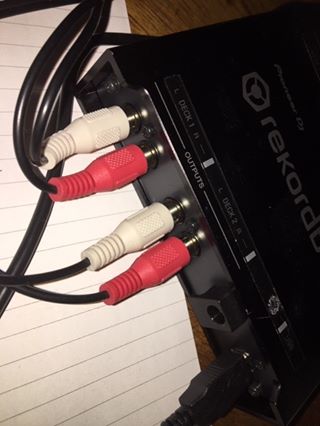
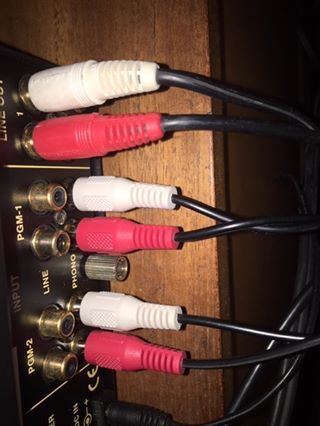
Distortion is usually because you have the inputs going to a phono input from the line output of the Interface 2 box.
Tracks in reverse simply means your left and right signals are swapped.
Does anyone have a simple guide how to set this up?
Getting distorted audio. Tracks in reverse. Error message when calibrating.
Using MacBook, 1200's, Vestax PMC 06.
Distortion is usually because you have the inputs going to a phono input from the line output of the Interface 2 box.
Tracks in reverse simply means your left and right signals are swapped.
Post is closed for comments.
Thanks. Checked all that and they're all in correctly. 


Thanks. I swapped the inputs/outputs of deck 1 on the interface. This is seeded to work although weirdly it shouldn't. Unless I've got it set up incorrectly in the System Pref?
Swapped to Line input instead of Phono input, that sorted the distortion.
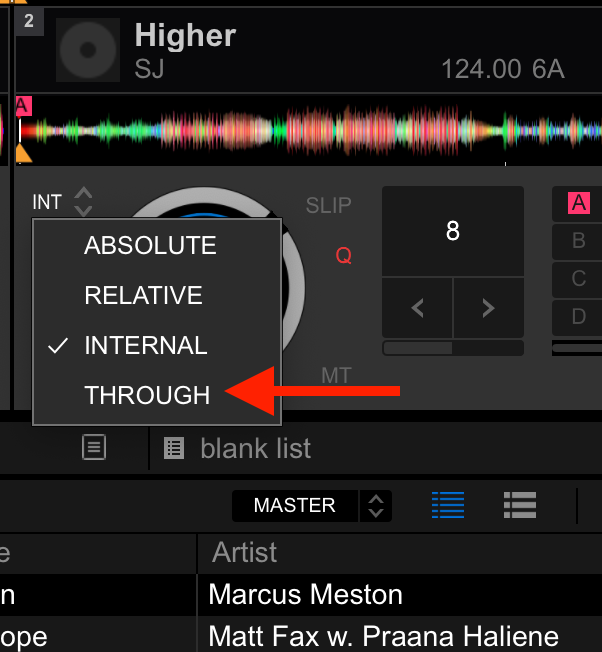
How easy is it to revert back to regular vinyl mid set?
Click the deck timecode option and change it from REL or ABS to the THROUGH option:

Great. Thanks for you help. Is there a way to stop the whine noise coming from the timecoded vinyl or is that just something that happens and will be solved by turning the volume up!?
Just pure physical friction, baby! :D
Unfortunately not something you can avoid - the shape and type of stylus used can make a small amount of difference, but not enough to spend money to change what you have to make it inaudible. Just turn up the music and it will wash that away.
Ok. Is it the same for time coded CD's then? Obviously some days I just want to spin with the volume down but it's bloody annoying having the wining. (not that I'm wining about the wining!🤣)
Heck no! Have you ever heard a CD reading the medium before? ;) Completely silent other than the motor spinning the disk.