Have a feature request or suggestion? Post your idea here!

Post

4 followers Follow
0
Avatar

Rekordbox slow analyzing files

So I'm new to Rekordbox. My collection contains around 100k FLACs and MP3s ranging from 30 second to 20 min.

I'm analyzing my library now and it is very slow. I had to turn off the automatic analyze feature as that would just break the client, I'm doing 20k files in bulk, this takes around 24hrs, it seems it would take me a week or two to analyze my library at this pace.

Is it supposed to be this slow?

Can I analyze the files on my workstation and somehow move the library to rekordbox on my laptop with the analyze details intact?

My laptop for DJing is a i7-7300 8GB ram, not the greatest CPU, not the slowest either.

Olav Kristoffer Von Sydow Answered

Official comment

Avatar

Yep - My Core i7 processing a library of 52K songs (MP3s mostly) was over 24hrs to bring it in from 5 to 6, then another 24hrs to addd the new analysis data. So long as you're past the conversion stage, you're able to close and open rekordbox as needed to analyse the tracks. Make sure you've got it set for PERFORMANCE analysis mode so it runs multiple files simultaneously.

Pulse
Comment actions Permalink

Post is closed for comments.

10 comments

0
Avatar

I have a 2010 macbook pro 17 inch i7. It has taken 4 hours to analyse 1000 tracks out of a library of 45,000 and so at this rate it will take over a week with RB on constantly 24/7  to analyse my collection. I need my computer to prepare new music and organise my collection as im starting to play again in a couple of weeks. If I downgrade to the old rekordbox can I transfer my collection and keep the analysis I had from before? Will the tracks ive analysed in RB6 need to be re-analysed again for RB 5?

Ross Brown 0 votes
Comment actions Permalink
0
Avatar

@Ross > Per above, make sure you have the analysis set to Performance mode to at least get 4 tracks at a time on your i7. Unfortunately an 11 year old computer isn't exactly as speedy compared to more modern computers.

You can always disable the automatic analysis, close the program, re-open, then navigate around organizing your music, then select ONLY the songs you need to have analysed.

Do not move between versions of rekordbox as there is no benefit since they are not compatible databases and rb6 requires re-analysis for the advanced waveform option (3band).

Pulse 0 votes
Comment actions Permalink
0
Avatar

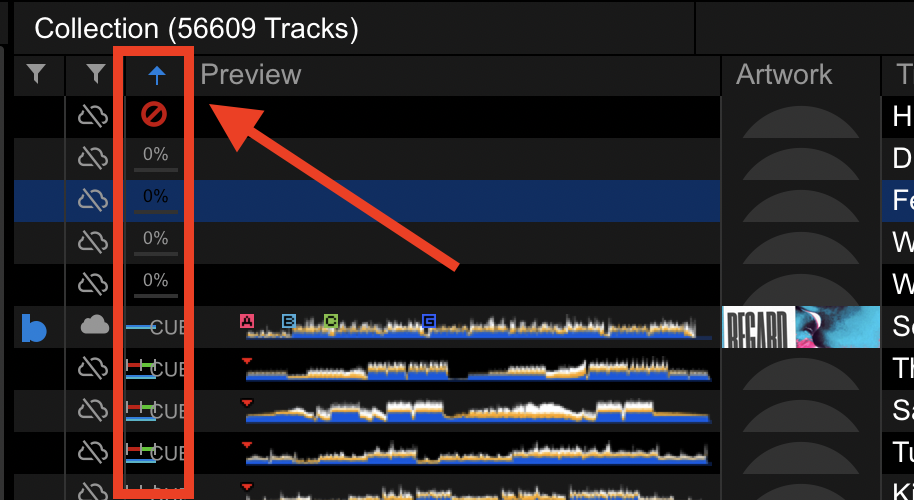
Thanks for getting back to me mate. Yeah i defs need an upgrade for sure. Tell me this - do you know if there is a way to sort by analysis? Like all my tracks have been analysed in RB5 but im not sure which ones are already analysed in RB6 as they look the same. Is there any way to tell the difference so i can organise what I want to analyse at different times?

Ross Brown 0 votes
Comment actions Permalink
0
Avatar

I'm in the same boat, running Intel(R) Core(TM) i9-9980HK CPU @ 2.40GHz.
Stops, freezes, slows down, I've stuck with RB5, it analysed 35k tracks in 24 hours, I'll be lucky if I get 1000 from RB6 in this time.

Winston1979 0 votes
Comment actions Permalink
0
Avatar

@Winston > Have you checked the analysis mode? It could be you're not in "performance" mode and it's only running 1 at a time.

Pulse 0 votes
Comment actions Permalink
0
Avatar

It reads 14 tracks at a time but then freezes up for about a minute.

Winston1979 0 votes
Comment actions Permalink
0
Avatar

Try turning off the wifi or when analysing, make sure you don't have LYRIC set to be included.

Pulse 0 votes
Comment actions Permalink
0
Avatar

@Pulse, it is indeed in performance mode with lyric off and it's still the same, I'm not sure why RB6 is like this, I'm guessing the extra features are such as lighting lyric and whatever else it is running in the background is too heavy.
I started analysing 170k worth of music on Sunday and have left the laptop on ever since, it still has 120k to do.
I would have stuck with Rekordbox 5 if it has the auto find missing tracks.

Winston1979 0 votes
Comment actions Permalink