Have a feature request or suggestion? Post your idea here!

Post

2 followers Follow
0
Avatar

DJM 900NSXnexus2 routing multiple channels of audio thru Audacity

Ok I want to route the output to record using Audacity. I need to have two track stereo for all the audio so left / right CDJ2000 (1) audi left right for CDJ2000(2)

During the recording I have to use the mic to speak but I need the option to mute the microphone when saving the file to wav or mp3 so I just have the teo track stereo for both sides , follow.


Similar to this video https://www.youtube.com/watch?v=LhIN5zblsyU


any help?

thx 

Ralphie Dee Answered

Official comment

Avatar

You have two options:

1) Record independent channels as shown in the video and "mix" it later.

2) Record the master output but have the mic.

There is no way to have the master without the microphone. The Booth, yes, but that's not an output you can capture over USB.

Pulse
Comment actions Permalink

Post is closed for comments.

4 comments

0
Avatar

OK want to do 1) I'm recording the independent channels and I see in audacity the left and right desks are separate but can't get the mic to run separate . 


Any help I can send images of everything to make this easier I hope.


RD

Ralphie Dee 0 votes
Comment actions Permalink
0
Avatar

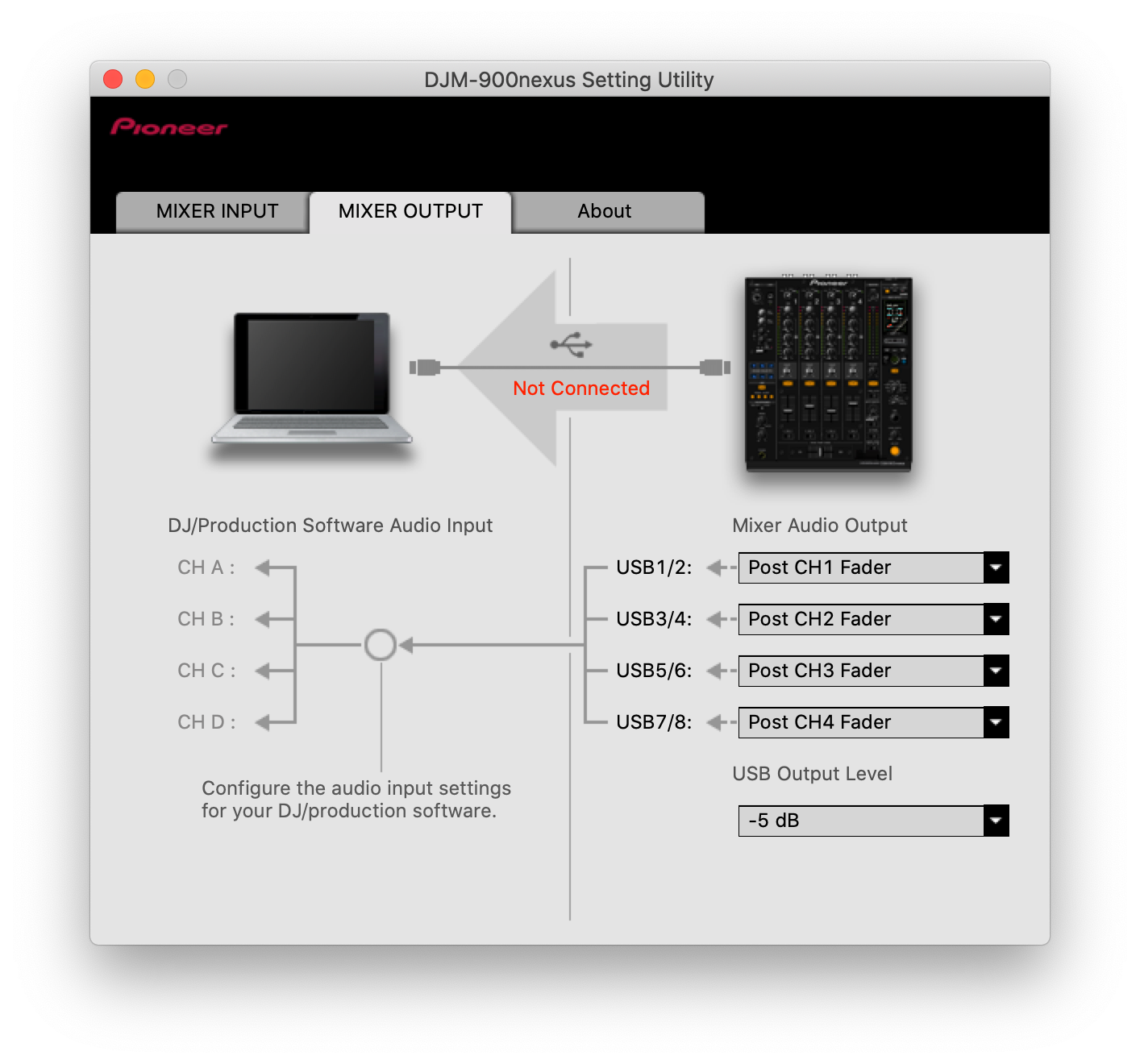
Basically, this:

None of those channel returns would contain the mic.

Pulse 0 votes
Comment actions Permalink
0
Avatar

Yes exactly! now I can talk and Audacity only pics up the separate channels . last thing is when I go to save as a wav or mp3 it only allows me to do as a mono file

Ralphie Dee 0 votes
Comment actions Permalink