Post
Follow
Rekordbox Android Cloud Syncing
Hey all!
I'm using Rekordbox 3.1.0.20 on my Samsung Galaxy s21 Ultra running Android 11.
I recently upgraded to the Professional plan and was able to utilize cloud sync to get my library from my laptop to be stored in Dropbox, and successfully downloaded it to my desktop.
- On the android app, the Cloud Library Sync is enabled and went to 100% ( I see all tracks in my library in Rekordbox on my phone).
- I am unable to download the tracks to my phone by swiping and then selecting the 3 dot option button, and hitting 'Download from Cloud'
- I have tried clearing cache, clearing storage, resetting permissions (disabling and reenabling storage permission) as well as restarting my phone
- The icon on the right side of the track which I believe shows download progress remains near the 12o'clock position, showing that the track isn't downloading.
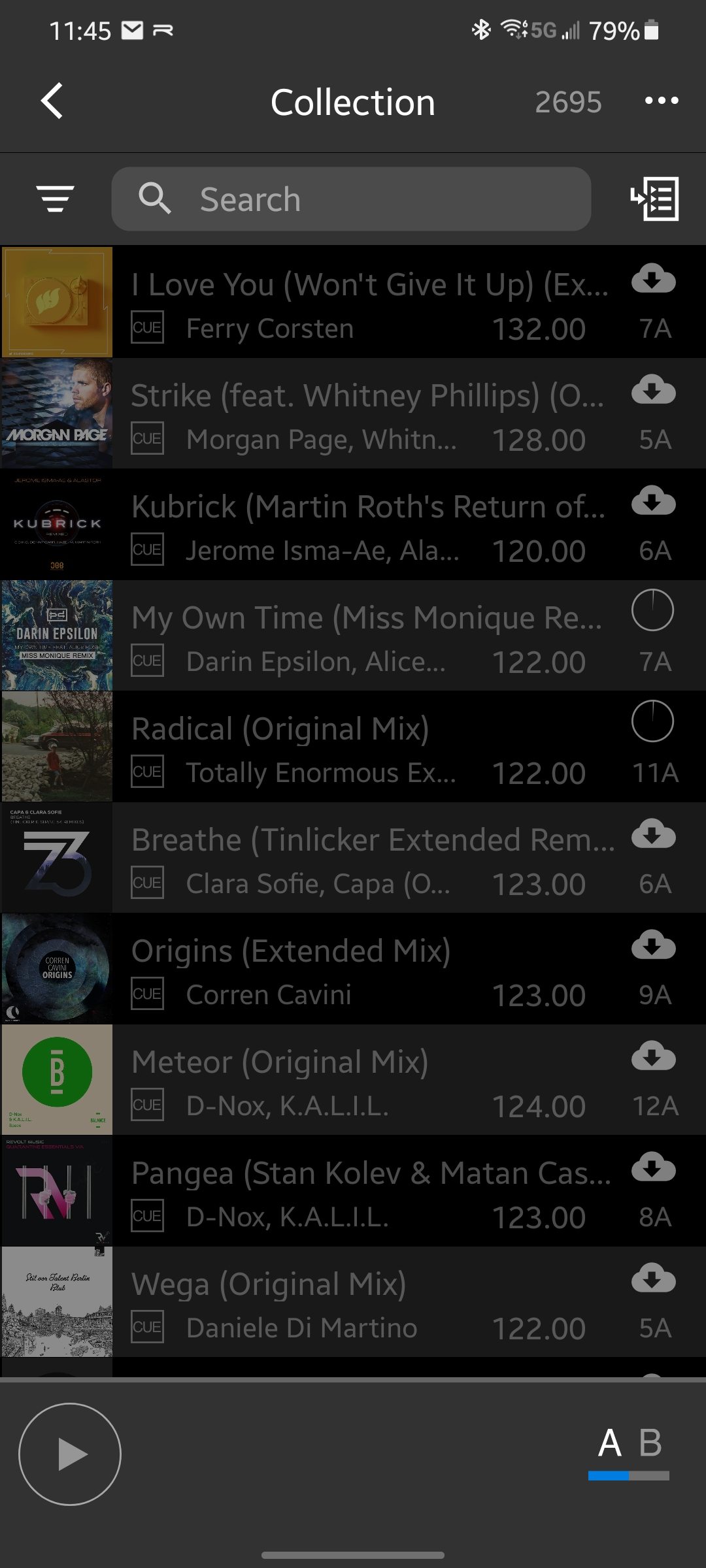
I have tried searching for any possible resolution but couldn't find any. I'm sure I am probably missing something very obvious, if you could please share how to to fix this issue - thanks!!
Post is closed for comments.