Official comment

The XDJ-RX does not support DVS. I'm sorry that you purchased a product that didn't do what you expected it did.
Comment actions

Hi,
I am at a loss, I have tried to find the solution to set DVS up for Rekordbox v6.0.4 but I am no wiser after reading manuals, viewing empty Pioneer UK Forums on Rekordbox and viewing so many Youtube videos that all look to be heading the right direction but the settings they are looking at are just not available for me, so I beg for some support here before the kit goes out the window!
Hardware setup:
1 x XDJ-RX (Firmware v2.21)
2 x 1210 MK7's
2 x Rekordbox Control Vinyls
1 x PC, connected via USB
XDJ-RX connected via USB to PC directly, Turntables connected via Phono (RCA) cables with grounds all connected and work just fine as turntables.
XDJ-RX on the back connections panel is set to phono for each channel, on the top, the toggle button for deck or phono/line is also set to phono for each channel.
Control Vinyls placed on each deck with side A up and needle lowered onto the vinyl, tables not turning at this point.
Rekordbox Setup & Seetings:
Rekordbox: v6.0.4
XDJ-RX Setting Utility Driver: 1.300
All of the dropdowns for the Input Deck 1,2,3 & 4 all only show a single tick/check icon and when I try to select this, it does nothing also.
While attempting to find a solution to this issue I referred to the following Rekordbox V6 User Guide PDF: https://cdn.rekordbox.com/files/20200323144552/rekordbox6.0.0_manual_EN.pdf
The section on DVS in Performance mode on page 201 advises following the instructions in the “rekordbox dvs setup guide”. I could not find this anywhere online, in the forums or the Pioneer support areas?
I then followed the support links here for the UK: https://www.pioneerdj.com/en/support/contact/united-kingdom/
Using the links from above linked page I checked the UK Rekordbox Support area for Rekordbox, its blank, empty, yes nothing at all???? https://support.pioneerdj.com/hc/en-us/categories/360002176332-rekordbox
Lastly, I have previously installed the XDJ-RX_1.300.exe driver and had the drivers installed successfully notification at the end of the process (cannot recall the exact wording) but each time I connect my XDJ-RX the driver install window appears every time. (I did install this with Firewall's, VPN's etc. all disabled in order to achieve the successful install originally)
When I try to reinstall the XDJ-RX_1.300.exe driver I just continually get a failed notice with error code 0.10 if that means anything to anyone.
The install window also refers to the driver not being the latest version, but I cannot find a newer version either?
See the below images for more info:
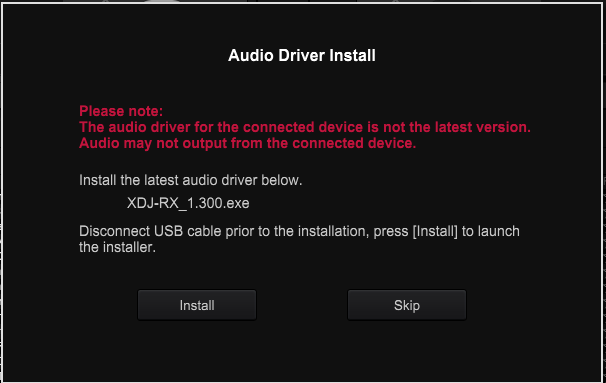
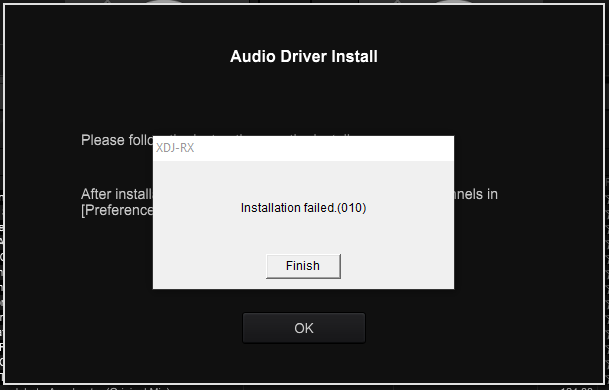
I suspect the issue is linked to the really buggy software and drivers that we all know as Rekordbox, but I will be damned if I can work out how to resolve this.
See the below images of my current active plan & preferences mentioned above.
Any pointers or support appreciated as Rekordbox has seriously gone downhill the last 3-4 years or so and seriously considering selling up and jumping ship at this point.
So far in all the years I have owned my XDJ-RX, I have spent more time trying to get it to work over actually using the kit!
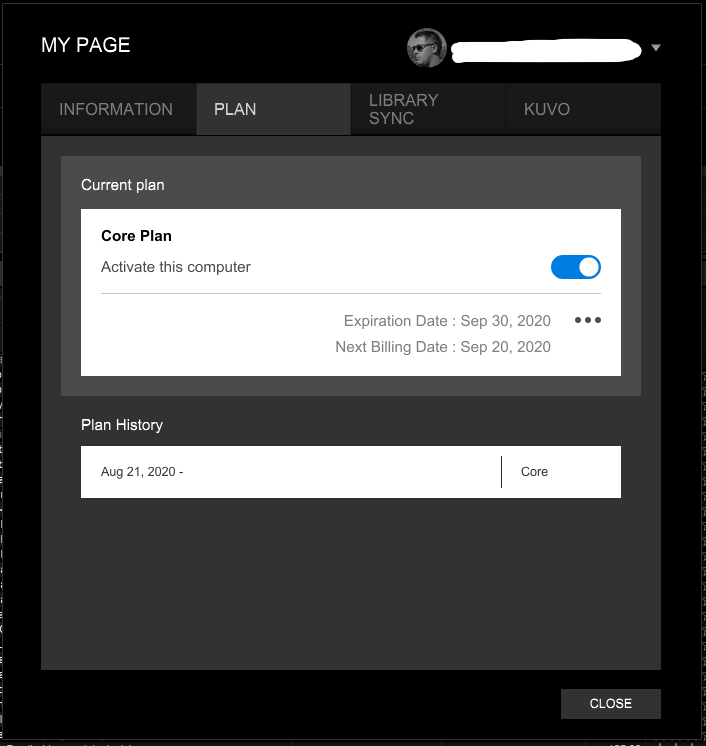

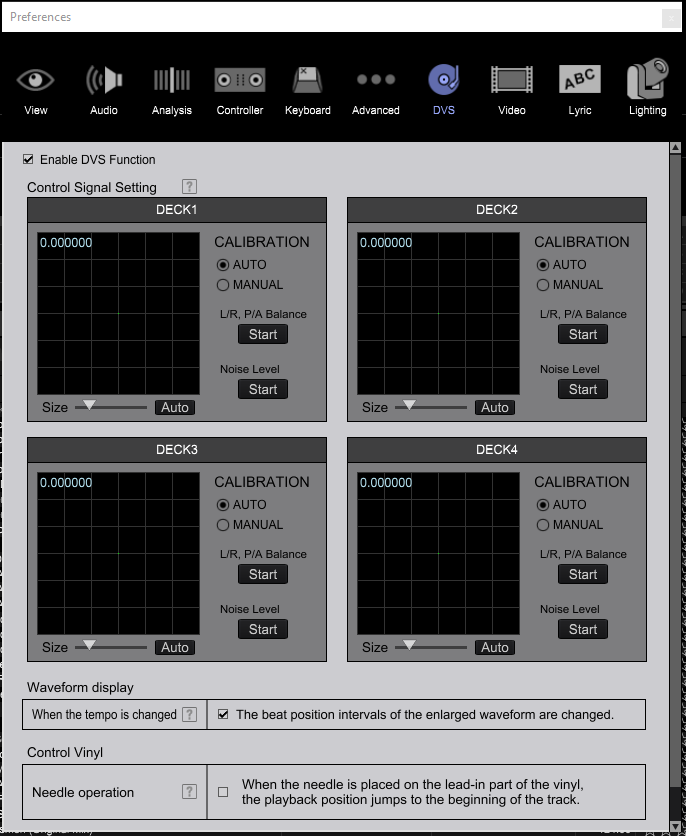
The XDJ-RX does not support DVS. I'm sorry that you purchased a product that didn't do what you expected it did.
Post is closed for comments.
I have since identified the issue, the XDJ-RX simply does not support DVS which has been around for over a decade at least and the XDJ-RX cannot work with DVS control vinyl's because of the integrated audio interface is my understanding.
Again yet another failing from Pioneer, Goodbye Pioneer you have failed me yet again, wasted much more of my time & money again and your forums and online websites are a testament to the sheer poor quality of everything you are producing these days, I feel so sorry for your teams. Empty forums noted above, forums that cannot determine a users current session status correctly, the XDJ-RX that cannot support a technology that has been around for so long, hardware that just fails with the simplest requirements, Rekordbox software that takes more time to maintain and keep working than Microsoft Windows ever has, each iteration of software or hardware just keeps damaging what was once a great product and brand, now its total s**t!
R.I.P. Pioneer.