Have a feature request or suggestion? Post your idea here!

Post

3 followers Follow
1
Avatar

Shared library (dropbox) sync between 2 laptops

Hey guys,

Had my first weekend of gigs using Rekordbox cloud and Dropbox.

I had my DJ laptop already set up at my gig and wanted to add edits at home on my main laptop as a bit of an experiment.
I was stoked to get to my gig and see the edited track on my other laptop ready to play! Pretty awesome guys!

I was a little bit confused about the way that RB cloud/Dropbox handles files though. 
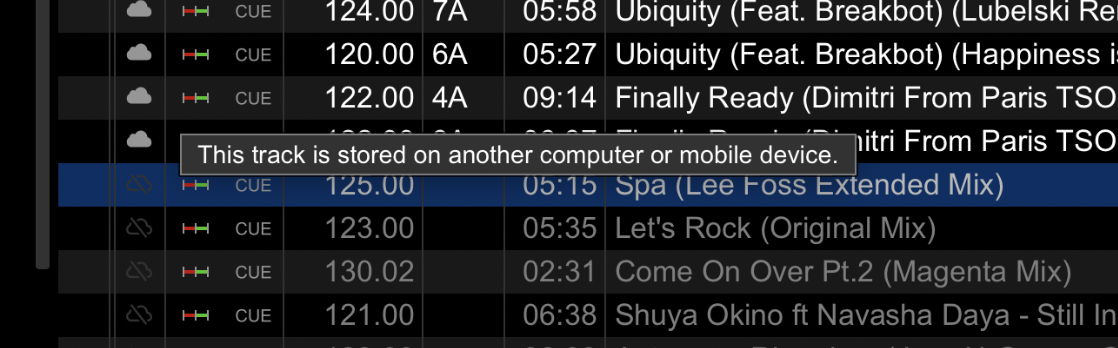
There were a lot of tracks in the playlists that were "greyed out". 
I had to manually search for them on my gig computer where they still existed, but because of the double-ups between the 2 systems, it meant I was constantly having to find the playable version of the track every time.

Is there a way for both computers to have a singular library?
And if there are tracks on one computer but not on the other, make it so

only those tracks are added to the library?

I really love where this is going by the way, with a cloud-based library.

Very much looking forward to future refinements.

Many thanks


Ian Jones

Post is closed for comments.

3 comments

0
Avatar

That's weird.. I'm using the cloud-based library (with dropbox) myself too and never experienced this.
Seems like your library-file is shared, but not the files?

In Rekordbox you can right-click a playlist and turn on "Auto Upload", I think this might fix your issue.
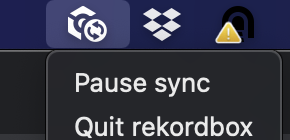
You can also keep an eye on the "Rekordbox sync" icon that tells you when it's syncing.


Wouter Dendas 0 votes
Comment actions Permalink
0
Avatar

Thanks for the reply,

Yeah, I've done all the uploading and syncing, but I still have a bunch of greyed out tracks.
I have a sneaking feeling that one of the libraries hasn't 100% uploaded to dropbox. I'll see how I go once I've done that.

Ian Jones 0 votes
Comment actions Permalink
0
Avatar

That track simply means the library has sync'd it but the song is not available in Dropbox.

Pulse 0 votes
Comment actions Permalink