Official comment
Unfortunately not without additional software to manage that since those applications are not designed to function with audio interfaces featuring more than 2 channels, so they default to 1/2. Sorry!
Post is closed for comments.
I actually want the laptop audio on channel 3.
What additional software would be required?
My setup would be
Channels 1 & 2 USB Standalone.
XZ connected to the mac via USB.
channel 3 of 4 just for playing something off youtube if needed or last minute requests using finder on the mac. Not RB.
Basically just use Channel 3 or 4 for outputting audio from the laptop.
My recommendation would be something like Loopback or SoundSiphon; either one will allow you to direct specific sources (either hardware or software) to any other software or hardware device and on specific outputs.
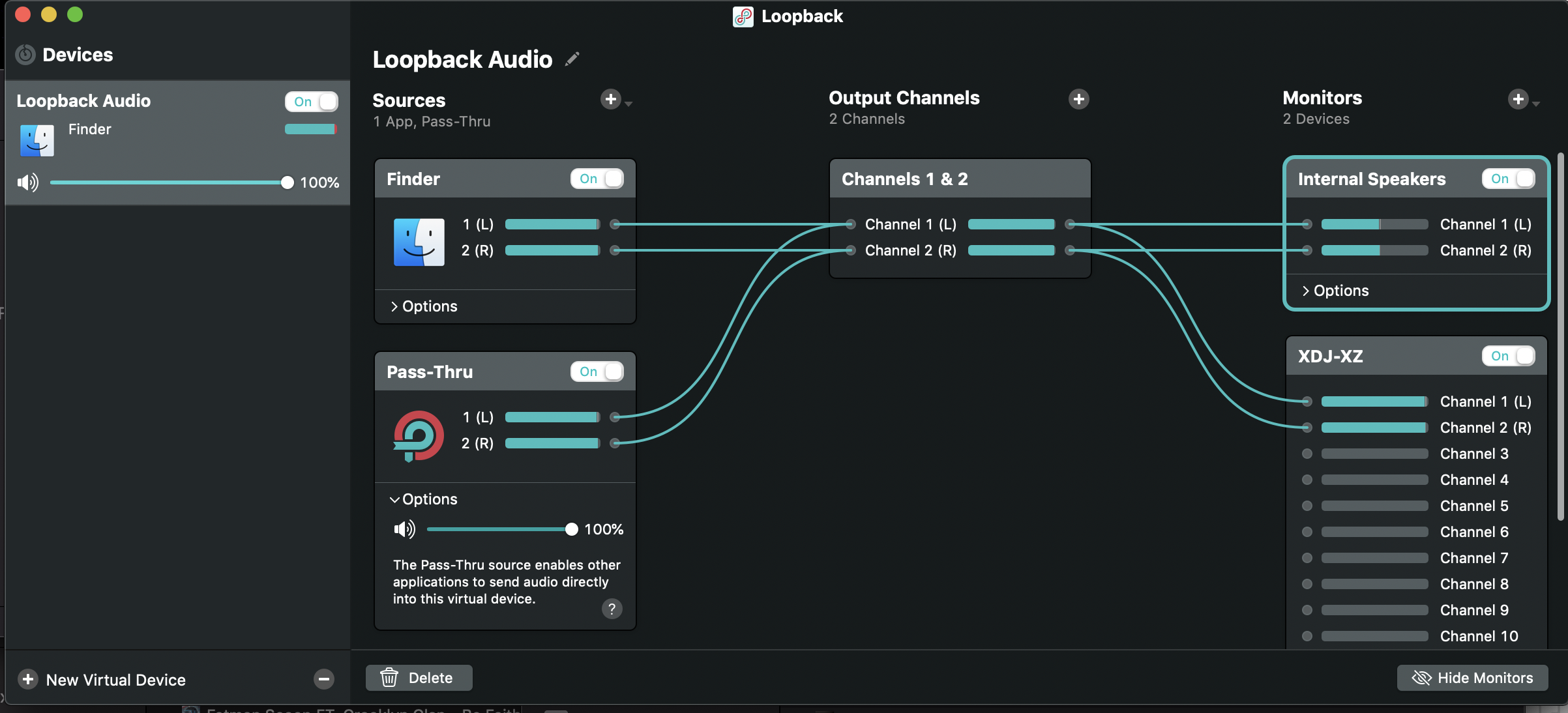
I already have Loopback 2.I have just tried it with that but have no audio on the XZ. Both Channels 3 & 4 are selected to USB on the XZ.
Mac sound options is Loopback Audio.
The audio levels are coming in Loopback but nothing on the XZ.
I dont think I can attach a screenshot.
I think i have figured it out.
I had to route the outputs to channels 5-6 on Loopback to get audio on channel 3 on the XZ.
According to Loopback there are 12 channels for the XZ.

What channels in Loopback correspond to the actual channels on the XZ?
That's correct:
1&2 = CH1
3&4 = CH2
5&6 = CH3
7&8 = CH4
9&10 = MASTER
11&12 = FX (not really usable)