
Is the drive formatted FAT32 or HFS+?
Comment actions

Hey guys. So i recently purchased a new USB stick, and when i open the USB settings the "My Settings" tab is "inactive." Also when i load the USB into my XDJ, the load settings option is greyed out. What is causing this issue?
Post is closed for comments.
Is the drive formatted FAT32 or HFS+?
Technically it's exFAT
exFAT is not FAT32; rekordbox can see the drive but can't use it. Please format to FAT32 for use with rekordbox and Pioneer DJ players.
When i right-click the properties on the USB Drive, it says "FAT32" but when i open the format settings exFAT (default) is selected under the "File system". NFTS is the only other formatting option.
You may need to use a 3rd party formatting tool (or the command line) to format it as FAT32.
FAT32 is only for 32GB and below. This flash drive is 128GB, therefore, formatting it to exFAT or NFST are the only options
Not true at all -- I have 128GB drives formatted to FAT32.
https://www.makeuseof.com/tag/format-large-hard-drive-fat-fat32/
So basically every time someone buys a large flash drive they have to re format it in order to save their settings to the drive?
I reformatted to FAT32, still having the same issue
Have you opened the My Settings in the Preferences? The one under the DEVICE view is only to show the status.

Hello, can you please post a screenshot, because i don't understand where i have to go in my settings in the preferences, i don't find the section my settings. Thank you.

If you are in export mode, 
You can see the option DJ System in File > Preferences > DJ System
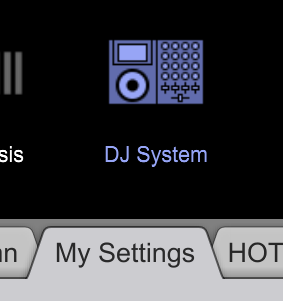
You can then change, these settings, if you wait and click away the settings will be put on the USB stick automatically!


