
Hi Kamil,
Do you have the DDJ-400 selected as the audio device within rekordbox, but also NOT in use by Windows as an output device?
Comment actions

Hey guys,
I just got DDJ400 and I plugged it to amplifier but it's gives absolutely no sounds - screen below
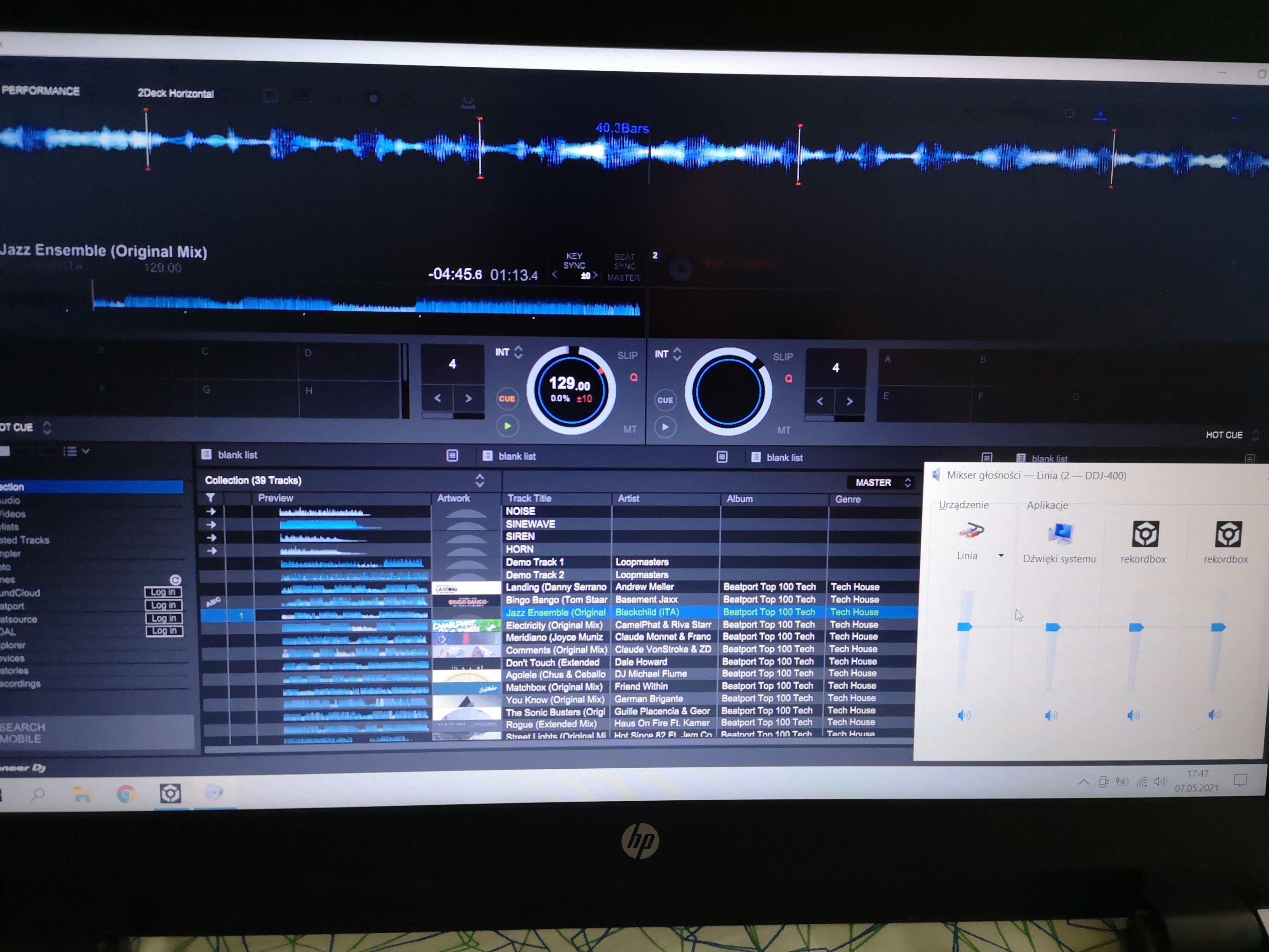
As you see rekordbox actually playing something but there are no sounds passed from software at all. I did my own research which led me to new drivers from the site https://www.pioneerdj.com/pl-pl/support/software/controller/ddj-400/ I did update but nothing happened. I checked Device Manager and DDJ400 is recognized correctly.. To me personally it all looks like a drivers issue that I cannot overcome. I checked all details from the site https://faq.pioneerdj.com/product.php?c=658&lang=en&p=DDJ-400&t=faq everything is set as per those instructions.
I want to clarify one thing - I'm new in this field and I might have missed something. Guys please help me out. It would be much appreciated
Cheers
Post is closed for comments.
Hi Kamil,
Do you have the DDJ-400 selected as the audio device within rekordbox, but also NOT in use by Windows as an output device?
Hey,
Thanks for quick response.
Below you can find my current setup :
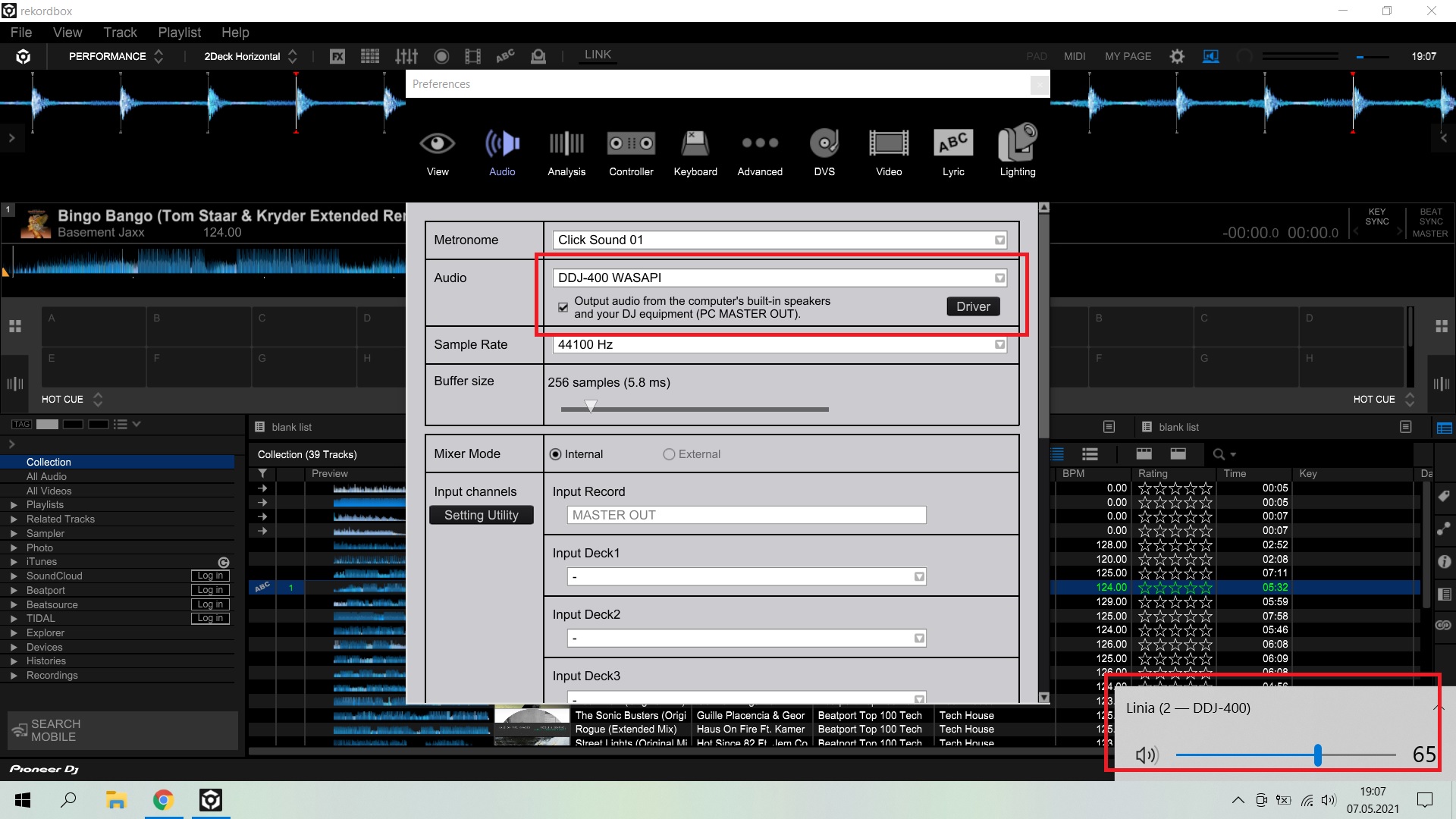
In my recognition - it should looks like this. If I'm wrong, please correct me.
Okay, so you need to switch the Windows default audio output back to your internal audio device, not the 400.
I just did but as you see in red rectangle there no green volume there at all. No sounds recognized
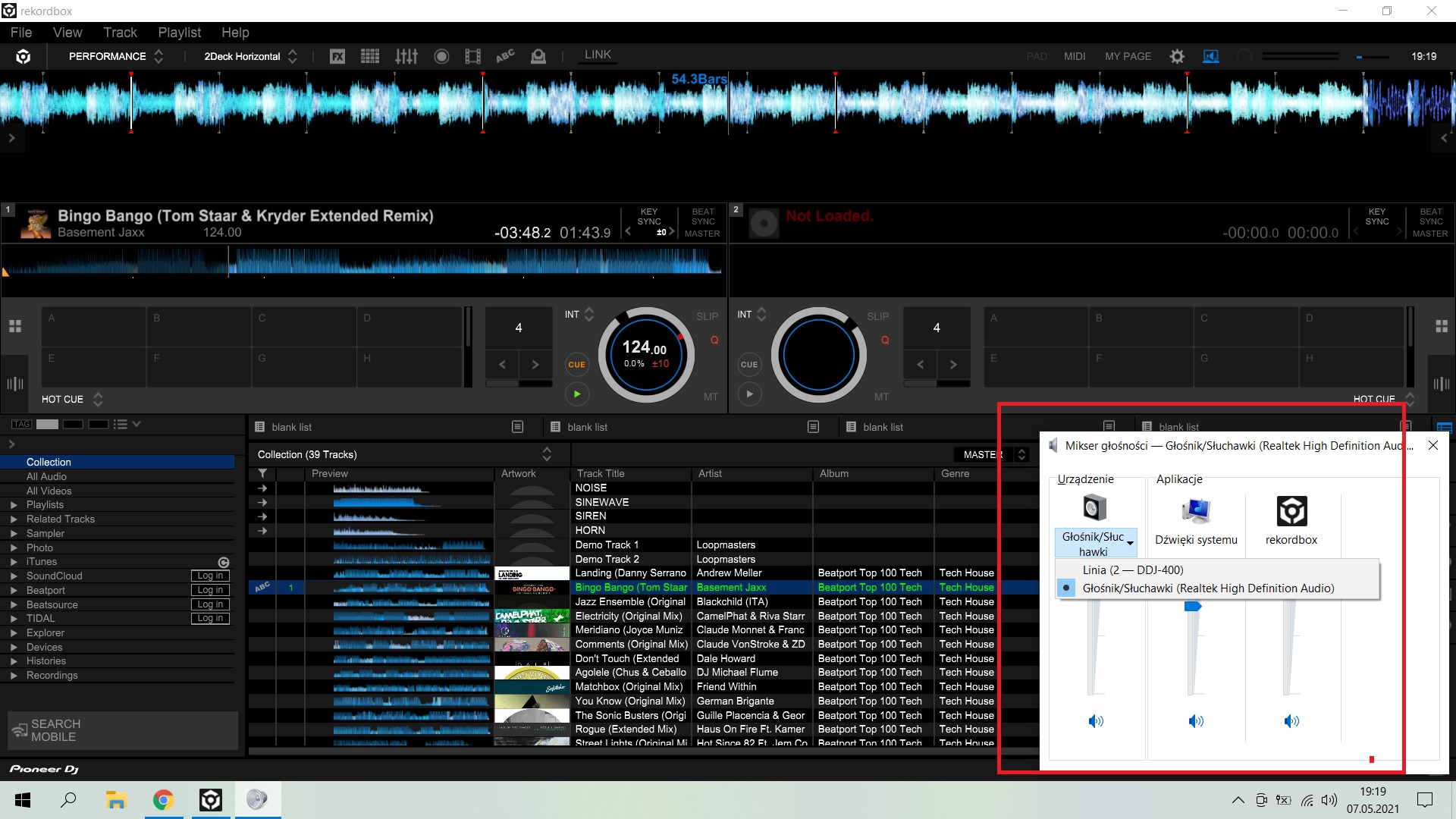
Interesting thing is - when I pull out USB cable (original dedicated for DDJ-400) my laptop immediately catch sounds. That's why I thinks issue is about soft. I'm still stuck.
I just found this : https://www.pioneerdj.com/-/media/pioneerdj/downloads/other/troubleshooting/troubleshooting_001_e_v014.pdf and I got everything set as in CASE4
screenshot
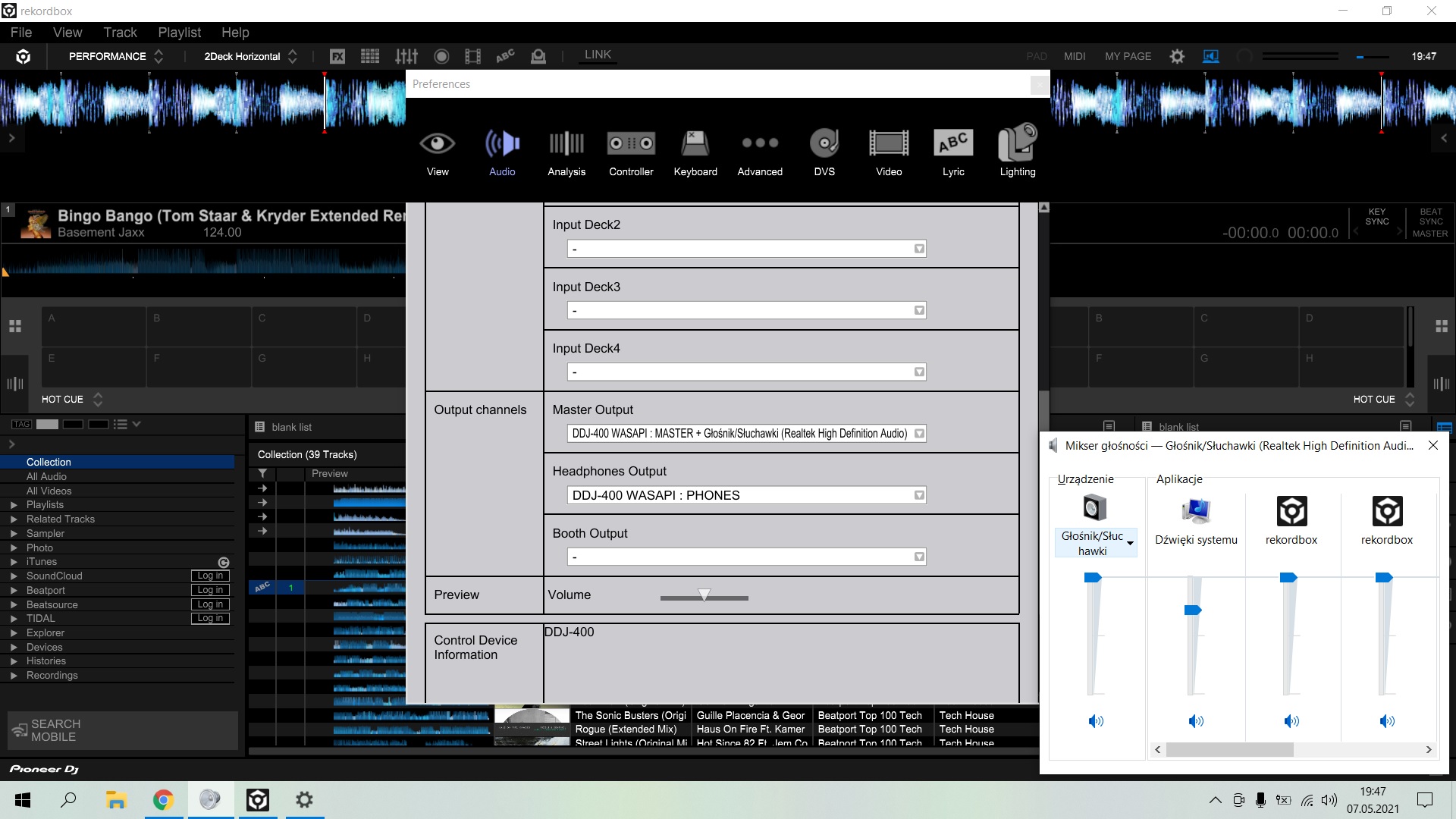
Can you please try disabling the PC Master Output in rekordbox to see if it works normally?
Sadly still nothing. Any other ideas? If I will not solve it until Monday, I will return it to store and instead buy Serato. I'm kinda disappointed because I thought Pioneer could deliver good quality equipment..
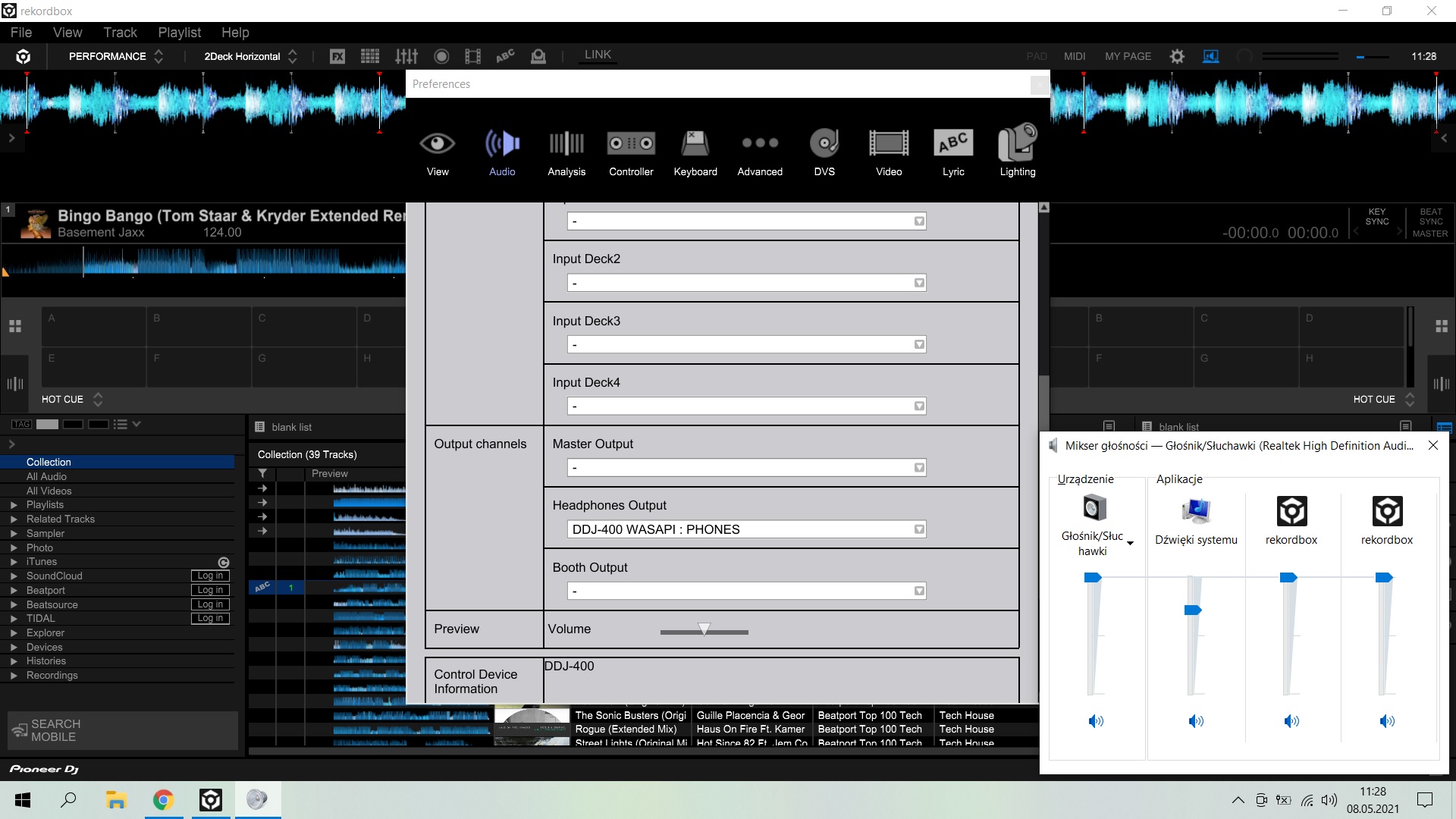
Device manager :
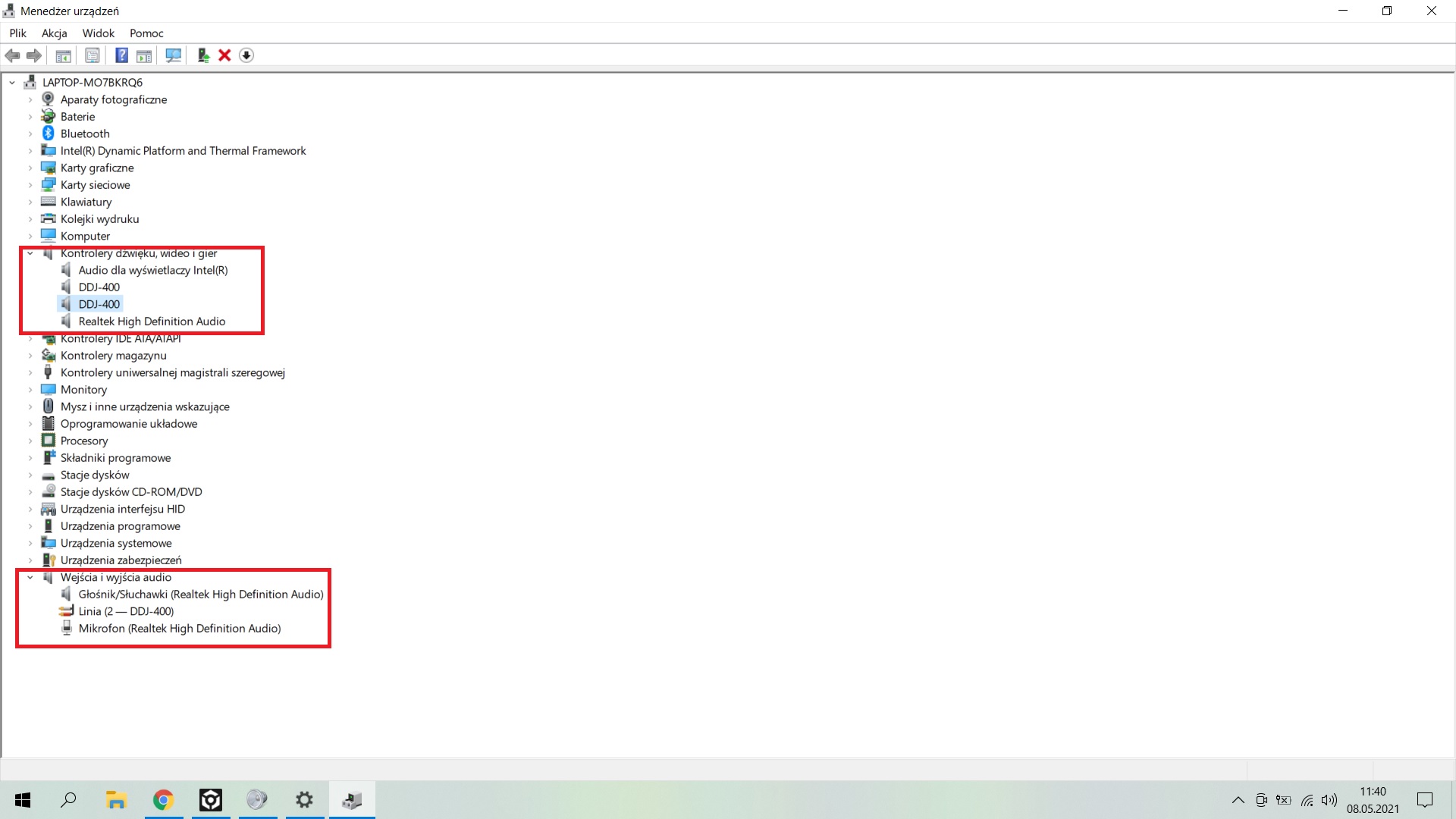
@Kamil > You don't have anything assigned on the rekordbox master output....
"Can you please try disabling the PC Master Output in rekordbox to see if it works normally?
You asked me to do it in previous comments - it was done and still nothing has happen. If you would scroll higher in this thread, you would see screenshot with visible PC Master Output as DDJ400 and still no sounds. Any other ideas?
Here...
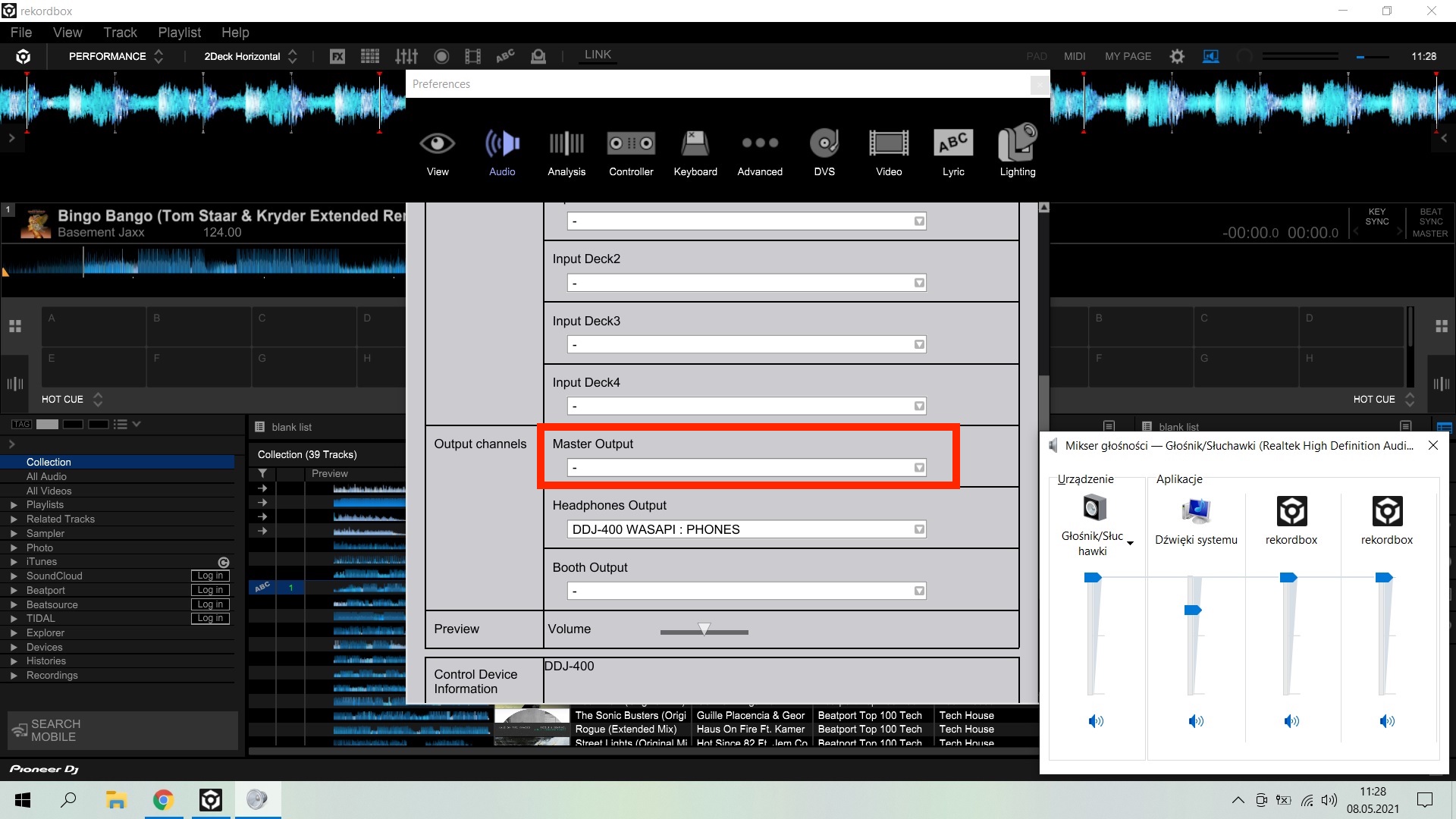
Yes, the PC MASTER should be disabled, but you should still have the DDJ-400 WASAPI : MASTER in that box.
Can you share any article about PC MASTER? What you mean by this? Where to turn it off? I found only this https://www.pioneerdj.com/en/product/features/software/rekordbox-dj-pc-master-out/
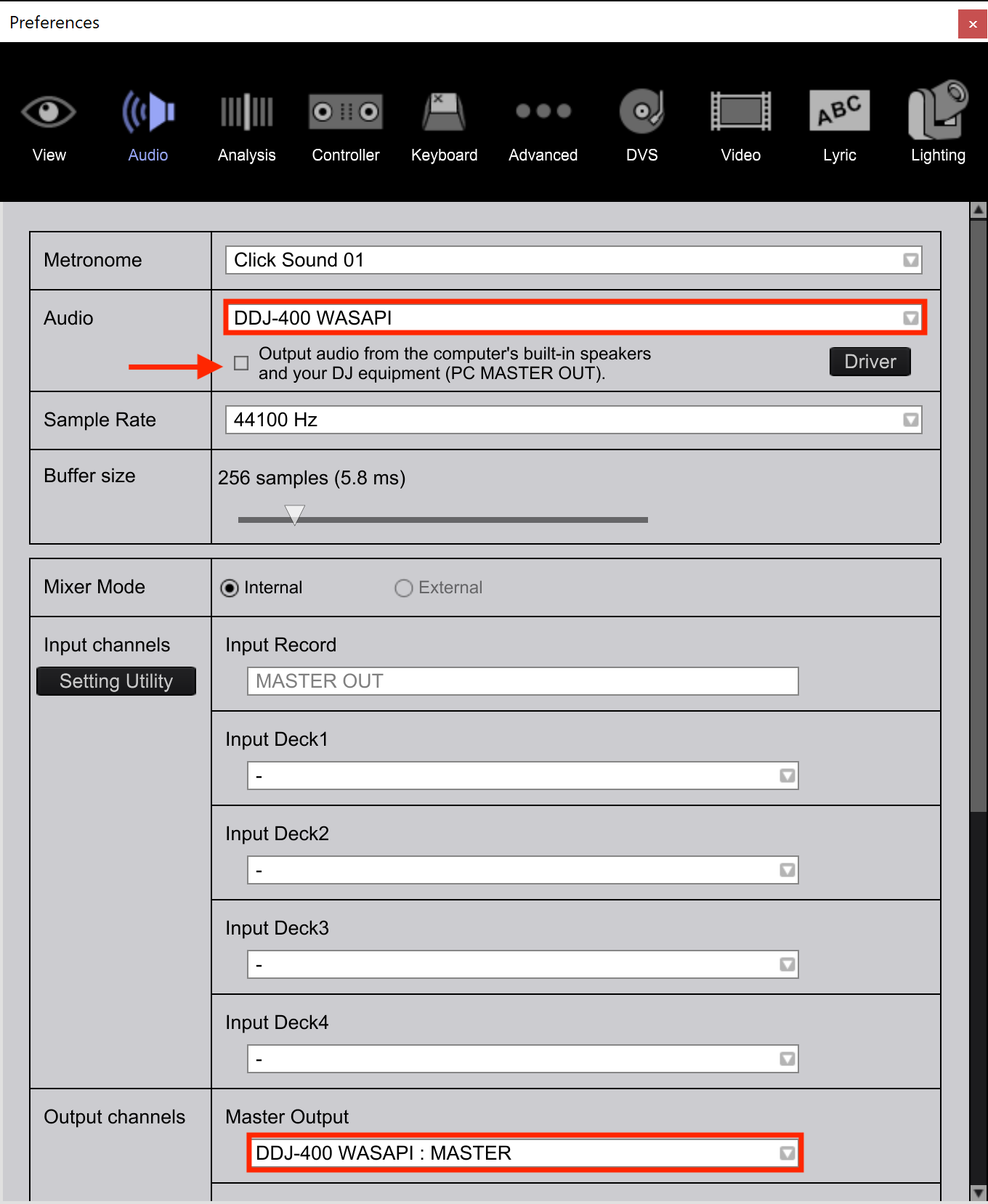
Un-check the box at the top of the Audio page, right beneath the DDJ-400 device as the selected audio interface:
Guys thanks for all tips but controller came in with broken motherboard. Now it's been replaced and it's works fine. Cheers


