Have a feature request or suggestion? Post your idea here!

Post

2 followers Follow
0
Avatar

Headphone Cue Latency DDJ 1000 SRT

Looking for a latency resolution. 

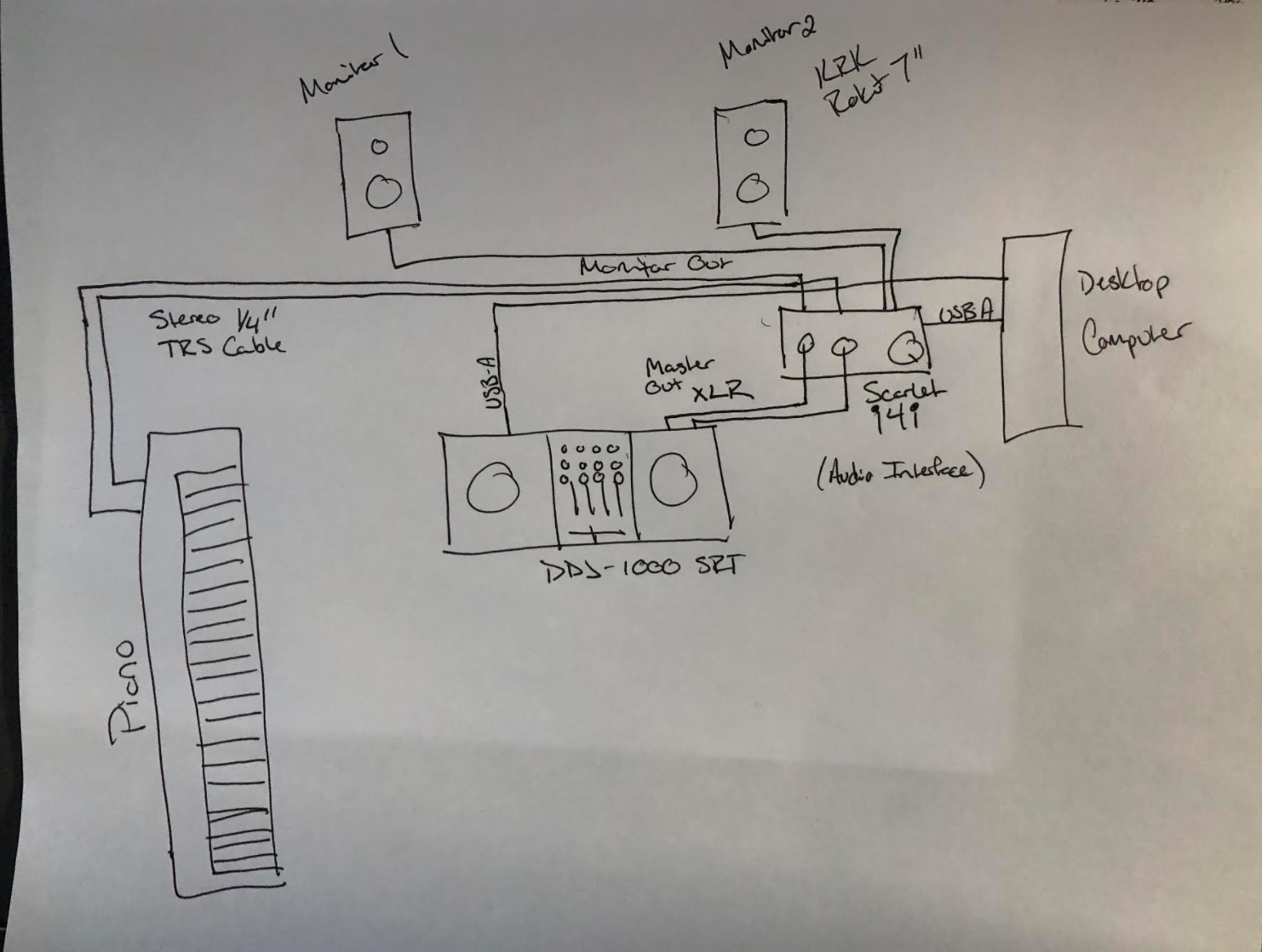
My headphone cue is a beat or two ahead of my monitor output. I'm currently running my control output through XLR cables to a 3rd generation Scarlet i4i (so i assume this is the point of problem). It appears that the headphone cue matches the on screen waveform in serato, but does not sync with monitor output (and makes beat matching impossible). 

I have a Yamaha MODX 88 hooked up to the 1/4" inputs on the back of the i4i, and direct monitoring is activated. There is no latency issue with key strike and sound production from the piano. 

I eventually want to run everything through Ableton, but have not installed this yet because I can't even beat match. 

Can anybody help me? Thanks for your time.

Jared Koen Answered

Official comment

Avatar

Hi Jared,

The issue is going to be the Scarlett adding the delay to its input and then output. You may be able to lower the latency on the Scarlett's device settings, but unfortunately there may still be a delay and you'd need to beat-match entirely in headphones to achieve what you're looking for. 

Pulse
Comment actions Permalink

Post is closed for comments.

2 comments

0
Avatar

So the issue was actually resolved. Using focusrite control you can set the software to run direct monitoring. The issue, I believe arises in the inherent resistance in the system.

I reduced the latency in Serato a touch, which resulted in no change in delay. However, since I have this set up through the 4i4 audio interface, i was adjusting the volume through the computer. 

I randomly noticed that when I adjusted the master volume on the DDJ-1000 it inversely decreased the latency and delay. So it seems the more power that was put into the sound from the master control of the deck was the issue. 

Just in case anybody else ever runs into this problem. 


Jared Koen 0 votes
Comment actions Permalink