Have a feature request or suggestion? Post your idea here!

Post

3 followers Follow
0
Avatar

problem installing DDJ-1000_M_3.0.0dmg

I've updated my MacBook Pro 16in 2019, to big sur 11.4 but when I try to install the latest audio driver, my MacBook says its installed....but when I connect my DDJ1000 to the MacBook its saying no audio driver in the jogwheel. The sound is coming through my headphones ok & its working in Rekordbox & its coming through MacBook built in speakers, but there is no sound to my monitors from either the booth or master outputs.

I've tried to uninstall & reinstall the driver about 6 times with no change, as its still saying no audio driver.

Please can you put up a fix for this....my MacBook is an intel i9 processor, I saw there was a work around for M1 chip MacBooks but nothing for intel MacBooks.

This is really annoying.

david watt Answered

Official comment

Avatar

@David > That seems you've got another issue with the hardware not being detected. I'll ask you to please file an inquiry ticket here and our support team will gather some additional information to assist you in resolving this issue.

Pulse
Comment actions Permalink

Post is closed for comments.

11 comments

0
Avatar

What happens if you launch the DDJ-1000 Driver Version Display Utility app?

Pulse 0 votes
Comment actions Permalink
0
Avatar

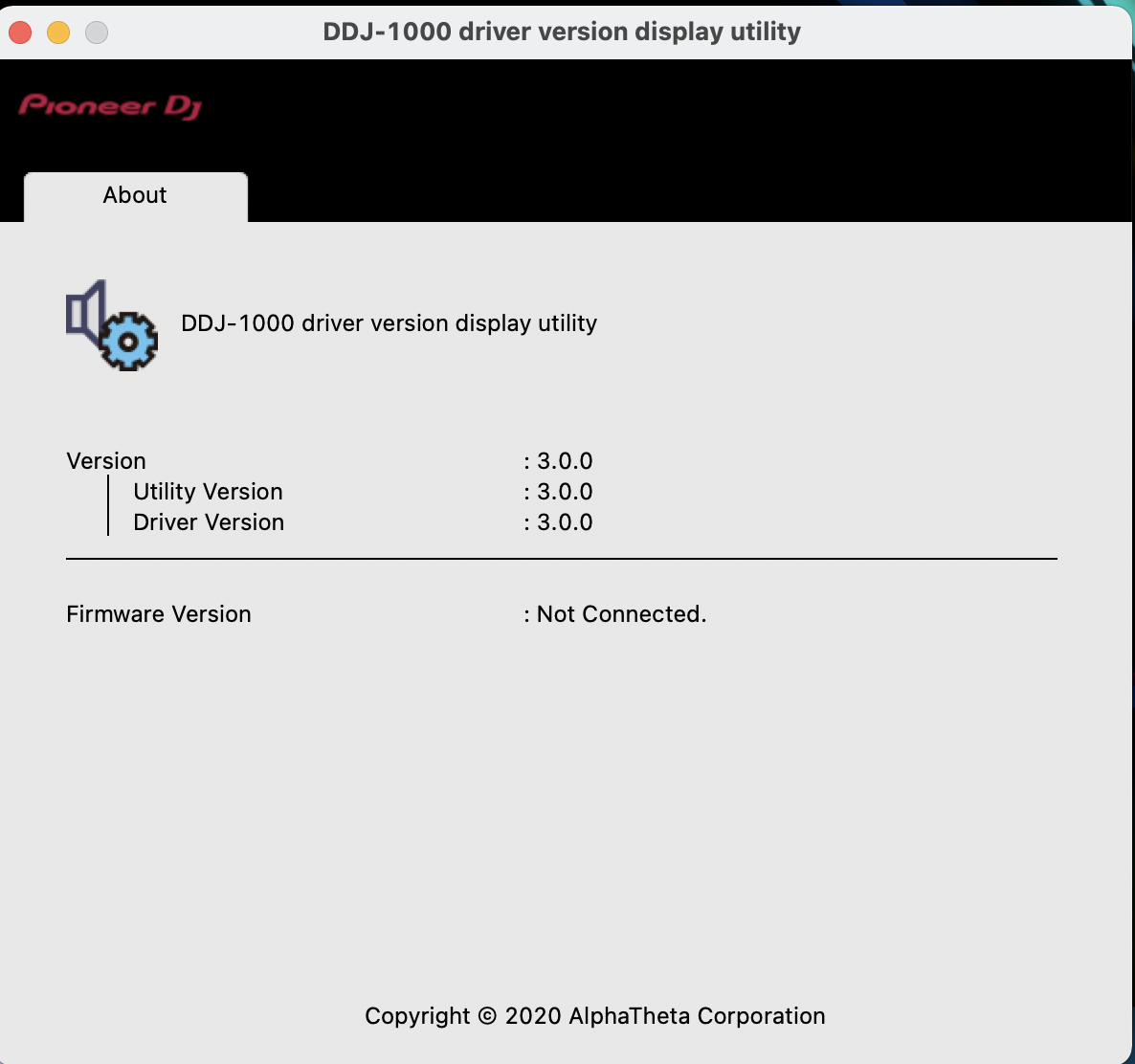
this is what I get its saying its the latest driver, but firmware isn't connected.


david watt 0 votes
Comment actions Permalink
0
Avatar

I have had the same issue after upgrading to 11.4, but I have found that after launching the DDJ-1000 Driver Version Display Utility then the jog wheel displays start working. I have submitted a ticket with Pioneer.

DJ Friyay 0 votes
Comment actions Permalink
0
Avatar

Pulse I connected my ddj1000 to my MacBook,got the same no audio driver error on the jogwheel....but then I launched the driver display utility app & like Chris Friday said.....it instantly recognised the firmware 1.12 & the jogwheel returned to normal, with the no audio driver message gone. The sound was working fine from booth & master out to monitors as well. Surely there must be a fix that you don't need to launch the driver version utility app every time you connect your DDJ1000 to your MacBook? I tried disconnecting & reconnecting the DDJ1000 to my MacBook 3 or 4 times & every time I got the no audio driver message & I had to launch the driver version utility app every time to rectify it.

david watt 0 votes
Comment actions Permalink
0
Avatar

the image from above of the driver version utility app was taken without ddj1000 connected to my MacBook. I didn't realise that it had to be connected to recognise the firmware.

david watt 0 votes
Comment actions Permalink
0
Avatar

@David > That's likely the OS not having the background task to detect the DDJ being connected and launch the driver. You may try removing and reinstalling the drivers (there's an uninstaller in the driver download), and it may require disabling the SIP on your machine (not needed on every Mac, but for some reason, it is on others).

Personally, I prefer it that way - one less app running in the background waiting, especially in my case where I have drivers for literally every product we make installed!

Pulse 0 votes
Comment actions Permalink
0
Avatar

im just gonna leave it as it is....at least now I know its only another mouse click to rectify the issue. Hopefully pioneer & apple can make it easier to update drivers in future. 

david watt 0 votes
Comment actions Permalink
0
Avatar

We're watching issues with Big Sur 11.4 and trying to see if there's a common thread.

Pulse 0 votes
Comment actions Permalink